


Introduction
As a solutions architect who’s spent countless hours wrestling with Visio, Lucidchart, and even hand-drawn whiteboard sketches, I was skeptical when I first heard about an AI tool that could generate professional cloud architecture diagrams from plain English prompts. My team had been struggling to keep our infrastructure documentation up to date while moving fast on a multi-cloud migration project. When a colleague mentioned Visual Paradigm’s AI Cloud Architecture Studio, I decided to put it through its paces—not as a marketer, but as a practitioner who needed real results.
Over the past few weeks, I’ve used the tool to design everything from a simple serverless API on AWS to a complex hybrid Azure-GCP data pipeline. This review shares my unfiltered experience: what worked surprisingly well, where I hit friction, and whether this tool deserves a spot in your architecture toolkit.
First Impressions: Getting Up and Running
Accessing the studio was straightforward via the Visual Paradigm AI Toolbox. After logging in, the interface felt clean and purpose-built—not cluttered with unrelated features. I appreciated that it didn’t try to be everything to everyone; it focused squarely on cloud architecture generation.
My first prompt was intentionally simple: “Create a basic AWS web application with an Application Load Balancer, EC2 instances in an Auto Scaling Group, and an RDS PostgreSQL database.” Within seconds, the AI generated a logically structured diagram with proper subnet grouping, security group indications, and service icons that matched AWS’s official architecture icons. No dragging, no icon hunting—just a coherent starting point.
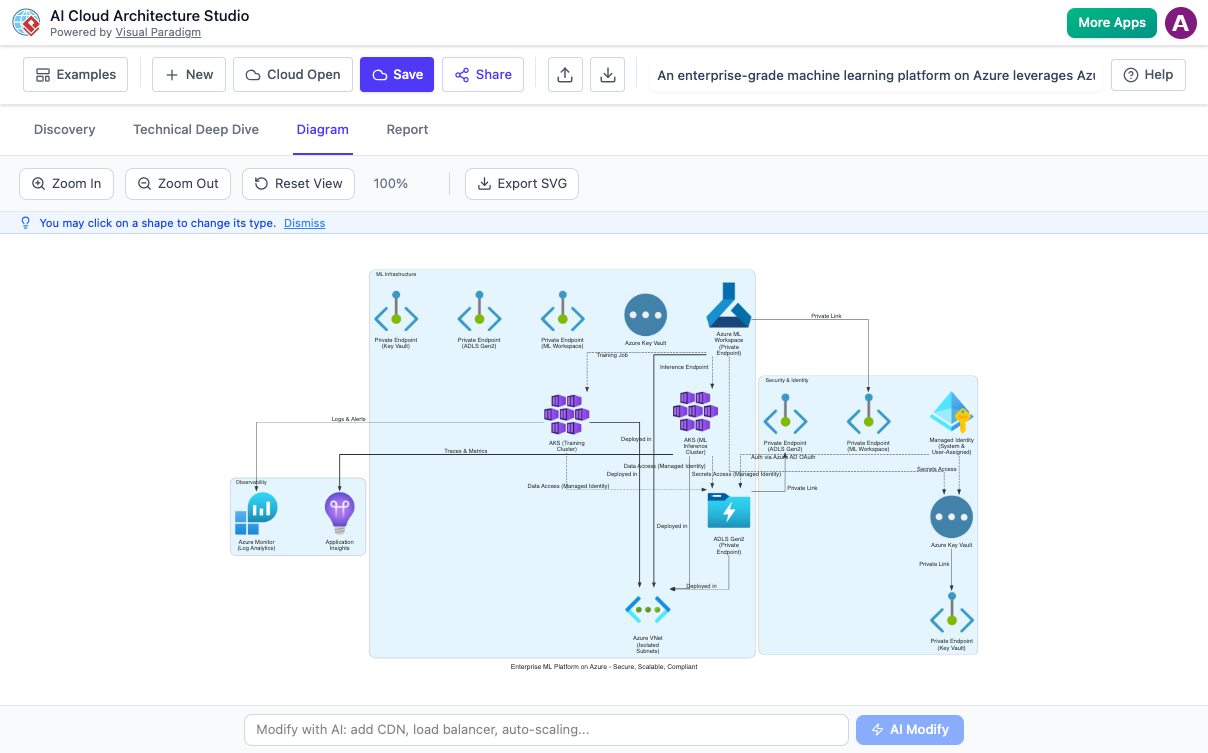
The Core Workflow: When “Just Describe It” Actually Works
AI-Powered Diagram Generation That Delivers
What impressed me most was how the AI interpreted intent, not just keywords. When I later refined my prompt to “Make this architecture highly available across three AZs with a read replica for the database,” the tool didn’t just add icons—it restructured the entire diagram to reflect multi-AZ deployment patterns, updated the RDS component to show a standby replica, and even added appropriate labeling.
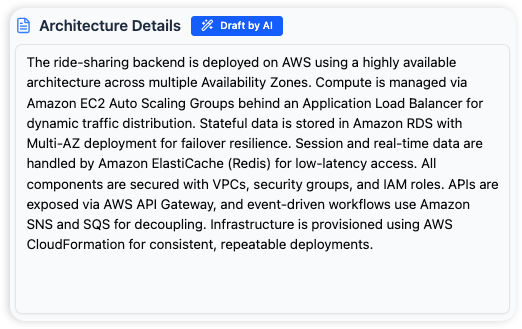
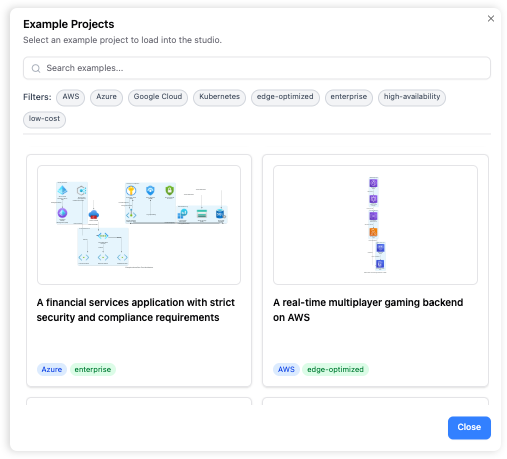
For teams that document infrastructure frequently, this alone saves hours per diagram. The output wasn’t just visually clean; it followed cloud provider best practices out of the box.
The “Technical Deep Dive”: AI That Asks Smart Questions
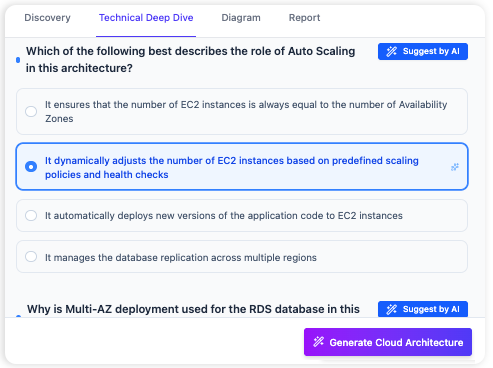
One feature that set this tool apart was the AI-guided discovery phase. Instead of assuming my requirements, the system initiated a “Technical Deep Dive” with targeted questions:
-
“Will this application handle sensitive user data requiring encryption at rest?”
-
“What’s your expected peak traffic volume to size the Auto Scaling Group appropriately?”
-
“Do you need cross-region replication for disaster recovery?”
Answering these helped the AI refine a generic template into a tailored architecture that actually matched our compliance and performance needs. It felt less like a diagram generator and more like a collaborative design partner.
Multi-Cloud Flexibility: One Workspace, Many Providers
Our project required evaluating both Azure and GCP options for a new analytics pipeline. Being able to toggle between cloud providers within the same interface was a game-changer. I could generate an AWS version, then ask the AI to “Show me the equivalent architecture on Google Cloud using BigQuery and Cloud Run,” and instantly compare the two side-by-side.
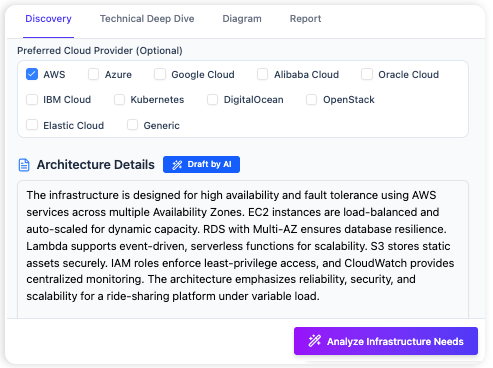
The vendor-agnostic icon library meant I wasn’t locked into one ecosystem. For architects working in hybrid or multi-cloud environments, this flexibility reduces context-switching and keeps documentation consistent.
Refining Designs with Natural Language Edits
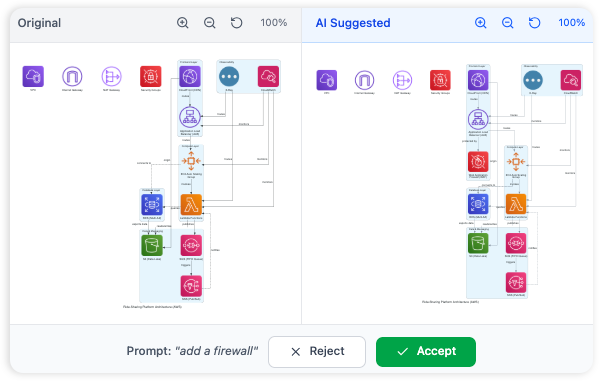
No AI gets it 100% right on the first try—and that’s okay. What mattered was how easy it was to iterate. Instead of manually moving components, I simply typed:
-
“Add a WAF in front of the load balancer”
-
“Make the database subnet private and add a NAT gateway”
-
“Show the data flow arrows between services”
The AI understood these requests and updated the diagram instantly. For quick iterations during stakeholder reviews, this natural language editing saved significant time compared to traditional drag-and-drop tools.
Documentation Export: From Diagram to Decision Record
Generating a diagram is only half the battle; communicating it is the other. The PDF export feature produced a clean, stakeholder-friendly report that included not just the visual architecture but also a plain-English explanation of each component’s purpose and the design rationale.
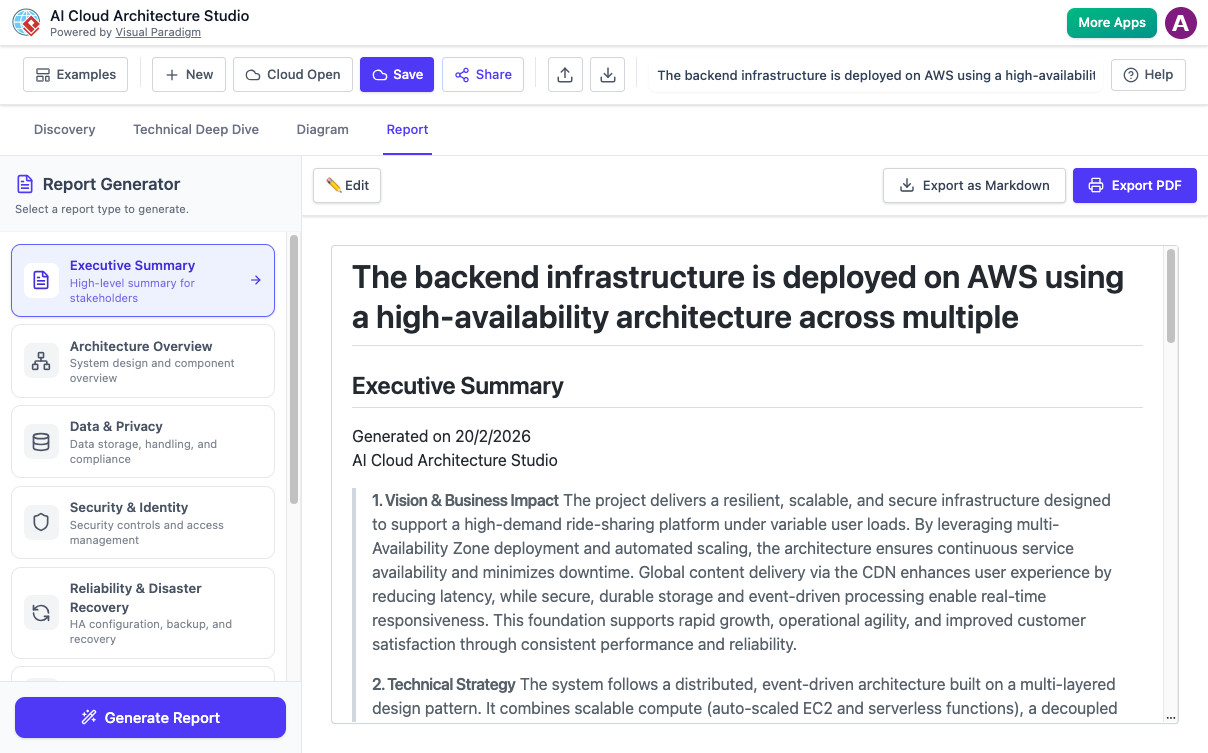
This was invaluable for our architecture review board. Instead of spending meeting time explaining the diagram, we could focus on trade-offs and approvals. The export also included metadata about provider choices and security considerations—making it audit-ready without extra effort.
Practical Considerations: What to Know Before You Start
-
Learning Curve: While the AI handles the heavy lifting, crafting effective prompts takes practice. Start simple, then layer in complexity.
-
Licensing: Core features are accessible via a free tier, but advanced capabilities (like team collaboration and high-res exports) require a VP Online Combo or Desktop Professional license.
-
Best Results: The more context you provide in your initial prompt (e.g., compliance requirements, traffic estimates, budget constraints), the more tailored the output.
-
Icon Accuracy: The tool uses official cloud provider icon sets, but always double-check that the generated architecture aligns with your organization’s specific policies.
Who Should Consider This Tool (And Who Might Pass)
✅ Ideal for:
-
Solutions architects and cloud engineers documenting infrastructure
-
Product managers needing to visualize technical proposals for non-technical stakeholders
-
Teams managing multi-cloud or hybrid environments
-
Consultants who need to rapidly prototype architecture options for clients
❌ May not fit:
-
Users requiring pixel-perfect, brand-customized diagrams (though exports are high-quality SVG)
-
Organizations with strict on-premises tooling requirements (this is a cloud-based SaaS tool)
-
Those expecting fully autonomous architecture design—the AI assists, but human oversight remains essential
Conclusion
After putting Visual Paradigm’s AI Cloud Architecture Studio through real-world scenarios, I can confidently say it delivers on its core promise: turning plain English descriptions into professional, accurate cloud diagrams—fast. It won’t replace deep architectural thinking, but it dramatically reduces the friction of translating ideas into visual specifications.
For teams tired of spending more time drawing boxes than designing systems, this tool is worth evaluating. The combination of AI-guided discovery, multi-cloud support, and natural language editing creates a workflow that feels less like documentation and more like collaborative design. If you’re managing cloud infrastructure in 2026 and beyond, having an AI partner that handles the “busy work” of diagramming lets you focus on what really matters: building resilient, scalable, and secure systems.
Give it a try with a small proof-of-concept prompt. You might be surprised how much time you get back—and how much clearer your architecture conversations become.
References
- AI Cloud Architecture Studio | Visual Paradigm: Official product page for the AI Cloud Architecture Studio tool featuring generative cloud diagram capabilities.
- AI Cloud Architecture Studio Features | Visual Paradigm: Detailed feature overview of the AI-powered cloud architecture design tool.
- AI Cloud Architecture Studio Launch Announcement: Official release notes and launch details for the AI Cloud Architecture Studio.
- Visual Paradigm on Facebook: Visual Paradigm’s official Facebook page with product updates and community discussions.
- AI Cloud Architecture Studio Demo Video: YouTube demonstration showing the AI Cloud Architecture Studio in action for teams seeking fast, accurate cloud designs.
- Visual Paradigm Cloud Collaboration: Information about Visual Paradigm’s cloud platform enabling concurrent team design, review, and commenting on diagrams.
- AI Cloud Architecture Studio Web App: Direct access link to the web-based AI Cloud Architecture Studio application.
- Visual Paradigm AI Homepage: Central hub for Visual Paradigm’s AI-powered diagramming and design tools.
- What Makes Visual Paradigm’s AI Chatbot Different: Blog post comparing Visual Paradigm’s AI diagramming chatbot to competing tools, with advanced capability references.