
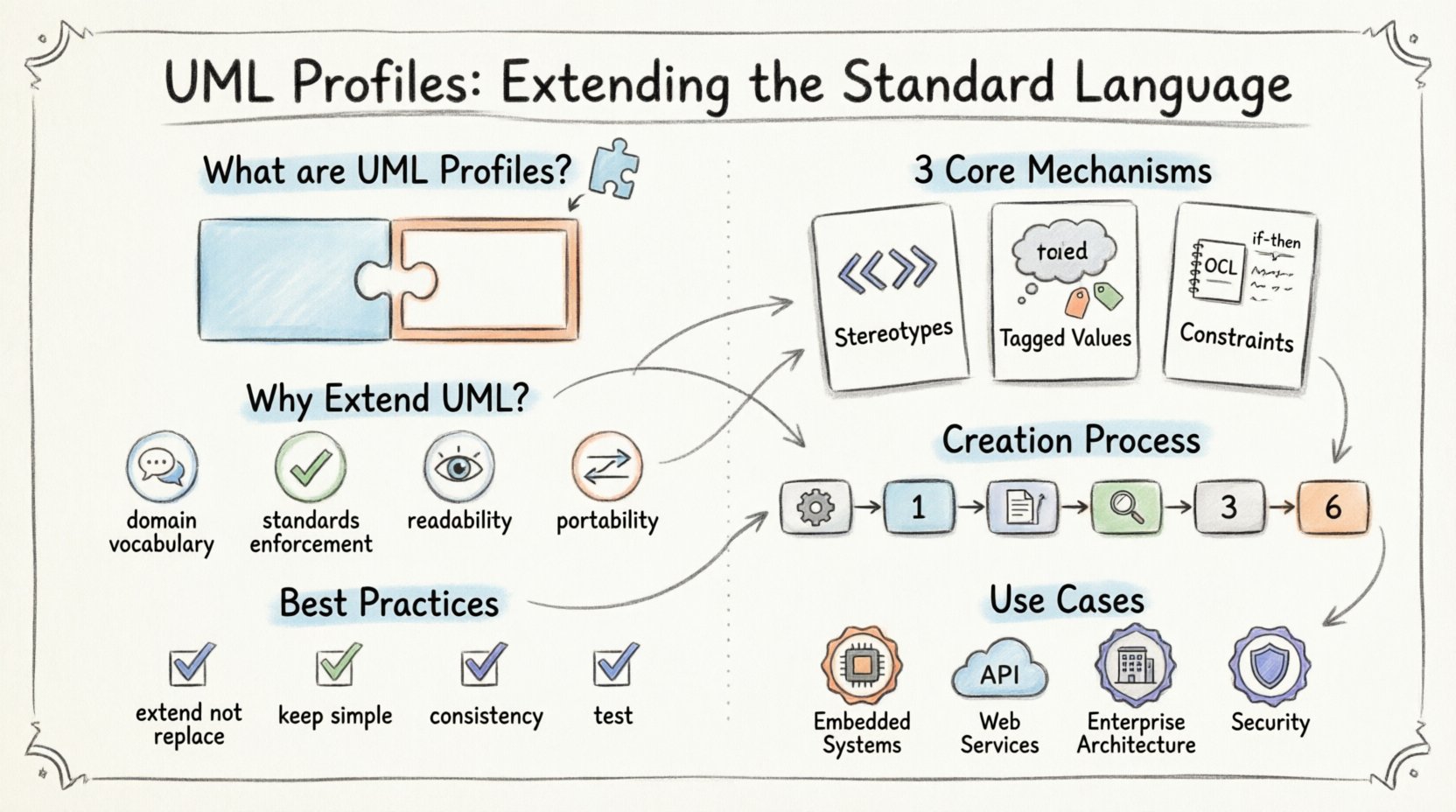
💡 Key Takeaways
- Profiles Extend UML: Profiles allow customization of UML for specific domains without altering the core standard.
- Stereotypes & Tags: These are the primary mechanisms for adding new semantics and metadata to model elements.
- Constraints Define Rules: OCL and other constraint languages enforce business logic within the model structure.
- Interoperability: Well-defined profiles ensure models remain readable and portable across different tools.
The Unified Modeling Language (UML) provides a robust foundation for visualizing, specifying, constructing, and documenting the artifacts of software systems. However, the standard set of diagrams and elements is often too generic for complex, domain-specific architectures. To address this, UML introduces Profiles. A profile is a mechanism to extend the UML metamodel, allowing users to define new semantics and notations while retaining the underlying standard structure. This capability ensures that modeling remains both flexible and consistent.
Understanding how to implement profiles correctly is essential for architects who need to bridge the gap between generic software patterns and specific business requirements. This guide explores the anatomy, creation, and application of UML profiles in depth.
Why Extend UML? 🤔
Standard UML elements like Class, Association, and Use Case are powerful but limited. In specialized domains such as telecommunications, embedded systems, or financial services, specific concepts exist that do not map directly to the base UML 2.x metamodel. For instance, a telecommunication system might require a specific type of interface or protocol handler that is not natively defined in the standard.
Attempting to model these specific concepts using only base UML elements often leads to cluttered diagrams or ambiguous interpretations. A profile solves this by:
- Defining Domain-Specific Vocabulary: Creating terms that resonate with stakeholders in a specific industry.
- Enforcing Standards: Imposing rules that ensure consistency across a large project or organization.
- Enhancing Readability: Using custom notations to make diagrams clearer for the intended audience.
- Preserving Portability: Unlike proprietary extensions, profiles are part of the UML standard, ensuring models can be exchanged between tools.
Anatomy of a Profile 🧩
A UML profile is essentially a package that extends the UML metamodel. It consists of three primary mechanisms: stereotypes, tagged values, and constraints. These mechanisms work together to enrich the existing model elements with new information.
1. Stereotypes
Stereotypes are the most visible extension mechanism. They allow you to classify model elements with new keywords. When applied to an element, a stereotype modifies its semantics. For example, in a web application profile, a standard Class might be stereotyped as ←<<Controller>>, ←<<Model>>, or ←<<View>> to indicate its role in the MVC pattern.
Stereotypes are typically displayed in guillemets (e.g., ←<<MyStereotype>>) above the element name in diagrams. They do not create new meta-classes in the strict sense but add a layer of classification to existing classes, associations, or nodes.
2. Tagged Values
While stereotypes classify elements, tagged values attach metadata to them. This is akin to adding custom attributes to a class. Tagged values allow you to store specific data points that are relevant to the domain but not part of the standard UML property set.
Common uses for tagged values include:
- Storing version numbers for a component.
- Defining security levels for a data field.
- Recording compliance requirements for a specific module.
- Specifying implementation details like memory size or execution time.
3. Constraints
Constraints are conditions or rules that restrict the valid states of model elements. They are often expressed using the Object Constraint Language (OCL) or other domain-specific languages. Constraints ensure that the model adheres to business logic or architectural standards.
For example, a constraint might specify that a ←<<Database>> node must have at least one associated ←<<Connection>> node. This prevents architects from designing systems with orphaned data sources.
Creating a Profile: The Process 🛠️
Creating a profile involves a structured approach to ensure it integrates seamlessly with the base UML metamodel. The following steps outline the standard workflow.
- Identify the Domain Needs: Determine which concepts from the base UML need extension. Are there new types of relationships? New properties for existing elements?
- Define the Metamodel Extension: Create a new package that will hold the profile definition. Within this package, define the new stereotypes by extending existing UML metaclasses.
- Specify Tagged Values: Define the properties for each stereotype. Specify the data type, default value, and multiplicity for each tag.
- Establish Constraints: Write the OCL expressions or other rules that validate the model instances using these stereotypes.
- Define Notation: If the profile includes diagrammatic notations, specify how the elements should appear visually (e.g., specific icons, colors, or shapes).
- Validate the Profile: Test the profile with sample models to ensure it functions as intended and does not introduce ambiguity.
Profile Structure and Organization 📂
Profiles are organized as packages. A well-structured profile package contains the extensions themselves. It is common to see profiles divided into sub-packages based on functionality or layer.
For instance, a system architecture profile might have sub-packages for:
| Package Name | Purpose | Example Extension |
|---|---|---|
| Architecture | Defines high-level structural elements | ←<<Subsystem>> |
| Interface | Specifies communication contracts | ←<<API>> |
| Deployment | Models physical hardware and nodes | ←<<ServerNode>> |
| Business | Maps to organizational entities | ←<<Role>> |
This organization helps maintain clarity as the profile grows. It prevents a single package from becoming a repository of unrelated extensions.
Best Practices for Profile Design 🎯
Designing a profile requires discipline. A poorly designed profile can confuse users and degrade the utility of the model. Adhering to established guidelines ensures long-term maintainability.
1. Extend, Don’t Replace
Profiles should augment the standard, not replace it. Avoid creating entirely new metaclasses that mimic base UML elements. Instead, extend existing classes with stereotypes. This ensures compatibility with tools that support the standard UML metamodel.
2. Keep It Simple
Do not over-engineer the profile. If a standard element suffices, use it. Only introduce a stereotype if it adds significant semantic clarity. Unnecessary complexity makes the model harder to read and maintain.
3. Document Thoroughly
A profile is useless if its users do not understand how to apply it. Provide clear documentation for every stereotype, tagged value, and constraint. Explain the intended use case and provide examples of valid configurations.
4. Ensure Consistency
Use consistent naming conventions across the profile. If you use the prefix ←<<Sys>> for system elements, do not switch to ←<<System>> for similar concepts. Consistency reduces cognitive load for modelers.
5. Test Interoperability
Verify that models created with the profile can be imported and exported by different tools. Some tools may not fully support all profile features. Testing with multiple tools helps identify potential compatibility issues early.
Common Use Cases for Profiles 🚀
Profiles are widely used across various industries to tailor modeling to specific needs. Below are common scenarios where profiles add value.
Embedded Systems
Embedded systems often require precise definitions of hardware resources and real-time constraints. A profile for embedded systems might define stereotypes for microcontrollers, sensors, and actuators, along with tagged values for clock speeds and memory footprints.
Web Services
Web architecture benefits from profiles that define service boundaries and protocols. Stereotypes can distinguish between RESTful APIs, SOAP services, and event-driven streams. Constraints can enforce security standards like OAuth scopes.
Enterprise Architecture
Large organizations use profiles to align IT models with business strategy. Profiles can define business capabilities, organizational units, and strategic goals. This allows IT architects to trace requirements from high-level business objectives down to technical implementation.
Security Modeling
Security is a cross-cutting concern. A security profile can define stereotypes for authentication mechanisms, encryption levels, and data classification. This ensures that security requirements are modeled explicitly and consistently throughout the system design.
Challenges and Limitations ⚠️
While profiles are powerful, they introduce complexity. Managing multiple profiles within a single project can lead to conflicts or redundancy. It is crucial to maintain a central registry of all active profiles.
Additionally, tool support varies. While most modern modeling tools support profiles, some may not fully render custom notations or enforce constraints automatically. Modelers must be aware of these limitations and adjust their workflow accordingly.
Conclusion
UML profiles represent the evolution of modeling from a generic practice to a domain-specific discipline. By extending the standard language, architects can create models that are precise, meaningful, and aligned with business goals. The key lies in disciplined design, thorough documentation, and consistent application.
When implemented correctly, profiles transform UML from a static notation into a dynamic framework for system definition. They enable teams to communicate complex ideas clearly and ensure that the resulting systems are built according to well-defined standards.
As software systems grow in complexity, the ability to extend the modeling language becomes increasingly vital. Profiles provide the necessary flexibility without sacrificing the structural integrity of the UML standard.