
Enterprise architecture requires precise definitions to ensure systems function as intended. Data serves as the foundation for this functionality. When modeling within the ArchiMate framework, understanding where data resides and how it interacts with applications is critical. The Application Layer provides a specific context for visualizing how information is processed. This guide details the methodology for structuring data models within this specific layer. We will explore the relationships, elements, and best practices required for accurate representation.
📊 The Context of the Application Layer
The Application Layer acts as the interface between business requirements and technical implementation. It describes the software components and services that deliver functionality to the organization. Unlike the Business Layer, which focuses on processes and roles, the Application Layer focuses on the how of data handling. Data objects in this layer represent the information state managed by specific applications.
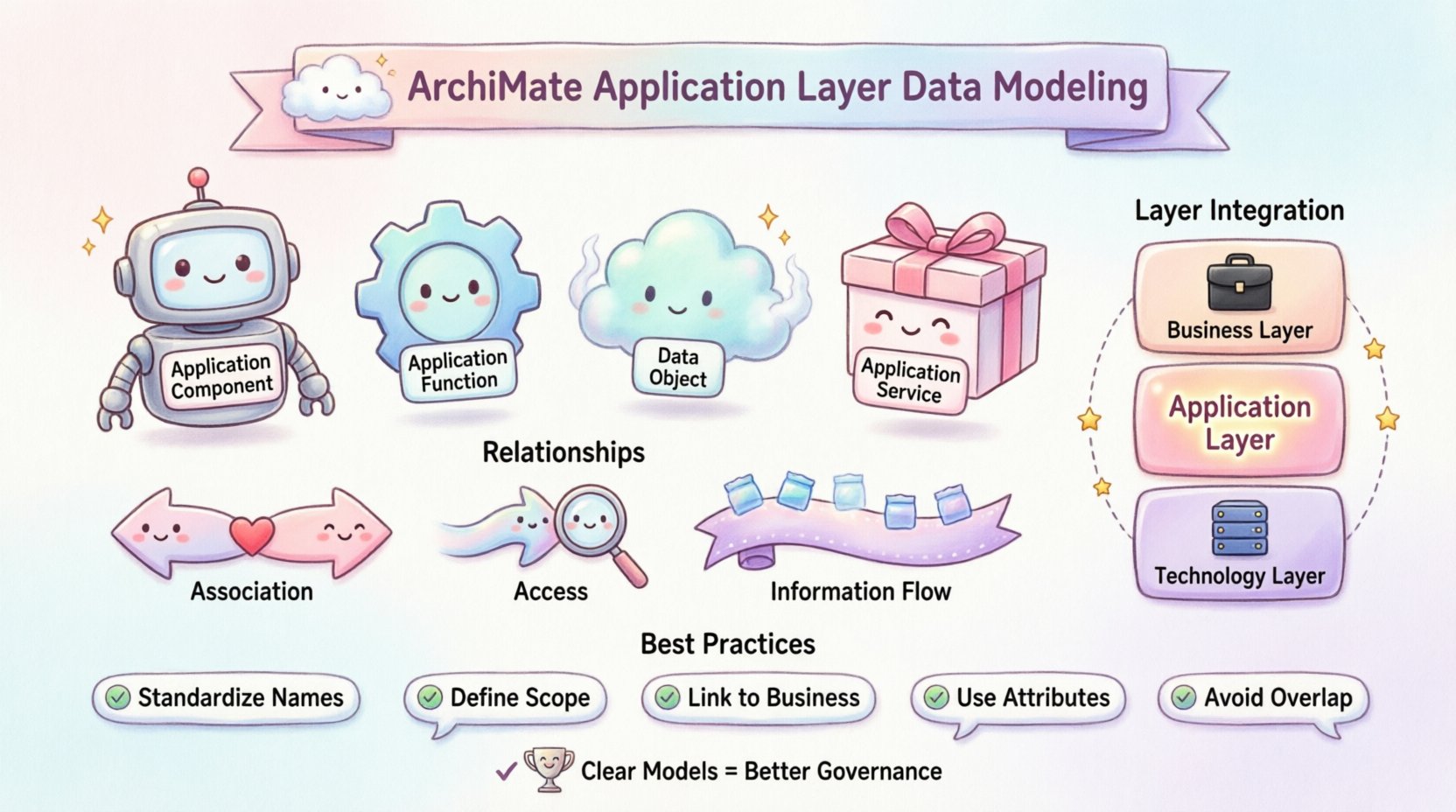
Structuring these models correctly prevents ambiguity. A clear model ensures that stakeholders understand which application owns which data. This clarity supports governance and reduces technical debt. Below are the core components involved in this structure:
- Application Component: A deployable unit of software that processes information.
- Application Function: A logical function performed by an application component.
- Data Object: The information state or document managed by the application.
- Application Service: The capability offered by the application to the outside world.
🔗 Defining Relationships for Data
Relationships define the flow and dependency of data within the architecture. In the Application Layer, specific relationship types map the movement of information between functions and components. Understanding these mappings is essential for tracing data lineage.
1. Association with Data Objects
An Association relationship indicates that a specific function or component interacts with a data object. This is the most common link in data modeling. It implies that the function reads from, writes to, or modifies the data object.
- Direction: Typically bidirectional, though semantics may imply flow.
- Usage: Use this to show ownership or direct access.
- Example: A “Customer Management Function” associates with the “Customer Record” data object.
2. Access Relationships
While similar to association, an Access relationship specifies that one function accesses a data object. This is often used when the interaction is read-heavy or when the function is a client accessing a data store managed by another component.
- Usage: Distinguishes between ownership and usage.
- Clarity: Helps identify which component is the source of truth.
3. Information Flow
Information Flow describes the movement of data from one element to another. In the Application Layer, this often occurs between functions or between a function and an external entity.
- Trigger: Data moves when a specific event occurs.
- Format: The flow carries a specific data object type.
- Context: Useful for integration mapping.
📝 Mapping Data Objects to Functions
To structure data effectively, one must map objects to the functions that manipulate them. This mapping creates a matrix of data ownership. The following table outlines how different data elements interact with application functions.
| Data Element Type | Function Interaction | Relationship Type |
|---|---|---|
| Transaction Record | Processing Function | Access |
| Master Data | Management Function | Association |
| Log File | Monitoring Function | Access |
| Report Output | Reporting Function | Information Flow |
This structured approach helps in identifying data redundancy. If multiple functions associate with the same data object, one must verify if they share the same source or if one is a copy. This verification supports data consistency.
🛠️ Best Practices for Modeling
Consistency is key when building these models. Adhering to established conventions ensures that the architecture remains understandable over time. The following practices should be integrated into the modeling process.
- Standardize Naming Conventions: Ensure data objects have clear, unique names. Avoid abbreviations that are not documented elsewhere.
- Define Scope Clearly: Determine if a data object is logical or physical. The Application Layer typically deals with logical data structures.
- Link to Business Layer: Trace data objects back to Business Objects. This ensures business context is preserved.
- Use Attributes: Define attributes for data objects to describe their structure without over-complicating the diagram.
- Avoid Overlap: Do not model the same data object in multiple layers unless there is a specific reason (e.g., logical vs physical).
⚠️ Common Pitfalls to Avoid
Even experienced architects make mistakes when modeling data. Recognizing these patterns can save significant rework. Below are common issues encountered during the structuring process.
1. Mixing Layers
Placing Business Objects directly into the Application Layer creates confusion. Business Objects belong to the Business Layer. The Application Layer should contain Data Objects that represent the implementation of those business concepts.
- Correction: Map the Business Object to the Data Object via a realization relationship.
- Impact: Mixing layers obscures the boundary between business intent and system function.
2. Over-Modeling
Attempting to document every single field in a database within the Application Layer leads to clutter. The purpose of the layer is to show capability and flow, not detailed schema.
- Correction: Use high-level data objects. Drill down to physical models only when necessary for technical specification.
- Impact: Keeps the architecture viewable and maintainable.
3. Ignoring Persistence
Data models must account for persistence. Some data is transient (in-memory), while other data is stored (database). Failing to distinguish these can lead to incorrect assumptions about system resilience.
- Correction: Note the persistence mechanism in the attributes or via a separate Technology Layer mapping.
- Impact: Clarifies data lifecycle and recovery requirements.
🔗 Integration with Other Layers
The Application Layer does not exist in isolation. It connects to the Business Layer and the Technology Layer. Proper integration ensures a cohesive architecture.
Connection to the Business Layer
Data in the Application Layer supports business processes. A Realization relationship links a Business Object to an Application Data Object. This confirms that the application supports the business requirement.
- Flow: Business Process creates Business Object → Application Function creates Application Data Object.
- Benefit: Ensures traceability from requirement to implementation.
Connection to the Technology Layer
The Application Layer relies on the Technology Layer for storage and compute. Deployment relationships map Application Components to Technology Nodes. Data objects in the Application Layer may be realized as Data Stores in the Technology Layer.
- Mapping: Application Data Object → Technology Data Store.
- Benefit: Validates that the technical infrastructure supports the logical data needs.
📈 Managing Data Governance
Once the model is structured, it serves as a reference for governance. Data governance policies can be applied to the elements within the model. This ensures compliance and quality standards are met.
- Ownership: Assign data owners to specific data objects in the model.
- Classification: Tag data objects based on sensitivity (e.g., Public, Internal, Confidential).
- Retention: Define retention policies linked to the data objects.
- Access Control: Map roles from the Business Layer to functions that access the data.
This governance layer adds value beyond simple visualization. It turns the architecture model into a management tool. Regular reviews of these models ensure that governance policies remain aligned with the actual system behavior.
🧩 Advanced Scenarios
Sometimes, standard modeling is insufficient for complex scenarios. Advanced situations require careful consideration of relationships and constraints.
1. Complex Data Transformations
When data undergoes significant transformation, multiple functions may be involved. One function might read raw data and output processed data.
- Modeling: Use two distinct Data Objects to represent the input and output states.
- Link: Connect them via the transformation function.
- Benefit: Clearly shows the value added by the transformation.
2. Shared Data Resources
Multiple applications may share the same data resource. This creates a potential bottleneck or security risk.
- Modeling: Create a single Data Object and link multiple Application Functions to it.
- Analysis: Use this view to analyze contention and locking strategies.
- Benefit: Highlights dependencies and shared risks.
3. Historical Data
Applications often need to store historical versions of data. This requires modeling time-based attributes.
- Modeling: Add attributes to the Data Object to denote versioning or effective dates.
- Relationship: Ensure the Function handles the update logic correctly.
- Benefit: Supports audit trails and compliance requirements.
🔍 Review and Validation
After structuring the data models, validation is necessary. This process ensures the model accurately reflects the target state. Validation involves checking for completeness, consistency, and correctness.
- Completeness: Are all critical data objects represented?
- Consistency: Are names and definitions consistent across the model?
- Correctness: Do the relationships accurately reflect system behavior?
Engaging subject matter experts during this phase is recommended. They can verify if the modeled flows match the actual operational reality. This feedback loop improves the accuracy of the architecture.
🔄 Maintaining the Model
Architecture is not a one-time task. Systems evolve, and data models must evolve with them. Maintenance involves tracking changes and updating the model accordingly.
- Change Management: Integrate architecture updates into the change request process.
- Versioning: Keep a history of model versions to track evolution.
- Documentation: Update associated documentation when model elements change.
Regular synchronization between the model and the actual systems prevents drift. Drift occurs when the model no longer represents the reality, rendering it useless for planning.
📉 Measuring Success
How do you know the structuring effort was successful? Several indicators can be used to measure the effectiveness of the data modeling.
- Reduced Redundancy: Fewer duplicate data stores identified.
- Improved Clarity: Stakeholders can easily trace data flows.
- Faster Integration: New systems can be integrated based on the defined data contracts.
- Better Governance: Data policies are consistently applied.
These metrics provide a quantitative basis for the architectural effort. They demonstrate the value of the structured data models to the organization.
🎯 Summary of Key Elements
To recap, the Application Layer data model relies on specific elements and relationships. A successful model integrates these components seamlessly.
- Elements: Application Components, Functions, Services, and Data Objects.
- Relationships: Association, Access, Information Flow, and Realization.
- Layers: Business, Application, Technology, and Motivation.
- Process: Define, Map, Validate, and Maintain.
By adhering to these principles, architects can create robust models that support the organization’s data strategy. The result is a clear view of how information drives business value within the technical landscape.