
Designing complex systems requires more than just technical skill; it demands a cohesive team effort. When constructing a Data Flow Diagram (DFD), the accuracy of the visual representation depends heavily on how well stakeholders, analysts, and developers communicate. A DFD is not merely a drawing; it is a map of information movement, logic, and storage within a system. Without clear collaboration, these maps can become misaligned with reality, leading to costly rework later in the development lifecycle.
This guide explores the mechanics of working together effectively to create robust Data Flow Diagrams. We will cover the roles involved, the preparation needed before sketching begins, techniques for validating the model with different groups, and strategies for resolving conflicts that inevitably arise during the design process. By focusing on human interaction alongside technical requirements, teams can build systems that function smoothly and meet actual business needs.
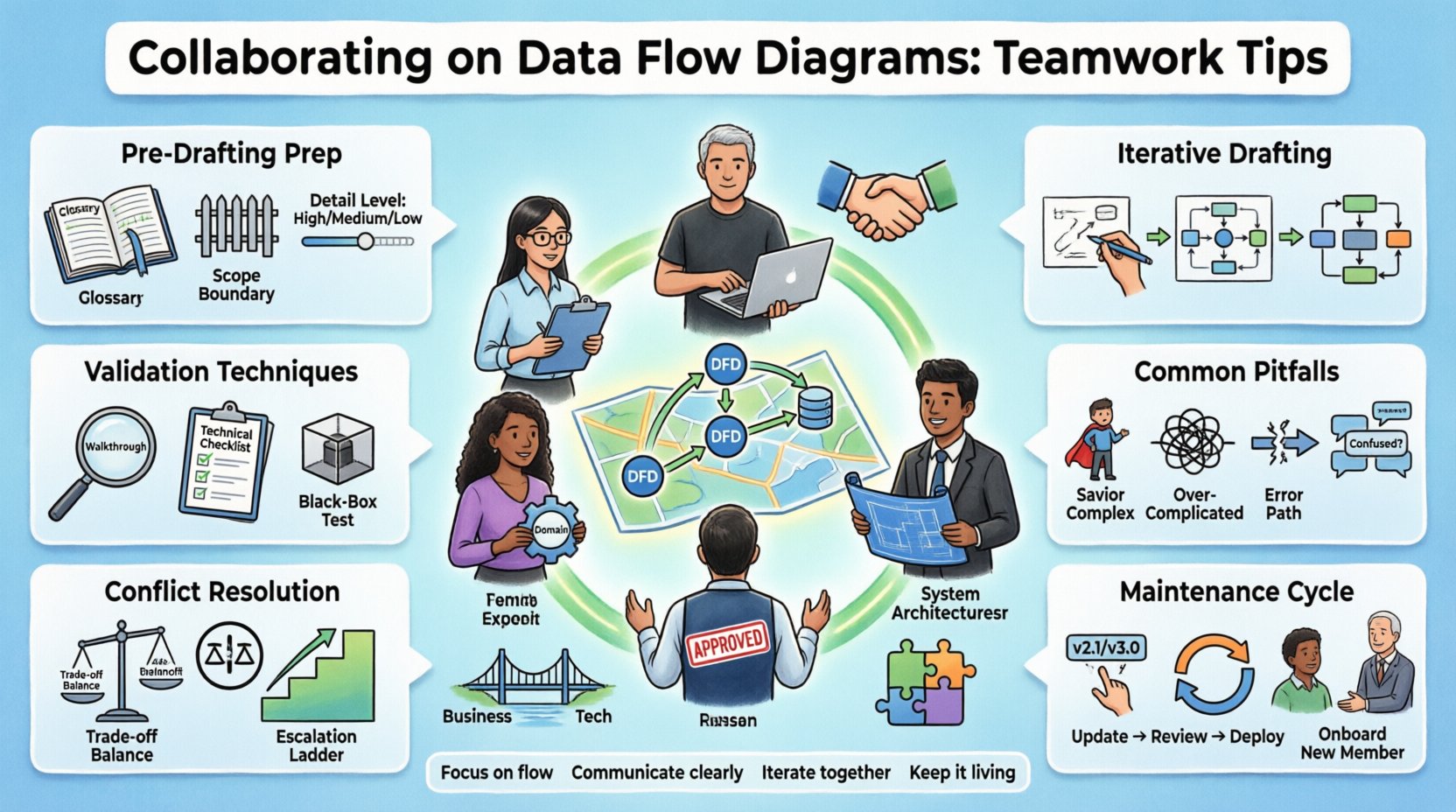
Why Collaboration is Critical for DFDs 🤝
Data Flow Diagrams serve as a bridge between business requirements and technical implementation. If this bridge is built by a single individual without input from others, it often collapses under the weight of incomplete information. Collaboration ensures that the diagram reflects the truth of the operation, not just a theoretical ideal.
- Avoids Siloed Knowledge: No single person possesses the entire picture of a business process. Collaboration gathers fragmented knowledge into a unified model.
- Identifies Logic Gaps Early: When multiple eyes review the data paths, missing conditions or unauthorized data access points are spotted before code is written.
- Builds Shared Ownership: When team members contribute to the diagram, they feel responsible for the resulting system’s success.
- Reduces Ambiguity: Discussing the diagram clarifies vague terms and ensures everyone agrees on what specific data elements represent.
Without these collaborative elements, a DFD risks becoming a static artifact that gathers dust. The goal is an active document that evolves with the system and guides decision-making throughout the project.
Defining Roles and Responsibilities 👥
Effective collaboration requires clear boundaries. While everyone contributes, specific roles carry specific weight in the DFD creation process. Understanding who owns what aspect of the diagram prevents confusion and overlap.
| Role | Primary Focus in DFD | Key Contribution |
|---|---|---|
| Business Analyst | Process Logic and Flow | Defines what the system should do based on user needs. |
| System Architect | Data Structure and Boundaries | Ensures the data flows align with technical constraints and security. |
| Subject Matter Expert | Domain Accuracy | Verifies that specific business rules are correctly represented. |
| Developers | Feasibility and Implementation | Confirms that the proposed flows are technically achievable. |
| Stakeholders | Validation and Approval | Confirms the diagram matches their operational expectations. |
While these roles are distinct, the lines often blur in agile environments. The key is to ensure that for every process box in the diagram, there is a responsible party who can validate its logic.
Pre-Drafting Preparation 📝
Jumping straight into drawing shapes is a common mistake. Before any lines are drawn, the team must establish a shared foundation. This preparation phase sets the tone for the entire modeling effort.
1. Establish a Glossary
Terms vary wildly between departments. What one person calls a “Customer,” another might call a “Client” or “Account Holder.” Before creating entities or external agents in the diagram, agree on the terminology. This ensures that the labels on the diagram are unambiguous.
- Define specific data elements (e.g., “Order ID” vs. “Transaction Ref#”).
- Clarify state definitions (e.g., what constitutes “Pending” vs. “Completed”).
- Document these definitions in a central repository for reference.
2. Define the Scope Boundaries
A DFD must have a clear start and end. Determine where the system begins and where it hands off data to external systems. Discussing this boundary prevents scope creep during the design phase.
- Identify all external entities interacting with the system.
- Decide which processes fall inside the system boundary.
- Agree on which processes are out of scope for the current iteration.
3. Select the Level of Detail
Not every diagram needs to show every data point. The team must decide if they are creating a Context Diagram, Level 0, or a detailed Level 2 diagram. This decision impacts how much time is required for collaboration.
- Context Diagram: High-level view for stakeholders. Focuses on inputs and outputs.
- Level 0: Breaks the main process into major sub-processes. Good for architecture.
- Level 1/2: Detailed breakdown for developers. Focuses on specific data transformations.
The Iterative Drafting Process 🛠️
Creating a DFD is rarely a linear path. It involves sketching, reviewing, correcting, and refining. This iterative approach requires patience and open communication channels.
1. The Rough Sketch Phase
Start with low-fidelity sketches. Use whiteboards or simple digital tools to get ideas down quickly. The goal here is speed, not perfection. Encourage brainstorming where every idea is recorded.
- Focus on the flow of information rather than the aesthetic layout.
- Do not worry about perfect alignment of data stores yet.
- Invite developers to point out potential bottlenecks immediately.
2. Adding Data Stores
Once the processes are defined, identify where data needs to be saved. This step often reveals gaps in the logic. If a process produces data that is never stored or used, it is dead weight.
- Ensure every data store is connected to at least one process.
- Verify that data flows into and out of stores correctly.
- Check for unauthorized access points where data might leak.
3. Balancing the Diagrams
As you drill down from a high-level process to a detailed sub-diagram, the inputs and outputs must match. This is known as balancing. If the top-level diagram shows an input of “Order,” the detailed diagram cannot show an input of “Payment” without explaining where the order went.
- Compare the input arrows of the parent process with the child process.
- Compare the output arrows of the parent process with the child process.
- Any discrepancy must be resolved before moving to the next level.
Validation and Review Techniques 🔍
Once a draft is complete, it must be validated. This is not a passive step; it requires active engagement from the team.
1. Walkthroughs with Stakeholders
Schedule a dedicated session where the diagram is walked through step-by-step. Ask stakeholders to trace a specific transaction from start to finish using the diagram.
- Ask: “Does this match how you actually handle this task?”
- Ask: “Where would this data go in a real-world scenario?”
- Listen for hesitation or confusion; these are signs of missing logic.
2. Technical Feasibility Checks
Developers must review the diagram to ensure the proposed flows are realistic. They should look for data types that don’t match or processes that require resources not currently available.
- Verify that data formats are compatible between processes.
- Identify any processes that require real-time access to legacy systems.
- Flag any security implications in the data paths.
3. The “Black Box” Test
Present the diagram to someone unfamiliar with the project. If they can understand the flow of data without explanation, the diagram is clear. If they get lost, the collaboration needs to improve.
Common Pitfalls in Collaboration 🚧
Even with the best intentions, teams often fall into traps that degrade the quality of the DFD. Recognizing these pitfalls early allows the team to navigate around them.
1. The “Savior” Complex
One person often tries to fix everything themselves. This leads to a diagram that reflects one person’s bias rather than the collective truth. Avoid this by rotating who leads the review sessions.
2. Over-Complicating the Model
There is a tendency to add every possible data variation to the diagram. This creates noise. Collaboration should focus on the standard path, not every edge case, unless those edge cases are critical to the business logic.
3. Ignoring Negative Flows
Teams often diagram the “Happy Path” (where everything goes right). A robust DFD must show what happens when things go wrong, such as rejected payments or failed validations.
- Include error handling processes.
- Map the data flow for rejected items.
- Ensure data is not lost during error states.
4. Communication Gaps
Assuming everyone understands the symbols used is dangerous. Standardize the notation (like Yourdon & Cressman or Gane & Sarson) and ensure everyone is familiar with the specific conventions being used.
Conflict Resolution Strategies ⚖️
Disagreements will happen. One group may want to store data locally, while another insists on a central database. Here is how to handle these conflicts constructively.
- Data-Driven Decisions: Base the argument on data requirements, not personal preference. If the data needs to be accessed by three different apps, a central store is likely required.
- Trade-off Analysis: List the pros and cons of each approach. Document the decision rationale so it can be revisited later.
- Escalation Protocol: If the team cannot agree, have a clear path to escalate to a senior architect or product owner for a final ruling.
- Compromise on Scope: Sometimes, the solution is to implement one path now and the other later. Document this as a future iteration.
Maintaining the Diagram Over Time 🔄
A DFD is a living document. As the system changes, the diagram must change with it. Collaboration does not end at the design phase; it continues through maintenance.
1. Version Control for Visuals
Just like code, diagrams need versioning. When a change is made, the team should document what changed, who changed it, and why. This prevents confusion when looking back at older versions.
2. Change Management
When a business process changes, the DFD must be updated immediately. Relying on the diagram to be accurate is only possible if the team treats updates as a mandatory step, not an optional one.
- Notify all stakeholders of diagram updates.
- Re-validate the changed sections with the relevant team members.
- Archive old versions for historical reference.
3. Training New Members
When new people join the team, the DFD serves as the primary training material. A well-collaborated diagram explains the system better than hours of verbal briefing.
- Use the DFD as a checklist for onboarding.
- Ask new members to explain the diagram back to you to check understanding.
- Encourage them to ask questions about flows they find confusing.
Communication Channels for DFD Work 💬
The medium of collaboration matters. Different stages of DFD creation require different communication tools.
- Live Sessions: Best for initial brainstorming and complex logic walkthroughs.
- Asynchronous Comments: Good for detailed reviews where people need time to think.
- Documentation Repositories: Where the final approved versions live.
- Meeting Notes: Essential for recording decisions made during diagram reviews.
Using the right channel for the right stage ensures that information is captured accurately and efficiently.
Conclusion 🏁
Building a Data Flow Diagram is a team sport. It requires the precision of an architect, the practicality of a developer, and the insight of a business user. By establishing clear roles, preparing thoroughly, and maintaining open communication channels, teams can create diagrams that are accurate, useful, and durable.
Focus on the flow of value and information. When the team works together to map this flow, the resulting system is more likely to succeed. Treat the diagram not as a final destination, but as a guide for the journey ahead.