
In modern backend development, data is the backbone of every application. While code changes are frequent and expected, data models often carry a heavier burden of stability and consistency. Entity Relationship Diagrams (ERDs) serve as the blueprint for this data infrastructure. However, treating these diagrams as static documents rather than living artifacts leads to significant technical debt. Agile teams frequently iterate on features, requiring corresponding adjustments to the underlying schema. Without a robust versioning strategy for ERDs, teams risk schema drift, deployment failures, and miscommunication between developers and database administrators.
This guide outlines a comprehensive approach to managing diagram versions within an agile environment. We will explore how to integrate data modeling into the development lifecycle, ensure consistency across distributed teams, and maintain a clear history of changes. By adhering to these practices, teams can reduce friction, improve deployment reliability, and foster a culture of transparency regarding data structure.
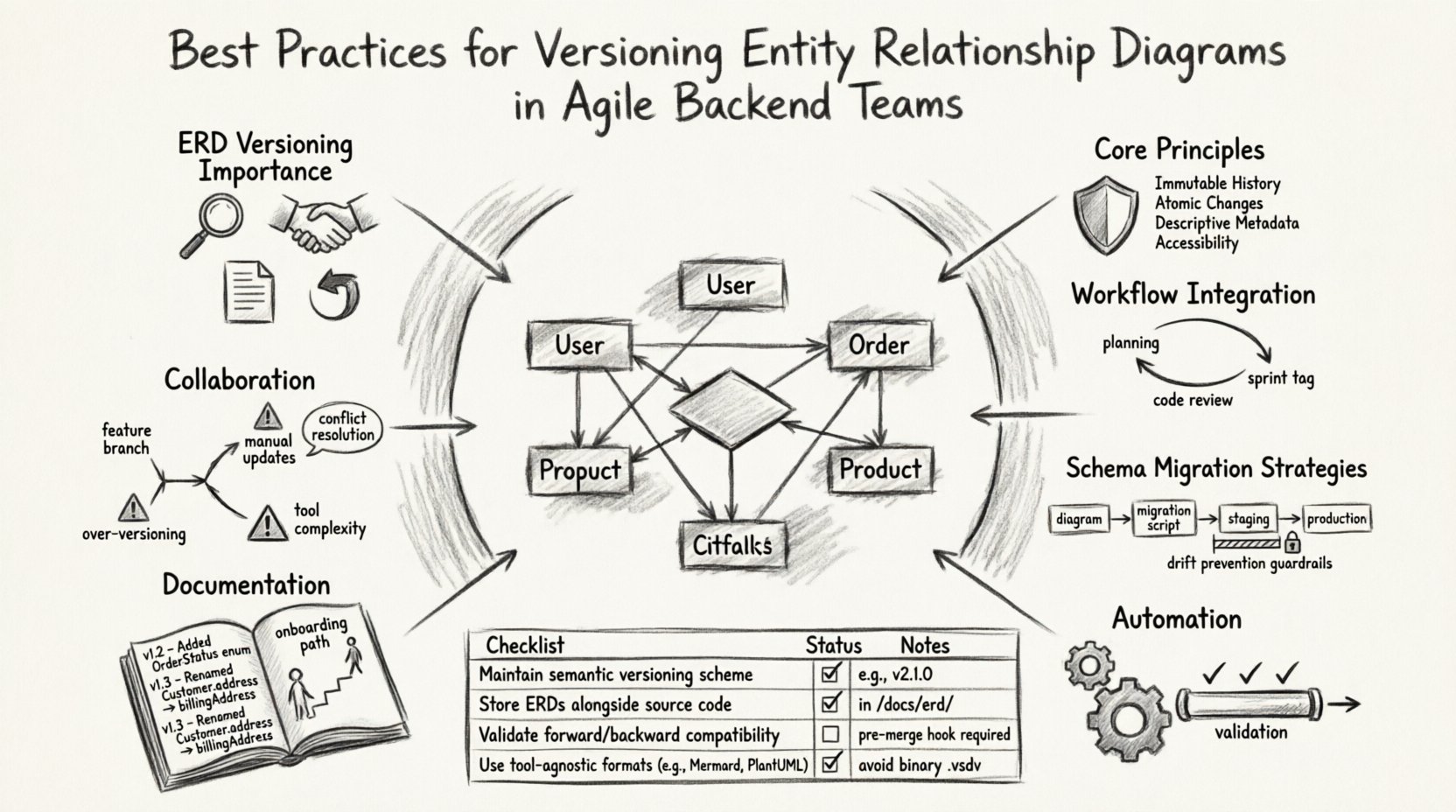
1. Understanding the Importance of ERD Versioning 🧩
Versioning a diagram is not merely about saving a file under a new name. It is about establishing a lineage of changes that can be traced, audited, and reverted if necessary. In an agile context, where sprints move quickly, the ability to track who changed a specific relationship and why is critical.
- Auditability: When a bug arises related to data integrity, having a version history allows you to pinpoint when the schema definition diverged from the intended design.
- Collaboration: Multiple developers often work on different features simultaneously. Versioning prevents overwrites and ensures that changes are merged logically.
- Documentation: An ERD is a living document. Versioning ensures that the diagram matches the actual database state at any point in time.
- Rollback Capability: If a new schema design introduces unforeseen performance issues, a previous version of the diagram provides a reference for restoring the structure.
Without this discipline, diagrams become outdated immediately after a sprint ends. This creates a disconnect between the design team and the implementation team, leading to errors during code reviews and deployment pipelines.
2. Core Principles for Data Model Management 🛡️
To implement versioning effectively, a team must agree on a set of foundational principles. These principles guide how diagrams are created, stored, and updated. Adhering to these standards ensures consistency regardless of the tools used.
Immutable History
Once a version is committed, it should not be altered. If a mistake is discovered, a new version should be created that corrects the error. This preserves the integrity of the history log.
Atomic Changes
Changes to the diagram should be atomic. A single commit or version update should represent a logical unit of work, such as adding a new table or modifying a column constraint. Mixing unrelated changes in a single version makes it difficult to understand the context of the update.
Descriptive Metadata
Every version requires clear metadata. This includes the author, the date, the associated ticket or task ID, and a detailed description of the changes. This metadata acts as the narrative for the diagram’s evolution.
Accessibility
The version control system must be accessible to all stakeholders, including backend engineers, data engineers, and product managers. Visibility ensures that everyone is aligned on the current state of the data model.
3. Integrating Diagrams into the Development Workflow 🔄
Versioning only works if it is integrated into the daily workflow. If diagram updates are treated as a separate, manual task, they will be neglected. The goal is to make diagram versioning a natural part of the coding process.
Pre-Development Planning
Before any code is written for a new feature, the data model requirements should be defined. This involves drafting or updating the ERD to reflect the new entities and relationships. This early planning prevents the need for rushed schema changes later in the sprint.
Code Review Inclusion
Changes to the diagram should be reviewed alongside the code. A pull request or merge request should include the diagram changes. Reviewers must verify that the diagram matches the migration scripts and the application code.
Sprint Integration
Diagram updates should be tied to specific sprint stories. When a story is marked as complete, the associated diagram version should be tagged as the source of truth for that release. This links the visual model directly to the delivered feature.
4. Handling Schema Changes and Migration Strategies 🔄
The diagram is the visual representation of the database schema. However, the actual database exists in production. Managing the transition from the diagram to the live environment requires careful planning to avoid downtime and data loss.
Schema Drift Prevention
Schema drift occurs when the actual database state diverges from the defined model. To prevent this, the migration scripts should be generated or reviewed against the current version of the diagram. If the diagram changes, the migration script must be updated accordingly.
Backward Compatibility
When modifying an existing entity, consider the impact on existing applications. Adding a required column without a default value can break applications that do not handle nulls. Versioning allows you to see previous states and plan backward-compatible changes.
Testing Environments
Changes should be applied to a staging environment that mirrors production. This allows the team to validate that the diagram accurately reflects the schema that can be deployed without errors.
| Approach | Pros | Cons |
|---|---|---|
| Inline Changes | Quick to implement | Hard to track, prone to errors |
| Migration Scripts | Versioned, auditable, reversible | Requires more setup time |
| Schema Locking | Prevents conflicts during deployment | Slows down deployment velocity |
| Continuous Schema Sync | Automates drift detection | Complex to configure |
5. Collaboration and Conflict Resolution 🤝
In distributed teams, multiple developers may attempt to modify the same part of the diagram. This leads to conflicts that must be resolved before merging. A clear protocol for collaboration is essential.
Branching Strategies
Just as code is branched for features, diagram files should be branched. A developer working on a new feature should check out a branch for the diagram. This allows them to experiment without affecting the main version.
Conflict Resolution
When branches are merged, conflicts may arise if two people edited the same table definition. The team must have a designated lead or process to resolve these conflicts. This often involves comparing the changes and deciding which design pattern best fits the requirements.
Communication Channels
Use dedicated channels for data modeling discussions. When a significant change is proposed, announce it to the team. This ensures that other developers are aware of the change and can adjust their work accordingly.
6. Automation and Continuous Integration 🤖
Manual versioning is prone to human error. Automating the process ensures that every change is captured and validated. Automation also helps in generating documentation and running validation checks.
Automated Validation
Set up pipelines that validate the diagram against defined rules. For example, ensure that all tables have primary keys or that naming conventions are followed. This prevents low-quality diagrams from being committed.
CI/CD Integration
Include diagram validation in the continuous integration pipeline. If a diagram change fails validation, the build should fail. This forces developers to fix issues before they reach the staging environment.
Documentation Generation
Automatically generate HTML or PDF documentation from the diagram versions. This ensures that the documentation is always up to date and accessible to stakeholders who do not have access to the diagramming tool.
7. Documentation and Knowledge Sharing 📚
Versioning is not just about files; it is about knowledge. A versioned diagram is useless if no one understands why the changes were made. Documentation bridges the gap between the visual model and the team’s understanding.
Change Logs
Maintain a detailed change log for each version. Record the business requirement that drove the change. This helps future developers understand the context without needing to ask the original author.
Onboarding
Use the version history as a training tool for new team members. Walking through the evolution of the diagram helps them understand the history of the application and the rationale behind past decisions.
Archiving
When a version is deprecated, do not delete it. Archive it with a clear label indicating it is no longer in use. This preserves the history for auditing purposes.
8. Common Pitfalls to Avoid ⚠️
Even with a plan, teams often stumble into common traps. Being aware of these pitfalls helps in maintaining a healthy versioning process.
- Over-Versioning: Creating too many versions for minor tweaks can clutter the history. Focus on significant structural changes.
- Ignoring the Database: Updating the diagram but forgetting to update the migration scripts creates a disconnect between design and reality.
- Lack of Governance: Without rules on who can modify the diagram, the model can become chaotic. Establish clear permissions.
- Tool Complexity: Using overly complex tools can hinder adoption. Choose a system that fits the team’s skill level.
- Manual Updates: Relying on manual updates to the diagram leads to staleness. Aim for automation wherever possible.
Checklist for Diagram Updates
| Item | Status |
|---|---|
| Diagram updated to reflect changes | ☐ |
| Migration scripts reviewed | ☐ |
| Backward compatibility verified | ☐ |
| Documentation updated | ☐ |
| Stakeholders notified | ☐ |
| Tests passed in staging | ☐ |
Moving Forward with Data Integrity 🚀
Versioning Entity Relationship Diagrams is not a one-time setup but an ongoing commitment. It requires discipline, communication, and the right tools. By treating data models with the same respect as application code, teams can ensure that their infrastructure remains robust and adaptable.
The benefits extend beyond technical stability. Teams that manage their data models well experience fewer deployment failures, faster onboarding for new members, and a clearer understanding of their system’s architecture. This clarity empowers the team to focus on building features rather than fixing schema inconsistencies.
Start by implementing one or two practices from this guide. Perhaps begin with enforcing descriptive metadata for every change or integrating diagram checks into the code review process. Small steps lead to significant improvements over time. As the culture of versioning takes hold, the entire backend development lifecycle becomes more efficient and predictable.
Remember that the goal is not perfection but consistency. A consistent versioning process allows for errors to be caught early and resolved efficiently. This approach supports the agile mission of delivering value continuously without compromising the foundation of the application.