
💡 Key Takeaways
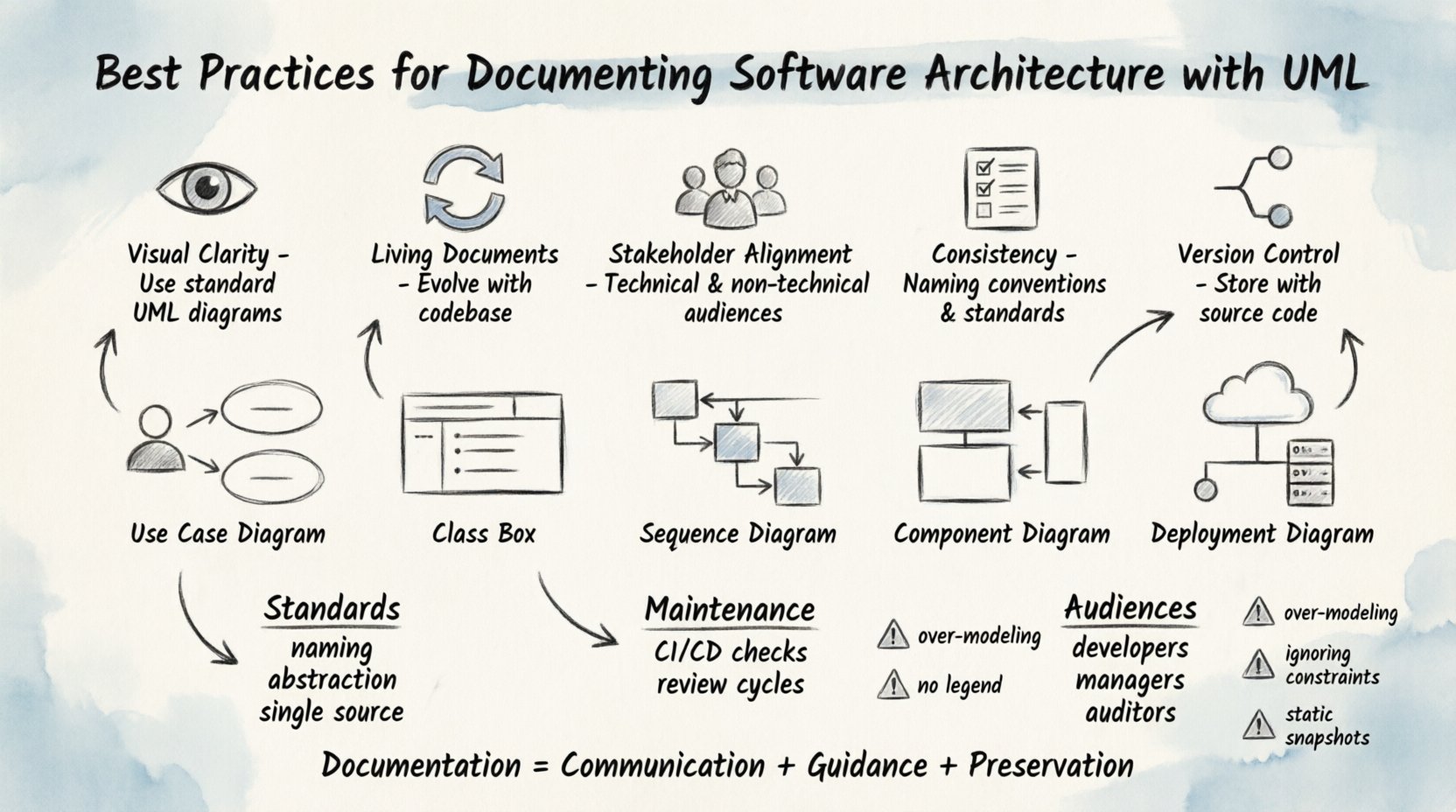
- Visual Clarity: Use standard UML diagrams to represent complex systems without ambiguity.
- Living Documents: Treat architecture documentation as a living artifact that evolves with the codebase.
- Stakeholder Alignment: Ensure diagrams cater to both technical and non-technical audiences.
- Consistency: Maintain strict naming conventions and modeling standards across the organization.
- Version Control: Store documentation in the same repository as the source code for traceability.
Software architecture forms the backbone of any robust digital system. It dictates how components interact, how data flows, and how the system scales over time. However, without clear documentation, even the most elegant architecture can become a source of confusion, technical debt, and collaboration friction. This guide outlines authoritative best practices for documenting software architecture using the Unified Modeling Language (UML), ensuring clarity and long-term maintainability.
📚 Why Architecture Documentation Matters
Documentation is not merely a formality; it is a communication tool. It bridges the gap between abstract design concepts and concrete implementation details. When developers, stakeholders, and future maintainers lack a shared understanding of the system structure, errors proliferate, and onboarding becomes slow.
Effective documentation serves three primary functions:
- Communication: It provides a common language for teams to discuss system design.
- Guidance: It acts as a reference during implementation and debugging.
- Preservation: It ensures knowledge is not lost when personnel changes occur.
🛠️ Leveraging UML for Clarity
The Unified Modeling Language (UML) remains the industry standard for visualizing software systems. Its strength lies in its ability to abstract complexity into understandable diagrams. Using UML effectively requires selecting the right diagram type for the specific aspect of the architecture being documented.
Selecting the Right Diagram
Not every diagram is needed for every project. Choosing the appropriate visualization prevents information overload. Below is a breakdown of essential UML diagram types and their specific use cases.
| Diagram Type | Primary Purpose | Best Used For |
|---|---|---|
| Use Case Diagram | Functional requirements | High-level system interactions with actors. |
| Class Diagram | Static structure | Object-oriented design and relationships. |
| Sequence Diagram | Dynamic behavior | Time-ordered interactions between objects. |
| Component Diagram | System organization | High-level software modules and dependencies. |
| Deployment Diagram | Infrastructure | Hardware topology and software distribution. |
📝 Establishing Documentation Standards
Consistency is the hallmark of professional documentation. Without established standards, diagrams become a collection of disparate styles that confuse rather than inform.
1. Naming Conventions
Every element in a diagram must have a clear, descriptive name. Avoid abbreviations unless they are universally understood within the organization. For example, use “CustomerOrderHandler” instead of “COH”. This practice improves readability for new team members.
2. Level of Detail
Documentation should be maintained at the appropriate level of abstraction. A high-level architectural view should not get bogged down in method-level logic. Conversely, design documents for specific modules should be detailed enough to guide implementation without requiring constant reference to the code.
3. Single Source of Truth
Avoid maintaining documentation in separate silos. The architecture document should reside within the project repository or a dedicated knowledge base linked directly to the code. This ensures that when code changes, the documentation update is part of the same workflow.
🔄 Maintaining and Updating Architecture
Documentation often suffers from the “outdated” syndrome. It is created during the design phase and forgotten once development begins. To prevent this, documentation must be treated as a living artifact.
Integrate with CI/CD
Consider integrating documentation checks into your continuous integration pipeline. If a diagram no longer matches the code structure, the build process can flag a discrepancy. This forces the team to keep the visual models aligned with reality.
Review Cycles
Schedule regular review cycles where the architecture documentation is audited against the current system state. During sprint retrospectives or architectural reviews, dedicate time to verify that diagrams reflect recent changes. This habit prevents the accumulation of stale information.
👥 Designing for Multiple Audiences
Architecture documentation often serves multiple stakeholders with different needs. A solution that works for developers might be too abstract for project managers, while a high-level overview might be too vague for engineers.
- For Developers: Focus on class relationships, interfaces, and data flow sequences. Detail is critical here.
- For Managers: Focus on component interactions, deployment topology, and risk areas. High-level context is key.
- For Auditors: Focus on security boundaries, data storage locations, and compliance controls.
Creating layered documentation allows you to address these distinct needs without overwhelming any single audience. Start with a master overview, then branch into detailed diagrams as necessary.
🚫 Common Pitfalls to Avoid
Even experienced teams can stumble when documenting architecture. Being aware of common mistakes helps maintain quality.
- Over-Modeling: Creating diagrams for every minor change dilutes the value of the documentation. Focus on significant structural shifts.
- Lack of Legend: If you use custom icons or colors, always provide a legend. Standard UML notation is preferred whenever possible.
- Ignoring Constraints: Documenting the ideal state without noting technical constraints (e.g., legacy dependencies) leads to unrealistic expectations.
- Static Snapshots: Avoid treating diagrams as static pictures. They should represent dynamic flows and relationships that can be queried or updated.
🔒 Security and Compliance Considerations
Architecture diagrams can inadvertently expose sensitive information. When sharing diagrams externally or with less privileged internal teams, ensure that security boundaries, encryption points, and data privacy flows are clearly marked.
Additionally, in regulated industries, architecture documentation often serves as evidence for compliance audits. Ensure that your documentation standards align with relevant industry regulations. This includes versioning the documents so that the state of the system at the time of an audit is reproducible.
🔗 Integrating Documentation with Code
The most effective documentation is tightly coupled with the codebase. While UML diagrams are visual, they should map back to code artifacts. Use tags or comments in the source code that reference specific diagram elements. This creates a bidirectional link where changes in code can trigger documentation updates and vice versa.
For example, if a new service is added, the deployment diagram should be updated in the same commit. This discipline ensures that the visual representation remains a reliable reflection of the system.
🛡️ Final Thoughts on Architecture Documentation
Documenting software architecture is an investment in the longevity and health of the system. It requires discipline, consistency, and a commitment to truth. By adhering to UML standards, maintaining living documents, and designing for diverse audiences, teams can create a robust knowledge base that supports growth and stability.
Remember, the goal is not to produce perfect documents, but to facilitate understanding. When the documentation helps a developer solve a problem faster or helps a manager understand a risk, it has succeeded.