


Welcome to the future of digital reading and book curation — Stunning Virtual Bookshelf, a powerful flipbook editor that transforms how you organize, display, and share your digital library. Whether you’re a student, educator, author, or book lover, this guide walks you through every step of the user experience journey, from creation to sharing — all with intuitive design and limitless creativity.
🌟 Step 1: Discover Your Virtual Bookshelf
Begin your journey with a visually striking top-header shelf that sets the tone for your digital library. The modern, immersive design instantly captures attention and invites you to explore.
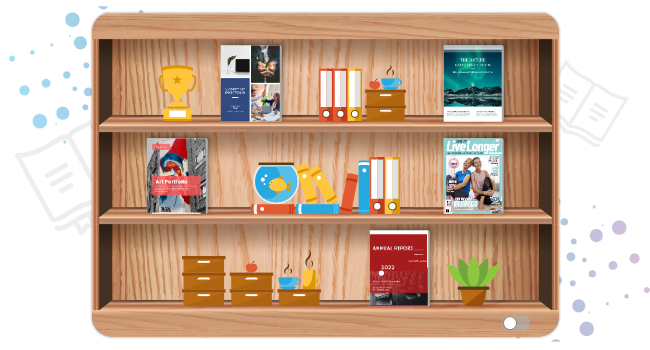
This isn’t just a bookshelf — it’s a personalized digital space where your favorite books, documents, and ideas come to life. With a clean, interactive interface, you’re immediately ready to build your dream collection.
📚 Step 2: Organize Your Books with Ease
Drag and drop your ebooks, PDFs, PPTs, and other digital documents into your virtual bookshelf. No coding. No complex steps. Just intuitive, real-time organization.
✅ Key Features:
Add books with a simple drag-and-drop action.
Create multiple bookshelves by genre (e.g., Fiction, Non-Fiction, Academic), project, or personal interest.
Reorder books instantly to reflect your reading preferences or thematic flow.
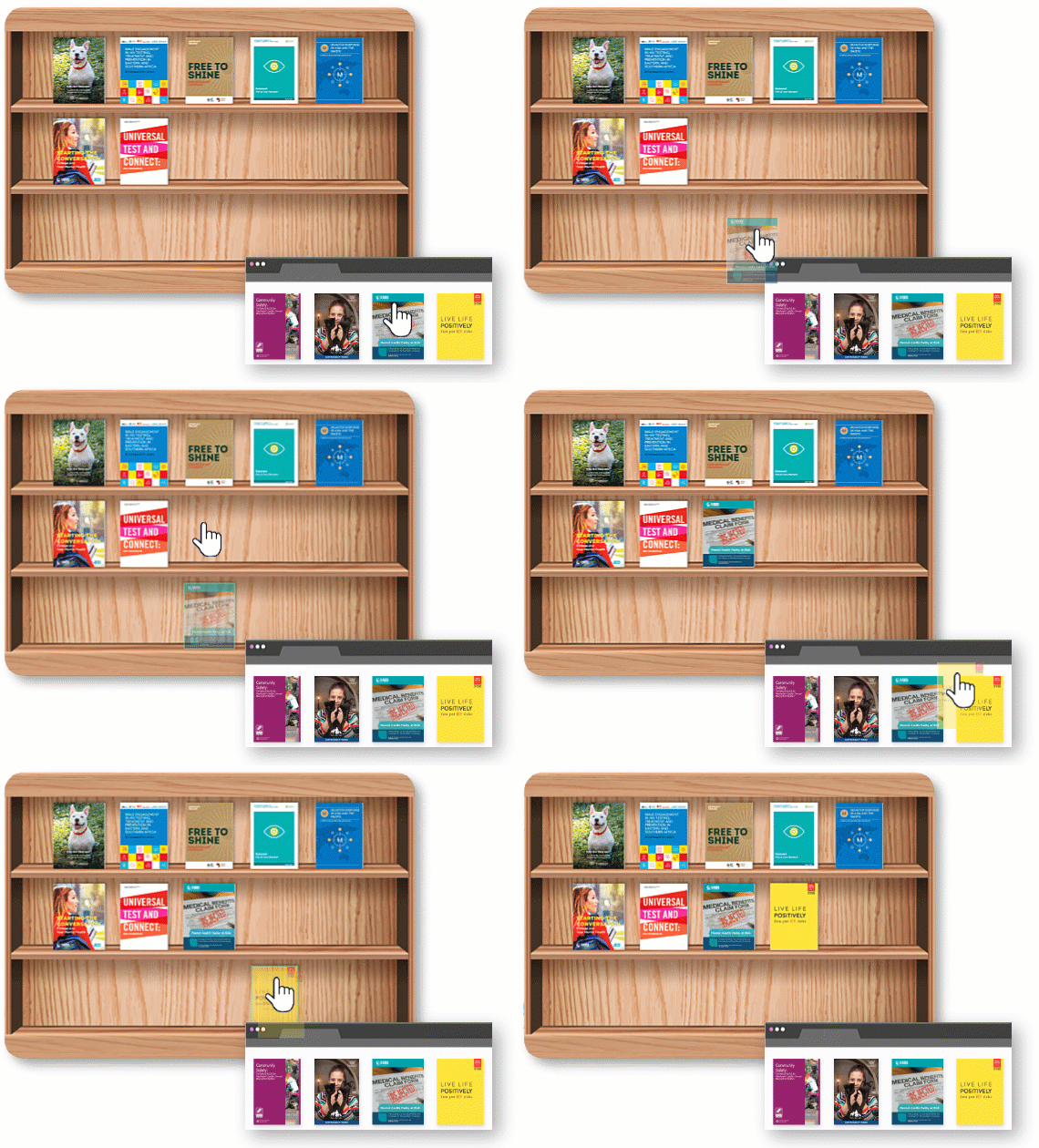
💡 Pro Tip: Use separate bookshelves for different audiences — one for work, one for personal reading, and another for teaching materials.
📂 Step 3: Display Your PDFs, PPTs & Other Documents
Turn any file into a beautiful digital publication — no design skills required.
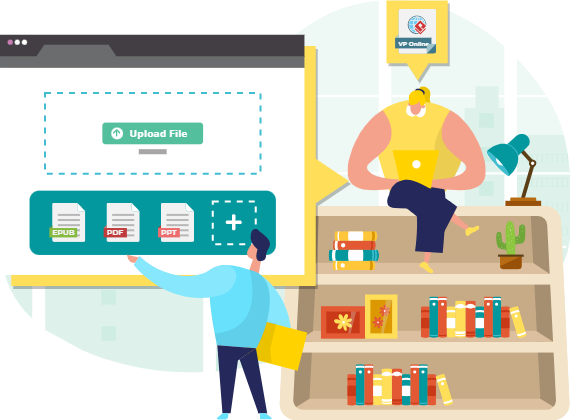
Whether you’re uploading a research paper, a presentation, a course syllabus, or a self-published eBook, our flipbook maker transforms static files into interactive, page-turning experiences.
✅ Supported Formats:
PowerPoint (PPT/PPTX)
DOC/DOCX (converted to readable flipbooks)
Image files (for photo books or portfolios)
Once uploaded, your documents are automatically converted into flipbook-style pages — complete with smooth animations, navigation controls, and responsive design.
🎯 Ideal For:
Teachers sharing lesson plans
Professionals presenting reports
Authors showcasing their work
Students organizing study materials
🎨 Step 4: Customize Your Bookshelf Like a Pro
Every bookshelf tells a story — and your style should reflect that. Choose from a wide range of themes, backgrounds, and visual styles to match your personality or brand.
✅ Customization Options:
Select from modern, vintage, minimalist, or artistic themes.
Change shelf color, texture, and lighting effects.
Adjust the layout (single shelf, double-tier, floating, etc.).
Add subtle animations and transitions for a premium feel.
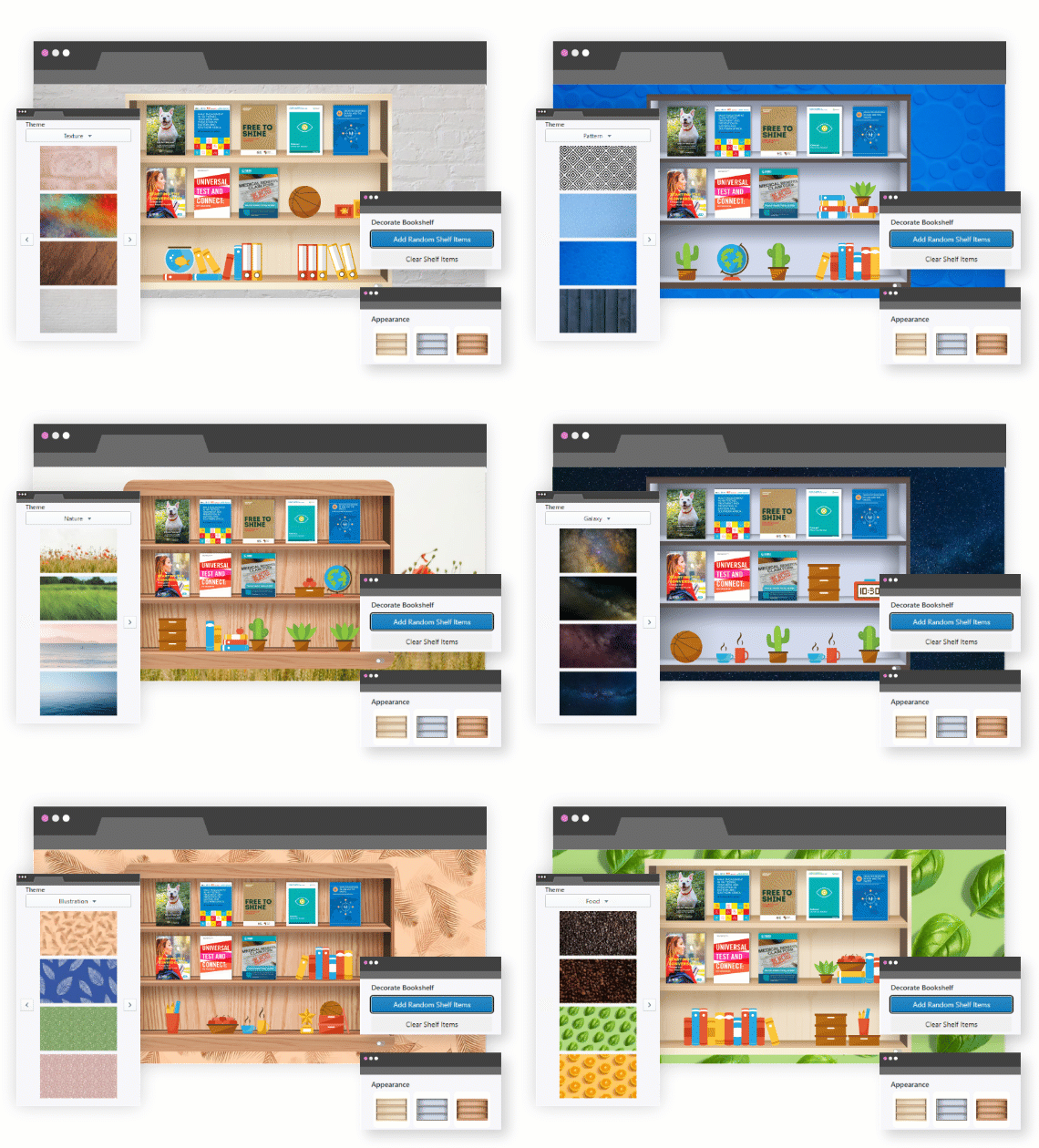
🌈 Why It Matters: A customized bookshelf enhances user engagement and makes your digital library feel uniquely yours — not just functional, but expressive.
🎁 Step 5: Decorate with Accessories (Because Details Matter!)
Your bookshelf isn’t complete without the little things. Add decorative accessories to elevate the visual appeal and bring your space to life.
✅ Available Accessories:
Miniature lamps
Plants and vases
Vintage clocks
Coffee mugs and notebooks
Art prints and framed photos
Bookends and trinkets
These items aren’t just for show — they add depth, warmth, and personality to your virtual space. And if you’re stuck for ideas? Use the Randomization Function to let the system auto-fill empty slots with aesthetically pleasing combinations.
🎮 Smart Design Feature: The AI-powered engine analyzes your book types and suggests accessories that match the vibe (e.g., a fantasy novel gets a wizard’s hat; a business book gets a sleek briefcase).

🔗 Step 6: Share Your Bookshelf as a Link
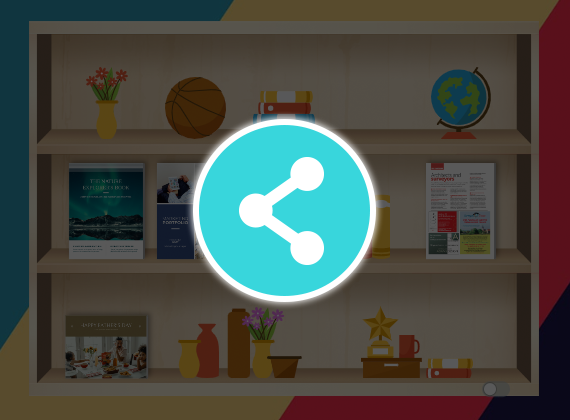
Once your bookshelf is complete, publish it and generate a unique, shareable link.
✅ Sharing Options:
Copy and paste the link into emails, messages, or social media.
Embed it on websites, blogs, or learning platforms.
Post it on LinkedIn, Instagram, or Twitter to showcase your digital library.
Anyone with the link can:
-
View your bookshelf in full detail.
-
Click on any book to read it instantly (in flipbook mode).
-
Navigate through your collection seamlessly.
🌐 No Login Required: Recipients don’t need an account — just the link to access your curated library.
📣 Use Case Examples:
A teacher shares a “Reading List for 10th Grade” with students.
A business owner shares a “Company Handbook” with new hires.
An author promotes their latest eBook to readers worldwide.
✅ Final Step: Make a Flipbook Now
Ready to transform your digital library into a stunning, interactive experience?
👉 Make a flipbook now and start building your own Stunning Virtual Bookshelf today — for free, no technical skills needed.
Whether you’re organizing your personal collection, sharing educational content, or showcasing your creative work, this tool empowers you to create, customize, and share with confidence.
📚 Reference List: Official Resources
- Visual Paradigm Flipbook Maker – Create Interactive Digital Flipbooks: This online tool allows users to convert static documents into engaging flipbooks featuring realistic page-flipping effects.
- AI Flipbook Generator: Create & Publish Digital Books Instantly: This tool enables creators to write, design, and publish professional digital flipbooks and storybooks directly from a simple text prompt.
- Lumina AI Slideshow Maker: Create Stunning Presentations with AI: Users can leverage artificial intelligence to generate high-quality slides from simple text input, saving time while enhancing visual creativity.
- AI Animated Presentation Studio: Create Dynamic, Animated Slides with Ease: An AI-powered web studio that combines traditional slide editing with generative AI to automate the writing and design of animated presentations.
- Self-Hosted Flipbook Slideshow: Transform Documents into Interactive Presentations: A technical guide for converting PDFs into interactive flipbook slideshows with full control over hosting and customization.
- Markdown Presentation Maker: Turn Code into Beautiful Slides: This tool transforms Markdown files into polished, animated presentations with syntax highlighting, ideal for technical and developer-focused content.
- Lumina AI: Generate AI-Powered Video Slideshows Instantly: A release update describing a tool that creates dynamic video presentations from text, perfect for rapid marketing content creation and storytelling.
- Flipbook Maker: A Game-Changer for Interactive Content: This article explores how flipbook technology transforms static brochures and reports into immersive digital experiences.
- Creating Animation Flipbooks with AniFuzion & Fliplify: A tutorial focused on combining animation software with flipbook makers to produce visually rich, moving digital publications.
- Why Visual Paradigm Online’s Flipbook Maker Stands Out: An analysis of the unique features that make this flipbook maker suitable for professional KPI presentations and interactive reports.
🎁 Bonus: Tips for Maximizing Your Virtual Bookshelf
-
Use Themed Bookshelves – Create a “Summer Reads” shelf or a “Tech & Innovation” collection.
-
Update Regularly – Refresh your bookshelf monthly to keep it engaging.
-
Add Book Descriptions – Use the caption feature to describe each book’s content or purpose.
-
Track Engagement – If you’re sharing with a team or audience, monitor link clicks (via analytics integrations).
-
Export for Offline Use – Some versions allow exporting your bookshelf as a downloadable flipbook.
🚀 Conclusion: Your Library, Reimagined
The Stunning Virtual Bookshelf isn’t just a tool — it’s a digital sanctuary for readers, creators, and educators. With drag-and-drop simplicity, rich customization, and seamless sharing, it turns your static documents into dynamic, beautiful experiences.
Whether you’re organizing your personal library, teaching a class, or promoting your work, this platform gives you the power to curate, inspire, and connect — one book at a time.
🌍 Join millions of users worldwide who are already transforming their digital reading experience.
👉 Make a flipbook now — your virtual bookshelf awaits!
Related posts:
 Comprehensive Guide to AI Cloud Architecture Studio by Visual Paradigm
 AI Cloud Architecture: The Foundation of Scalable, Intelligent Cloud Applications
 Modeling the Lifecycle of a Library Book with UML State Diagrams: A Practical Case Study
 Mastering DFD Top-Down Decomposition: A Comprehensive Guide for Software Development Teams