


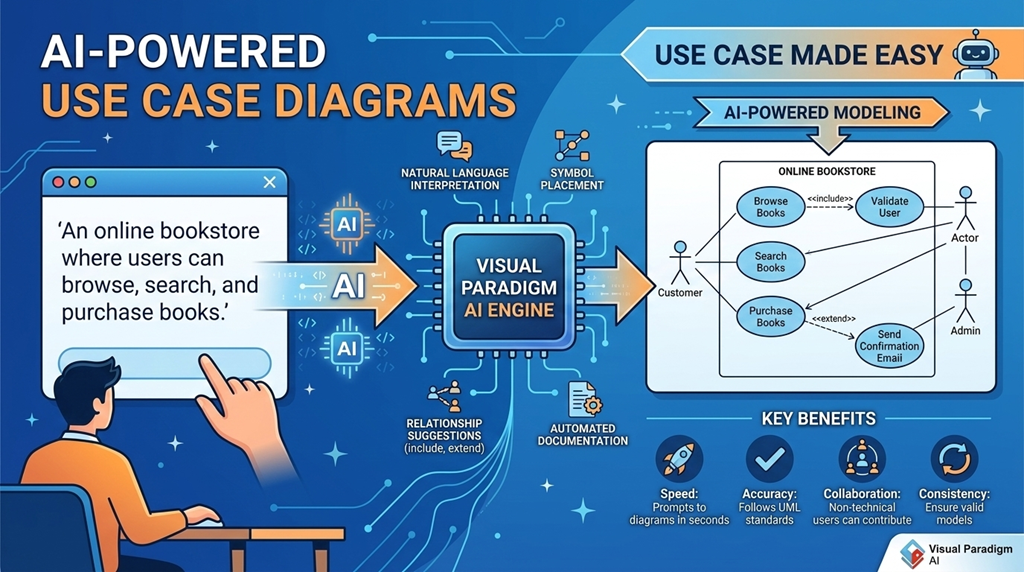
Use case diagrams are a cornerstone of software design, offering a clear, visual way to capture how users interact with a system. They focus on what the system does—without diving into implementation details—making them ideal for aligning stakeholders, developers, and business analysts early in the development lifecycle. 🧭
In today’s fast-paced environments, creating accurate and meaningful use case diagrams manually can be time-consuming and error-prone. But with the rise of AI-powered modeling tools, the process has become faster, smarter, and more intuitive. This guide explores how modern tools like Visual Paradigm are transforming use case modeling—making it accessible, efficient, and aligned with real-world requirements.
What Is a Use Case Diagram?
A use case diagram is a UML (Unified Modeling Language) behavioral diagram that illustrates how external entities—called actors—interact with a system to achieve specific goals. These diagrams are often the first step in system analysis, helping teams define the scope and functionality of a software system from the user’s perspective.
Key Elements of a Use Case Diagram
- Actors: Represent users, systems, or devices that interact with the software. Examples include Customer, Admin, or Payment Gateway.
- Use Cases: Represent functions or services the system provides, shown as ovals. For example, Make Payment, View Account, or Generate Report.
- System Boundary: A rectangle that defines the scope of the system. Use cases go inside, while actors remain outside, clearly distinguishing what is part of the system and what is external.
- Relationships: Lines connecting actors to use cases (associations), and relationships between use cases such as:
<<include>>: A mandatory sub-task (e.g., Validate User is always included in Login).<<extend>>: An optional extension (e.g., Send Confirmation Email may extend Register User).
These components work together to create a visual blueprint of system behavior—helping teams communicate and validate requirements before coding begins.
Why Use Case Diagrams?
Use case diagrams serve several practical purposes:
- Clarify system functionality from a user’s point of view.
- Support early-stage requirement gathering and stakeholder alignment.
- Identify key interactions and potential edge cases.
- Serve as a foundation for more detailed design diagrams (like sequence or activity diagrams).
They are especially useful in agile and iterative development, where requirements evolve quickly and clear communication is essential.
The Role of AI in Modern Use Case Modeling
Traditional modeling tools require manual drawing and validation—often leading to inconsistencies or incomplete diagrams. But with the integration of AI-powered modeling, the process has evolved significantly.
Visual Paradigm is a leading platform that combines AI assistance with UML modeling to streamline the creation and refinement of use case diagrams.
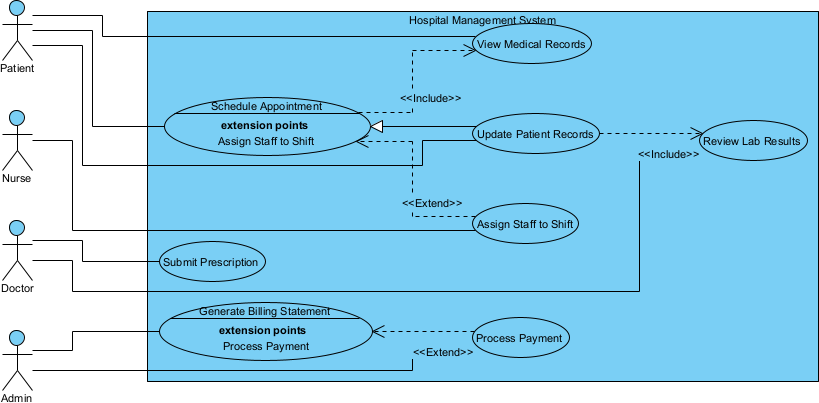
Visual Paradigm Desktop: AI Enabled Modeler
VP Desktop is Visual Paradigm’s flagship application, blending robust offline modeling with integrated AI capabilities. For use case diagrams, it excels in scenarios demanding precision, complex project integration, and advanced features like traceability and code engineering.
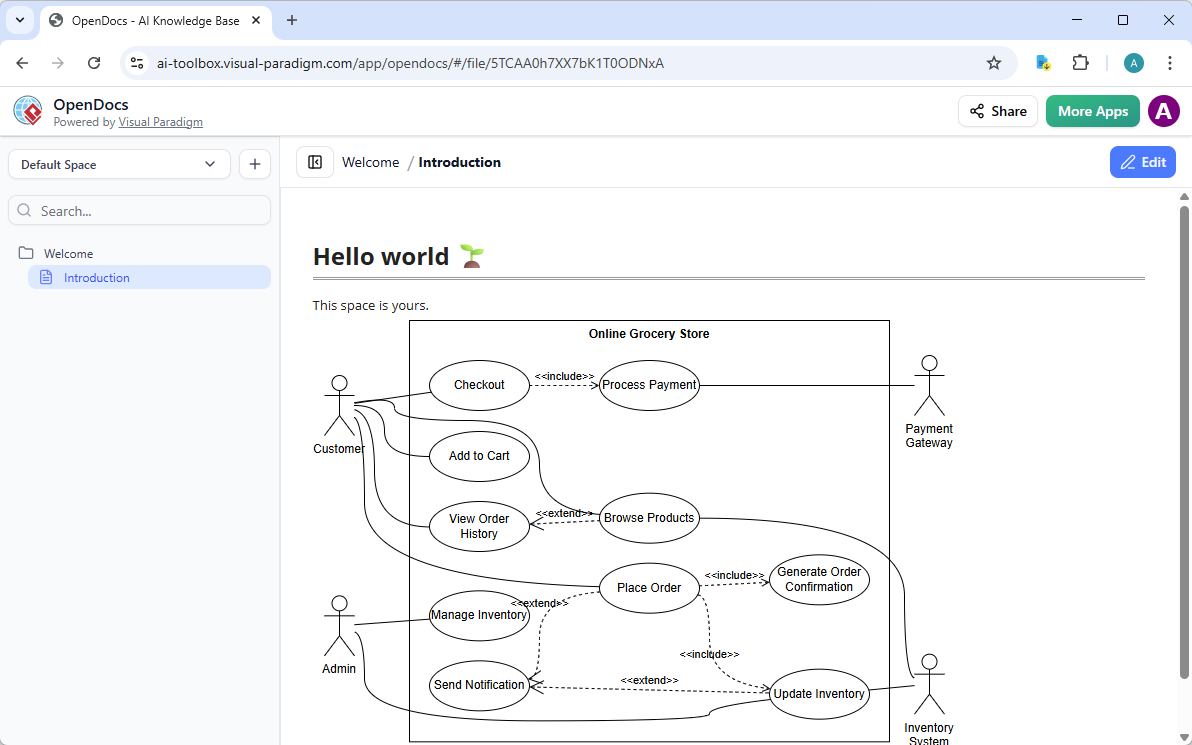
Visual Paradigm OpenDocs: Smart, AI Powered Knowledge Management Platform
OpenDocs redefines knowledge sharing by combining document creation with AI-assisted diagramming. Think of it as a smart wiki or Notion-like platform where use case diagrams become living, editable elements within your content.
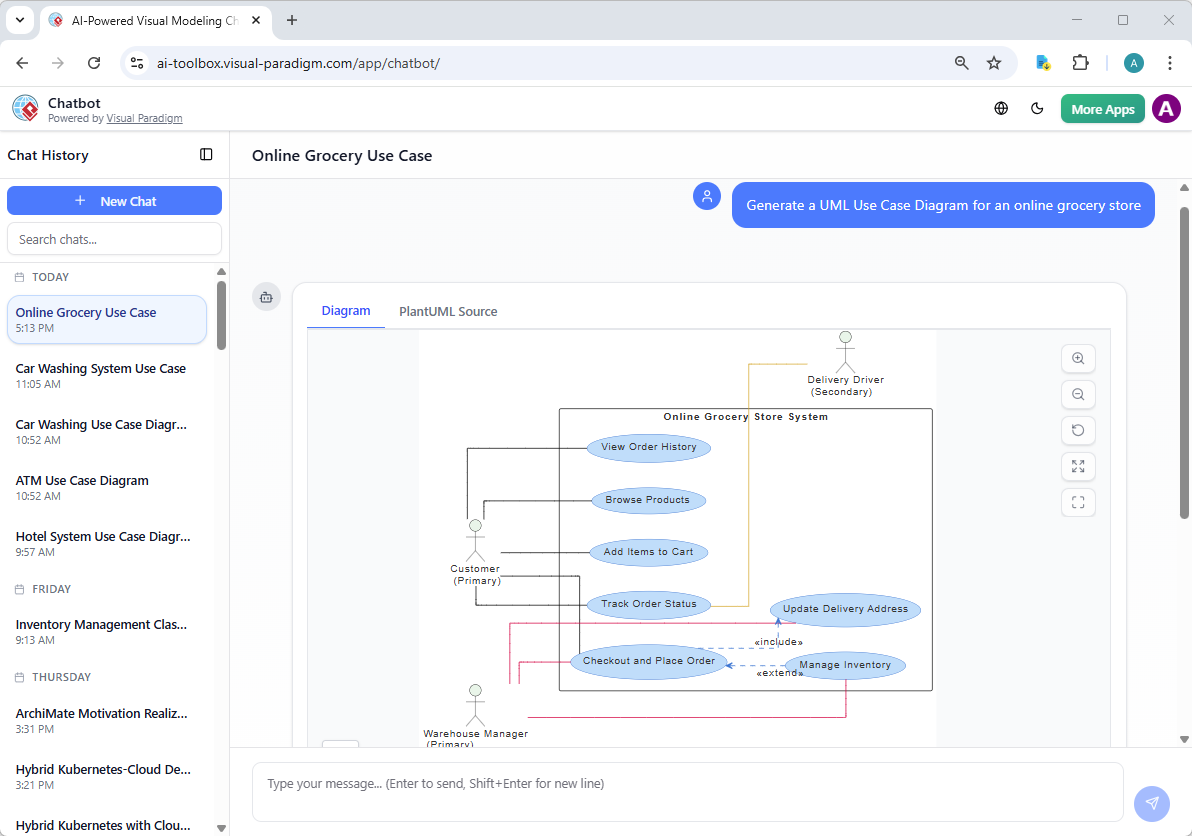
Visual Paradigm AI Chatbot for Visual Modelers
The AI Visual Modeling Chatbot turns diagramming into an interactive conversation. Available standalone or integrated with other platforms, it’s perfect for brainstorming, quick prototyping, and iterative design.
Practical Example: Building an ATM System Diagram
Imagine you want to model an ATM system. Traditionally, you’d need to manually identify actors (e.g., Customer, Bank System) and use cases (e.g., Withdraw Cash, Check Balance), then connect them with appropriate relationships.
With AI, you can input:
“Design a use case diagram for an ATM system where users can withdraw cash, check balance, and deposit money. The system must validate user identity and handle network failures.”
The AI generates a complete diagram with:
- Actors: Customer, Bank System
- Use Cases: Withdraw Cash, Check Balance, Deposit Money, Authenticate User
- Relationships:
<<include>>for Authenticate User in all transactions - System boundary clearly defined
Then, you can refine it using the AI chatbot—say, “Add a transaction history feature”—and the diagram updates automatically.
Benefits of AI-Powered Use Case Modeling
- Faster Development Cycles: Reduce modeling time from hours to minutes.
- Improved Accuracy: Minimize human errors in relationships and scope.
- Better Collaboration: Non-technical stakeholders can contribute via natural language.
- Scalability: Handle complex systems with multiple actors and use cases efficiently.
- Consistency: Ensure diagrams follow UML standards and remain maintainable.
These advantages make AI-powered tools ideal for both small teams and large enterprises working on complex software projects.
Getting Started with Visual Paradigm
Visual Paradigm offers a full suite of modeling tools, including Use Case Modeling Studio, which integrates AI features to support the entire lifecycle of use case development—from initial sketching to documentation and transformation.
You can:
- Generate diagrams from text.
- Refine models with AI suggestions.
- Export detailed use case descriptions.
- Convert use cases into other UML diagrams.
The platform supports multiple modeling standards (UML, BPMN, SysML, ERD), making it a one-stop solution for software and systems design.
Final Thoughts
Use case diagrams remain a vital tool in software development—especially when clarity, communication, and alignment are key. With the integration of AI, the process of creating and refining these diagrams has become significantly more efficient and accurate.
Tools like Visual Paradigm empower teams to focus on what the system should do—rather than how to draw it—enabling faster delivery of high-quality software.
Whether you’re a business analyst, software developer, or project manager, embracing AI-powered modeling can streamline your workflow and improve the quality of your system designs.
References
- What is a Use Case Diagram? – Visual Paradigm UML Guide: Comprehensive introduction to UML use case diagrams, which capture functional requirements from the user’s perspective; details purpose, key elements (actors, use cases, system boundary, relationships: association, include, extend, generalization), notation, best practices, common pitfalls, and practical examples (e.g., online banking system) for effective requirements elicitation and system scope definition.
- Use Case Modeling Studio – Visual Paradigm: AI-powered web-based tool that transforms high-level system goals or textual descriptions into detailed use case specifications, automatically generates multiple diagram types (use case, activity, sequence, class, ERD), produces test cases, and supports interactive refinement to bridge requirements analysis, design, and testing phases efficiently.
- AI-Powered Use Case Modeling Studio – Visual Paradigm Updates: Release announcement highlighting AI enhancements in Use Case Modeling Studio: natural language input for use case generation, automatic diagram creation/refinement, relationship detection (include/extend), test case derivation, and collaborative features to accelerate requirements gathering and modeling in modern software development.
- AI Use Case Description Generator – Visual Paradigm: Tool that automates creation of structured use case documentation (problem statement, actors, main/alternate/exception flows, preconditions/postconditions, triggers) from high-level prompts or goals; supports diagram visualization, Markdown export, and iterative refinement for clear, consistent requirements specification.
- AI Use Case Diagram Refinement Tool – Visual Paradigm: AI feature that analyzes use case narratives or basic diagrams to automatically detect and insert precise <> and <> relationships, uncover hidden dependencies, improve diagram accuracy/completeness, and ensure UML compliance with minimal manual intervention.
- AI-Powered Use Case to Activity Diagram Conversion – Visual Paradigm: One-click AI transformation of textual use case descriptions into editable UML activity diagrams; intelligently maps flows (main, alternate, exception), detects missing steps, suggests optimizations, analyzes process quality, and generates reports for deeper workflow visualization and validation.
- UML Use Case Diagram: Definitive Guide to Defining System Requirements with AI – Visual Paradigm AI: In-depth guide to use case diagrams in UML/SysML contexts with AI assistance: capturing actors and goals, defining system boundaries, establishing relationships, generating diagrams from text, refining via conversational prompts, and ensuring traceability for effective requirements engineering.
- Demystifying Use Case Models: Bridging Textual Detail and Visual Insight – Visual Paradigm Guides: Focuses on the system boundary in use case diagrams: defining scope (what is inside vs. outside the system), actor placement, use case inclusion/exclusion, and its importance for clear stakeholder communication, scope control, and avoiding scope creep in requirements modeling.
- Comprehensive Review: Visual Paradigm’s AI Diagram Generation Features – Fliplify: Third-party analysis of AI tools for UML/SysML modeling (including use case diagrams), praising standards compliance, conversational refinement, time savings, accuracy with domain-specific prompts, traceability support, and overall productivity boost in requirements and system design workflows.
- Visual Paradigm: The All-in-One Visual Modeling Platform – Cybermedian: Broad review of Visual Paradigm as a unified suite for UML, SysML, BPMN, ArchiMate, and more; highlights AI integration for use case modeling, diagram generation, requirements traceability, collaboration, and cross-industry applicability in software and enterprise architecture.
- AI-Powered Diagram Generation in Visual Paradigm – YouTube: Video demonstration showcasing AI features: generating UML/SysML diagrams (including use cases) from natural language, real-time refinements, and practical application in requirements modeling and system design.
- AI Use Case Diagram Refinement in Visual Paradigm – YouTube: Step-by-step video tutorial on using AI to refine use case diagrams: detecting/adding relationships (include/extend), improving structure, ensuring completeness, and integrating with other UML artifacts for professional requirements engineering.