


UML (Unified Modeling Language) is a standardized modeling language used in software engineering to visualize, design, and document system behavior. Among its many diagram types, the UML sequence diagram stands out as one of the most powerful tools for understanding how objects or actors interact over time. Whether you’re a student, a junior developer, or a product designer, mastering sequence diagrams will help you communicate system behavior clearly and efficiently.
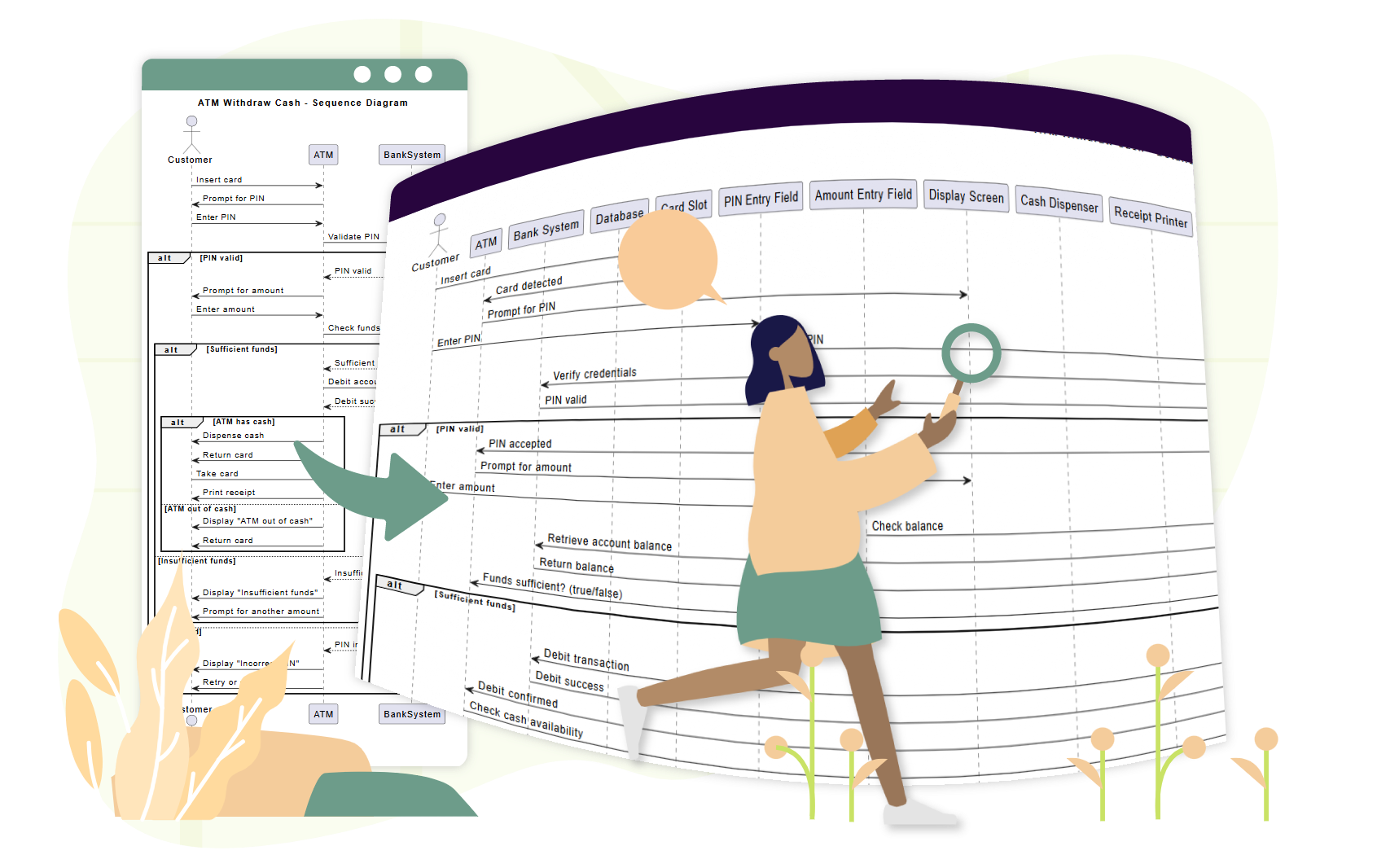
This comprehensive guide walks you through the key concepts, provides real-world examples, and shows how Visual Paradigm’s AI-powered tools can dramatically simplify the process—especially for beginners.
✅ What Is a UML Sequence Diagram?
A UML sequence diagram is an interaction diagram that illustrates the flow of messages between objects or actors in a specific order. It focuses on time and sequence, making it ideal for:
-
Modeling use case scenarios
-
Visualizing system workflows
-
Designing APIs and user interactions
-
Identifying race conditions or timing issues
Unlike class diagrams (which show structure), sequence diagrams emphasize dynamic behavior—how things happen over time.
🧩 Key Concepts in UML Sequence Diagrams
Let’s break down the essential building blocks of a sequence diagram.
1. Lifelines
-
Represent objects or actors over time.
-
Shown as vertical dashed lines.
-
The top of the line marks creation; the bottom marks destruction.
-
Actors are typically drawn as stick figures (
Actor), while objects use rectangles with names like:LoginController.
💡 Example:
:User,:PaymentGateway,:Database
2. Messages
-
Horizontal arrows between lifelines showing communication.
-
Types include:
-
Synchronous message → Solid arrow with filled head (caller waits for response).
-
Asynchronous message → Solid arrow with open head (caller continues without waiting).
-
Return message → Dashed arrow (response back).
-
Self-message → Arrow looping back to the same lifeline (for internal processing).
-
3. Activation Bars (Execution Specifications)
-
Thin rectangles on a lifeline indicating when an object is actively processing a message.
-
Appears when a method is called and disappears when the operation completes.
-
Helps visualize how long an object is busy.
4. Combined Fragments
These are boxes that group parts of the diagram to represent control logic:
| Fragment | Purpose |
|---|---|
alt |
Alternatives (if/else) |
opt |
Optional (may or may not happen) |
loop |
Repetition (e.g., while loop) |
par |
Parallel execution (concurrent actions) |
✅ Use
altto show success vs. error paths in login flows.
5. Other Important Elements
-
Creation/Deletion: Use
createmessage or an “X” at the end of a lifeline to show object destruction. -
Constraints/Invariants: Conditions that must hold true (e.g.,
balance > 0). -
Interaction Use: Reuse another diagram (e.g., reference a standard login flow).
📌 Real-World Examples for Beginners
Let’s explore three beginner-friendly scenarios using sequence diagrams.
🔹 Example 1: Simple Login Flow
Participants: User, LoginView, LoginController, Database
Sequence:
-
User→LoginView: Enters username/password -
LoginView→LoginController: Sends credentials -
LoginController→Database: Checks if user exists -
Database→LoginController: Returns result -
LoginController→LoginView: Sends success/failure -
LoginView→User: Displays message
✅ Use an
altfragment to show:
Success path: “Login successful”
Failure path: “Invalid credentials”
👉 See this in action: AI-Powered UML Sequence Diagrams
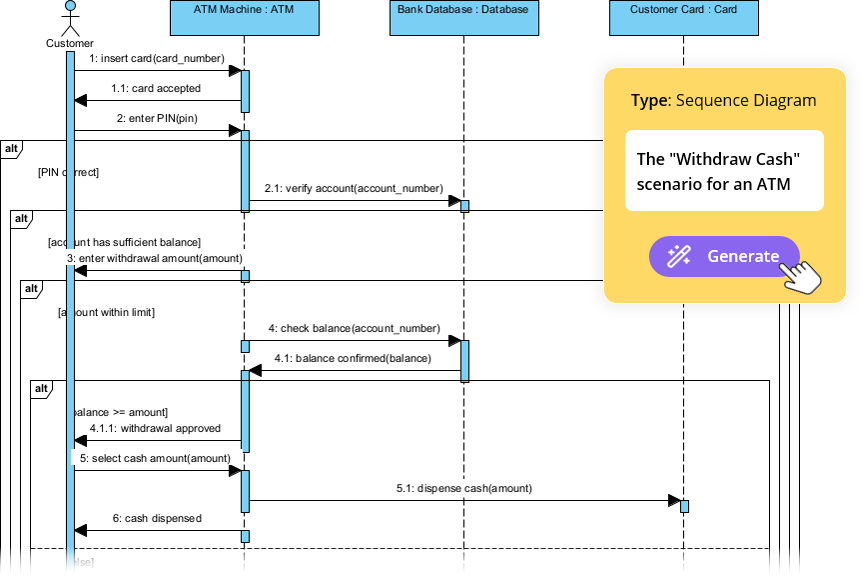
🔹 Example 2: ATM Cash Withdrawal
Participants: User, ATM, CardReader, BankServer, CashDispenser
Sequence:
-
User→ATM: Inserts card -
ATM→CardReader: Reads card -
ATM→User: Prompts for PIN -
User→ATM: Enters PIN -
ATM→BankServer: Validates PIN -
BankServer→ATM: Confirms valid -
ATM→User: Prompts for amount -
User→ATM: Enters amount -
ATM→BankServer: Checks balance -
BankServer→ATM: Returns balance -
ATM→CashDispenser: Dispenses cash -
ATM→User: Displays receipt option (optfragment) -
User→ATM: Chooses “Yes” or “No”
✅ Use:
loopfor retry attempts if PIN is wrong
optfor receipt printing
altfor insufficient funds
👉 Learn how to model this with AI: Simplify Complex Workflows with AI Sequence Diagram Tool
🔹 Example 3: E-Commerce Checkout Process
Participants: Customer, ShoppingCart, PaymentGateway, InventorySystem, OrderConfirmation
Sequence:
-
Customer→ShoppingCart: Adds item(s) →loopfor multiple items -
ShoppingCart→Customer: Shows total -
Customer→PaymentGateway: Initiates payment -
PaymentGateway→Bank: Processes transaction -
Bank→PaymentGateway: Confirms success -
PaymentGateway→InventorySystem: Deducts stock -
InventorySystem→PaymentGateway: Confirms availability -
PaymentGateway→ShoppingCart: Confirms order -
ShoppingCart→OrderConfirmation: Sends confirmation
✅ Use
parfragment to show:
Payment processing and inventory check happening in parallel
👉 See a full example: Mastering Sequence Diagrams with AI Chatbot: E-commerce Case Study
🤖 How Visual Paradigm’s AI Makes Sequence Diagrams Easy for Beginners
Creating UML diagrams manually can be overwhelming—especially when you’re learning. But with Visual Paradigm’s AI-powered tools, you can generate accurate, professional diagrams in seconds—no prior UML knowledge needed.
✨ 1. AI Chatbot: Generate Diagrams from Natural Language
Use the AI Chatbot to describe your scenario in plain English.
🔍 Try this prompt:
“Create a sequence diagram for a user logging into a system with username/password validation and error handling.”
The AI:
-
Identifies actors and objects
-
Determines message flow
-
Applies correct fragments (
alt,loop, etc.) -
Outputs a clean, ready-to-use diagram in seconds
👉 Start here: AI-Powered UML Sequence Diagrams
✨ 2. AI Sequence Diagram Refinement Tool: Improve & Polish
Even if you start with a basic sketch, the AI Sequence Diagram Refinement Tool helps you upgrade it:
-
Automatically adds activation bars
-
Suggests correct fragment usage (
alt,opt,loop) -
Enforces design patterns (e.g., MVC: View → Controller → Model)
-
Fixes inconsistencies and improves readability
📌 Perfect for turning a rough draft into a professional diagram.
👉 Follow the step-by-step guide: Comprehensive Tutorial: Using the AI Sequence Diagram Refinement Tool
✨ 3. From Use Cases to Diagrams: Instant Translation
You don’t need to start from scratch. If you have a use case description, the AI can convert it directly into a sequence diagram.
Example:
“A user can add items to a shopping cart. If the item is out of stock, the system shows an error.”
The AI generates:
-
Customer→ShoppingCart -
loopfor adding multiple items -
altfor “in stock” vs. “out of stock”
👉 See how it works: AI-Powered Sequence Diagram Refinement from Use Case Descriptions
✨ 4. Interactive Refinement: Ask, Refine, Repeat
Want to improve your diagram? Just chat with the AI:
-
“Add a ‘retry’ option after failed login.”
-
“Change ‘User’ to ‘Customer’.”
-
“Show the error message flow in red.”
Each prompt updates the diagram instantly—no redrawing, no frustration.
👉 Explore the tool: AI Sequence Diagram Refinement Tool Interface
✨ 5. Beginner-Friendly Tutorials & Real-World Examples
New to UML? Start with these beginner guides:
-
Beginner’s Tutorial: Create Professional Sequence Diagrams in Minutes
→ Step-by-step walkthrough using natural language prompts. -
From Simple to Sophisticated: AI-Powered Modeling Evolution
→ See how a basic idea becomes a full-fledged, architecture-compliant diagram. -
AI Sequence Diagram Example: Video Streaming Playback Initiation
→ A detailed example showing how AI handles complex flows like authentication, buffering, and playback.
🚀 Why Use Visual Paradigm’s AI for Sequence Diagrams?
| Benefit | Description |
|---|---|
| ⏱️ Speed | Generate diagrams in 5–10 seconds |
| 🎯 Accuracy | AI applies best practices and reduces errors |
| 🧠 Low Learning Curve | No need to memorize UML syntax |
| 🤝 Collaboration | Non-technical users can contribute via plain language |
| 🔄 Iterative Design | Refine and improve diagrams in real time |
| 📦 Export & Share | Export to PNG, SVG, PDF, or embed in reports |
✅ Final Tips for Beginners
-
Start simple – Model one use case at a time.
-
Use
altfor success/failure paths – It’s the most common pattern. -
Add activation bars – They make your diagram easier to read.
-
Use
loopfor repetitive actions – e.g., adding multiple items. -
Leverage AI tools – Let the AI do the heavy lifting!
🎁 Get Started for Free!
You don’t need a paid license to try these powerful tools.
-
Try the free Community Edition of Visual Paradigm – includes full access to AI Chatbot and sequence diagram tools.
-
Explore the AI Sequence Diagram Refinement Tool Interface online.
-
Join thousands of users who are using AI to design better systems faster.
📚 Summary of Key Resources
🎯 Conclusion
UML sequence diagrams are a vital tool for understanding how systems behave over time—but they don’t have to be intimidating. With Visual Paradigm’s AI-powered tools, even beginners can create accurate, professional diagrams in seconds.
Whether you’re modeling a login flow, an ATM transaction, or an e-commerce checkout, AI does the heavy lifting—so you can focus on designing better systems.
👉 Start now with the free Community Edition and see how AI can transform your modeling journey.
🚀 From idea to diagram in minutes—no experience required.
Related posts:
 The Complete Guide to the C4 Model: Visualizing Software Architecture with Clarity and Purpose
 Comprehensive Guide to BPMN (Business Process Model and Notation) with Visual Paradigm
 Modeling the Lifecycle of a Library Book with UML State Diagrams: A Practical Case Study
 Mastering DFD Top-Down Decomposition: A Comprehensive Guide for Software Development Teams