
💡 Key Takeaways
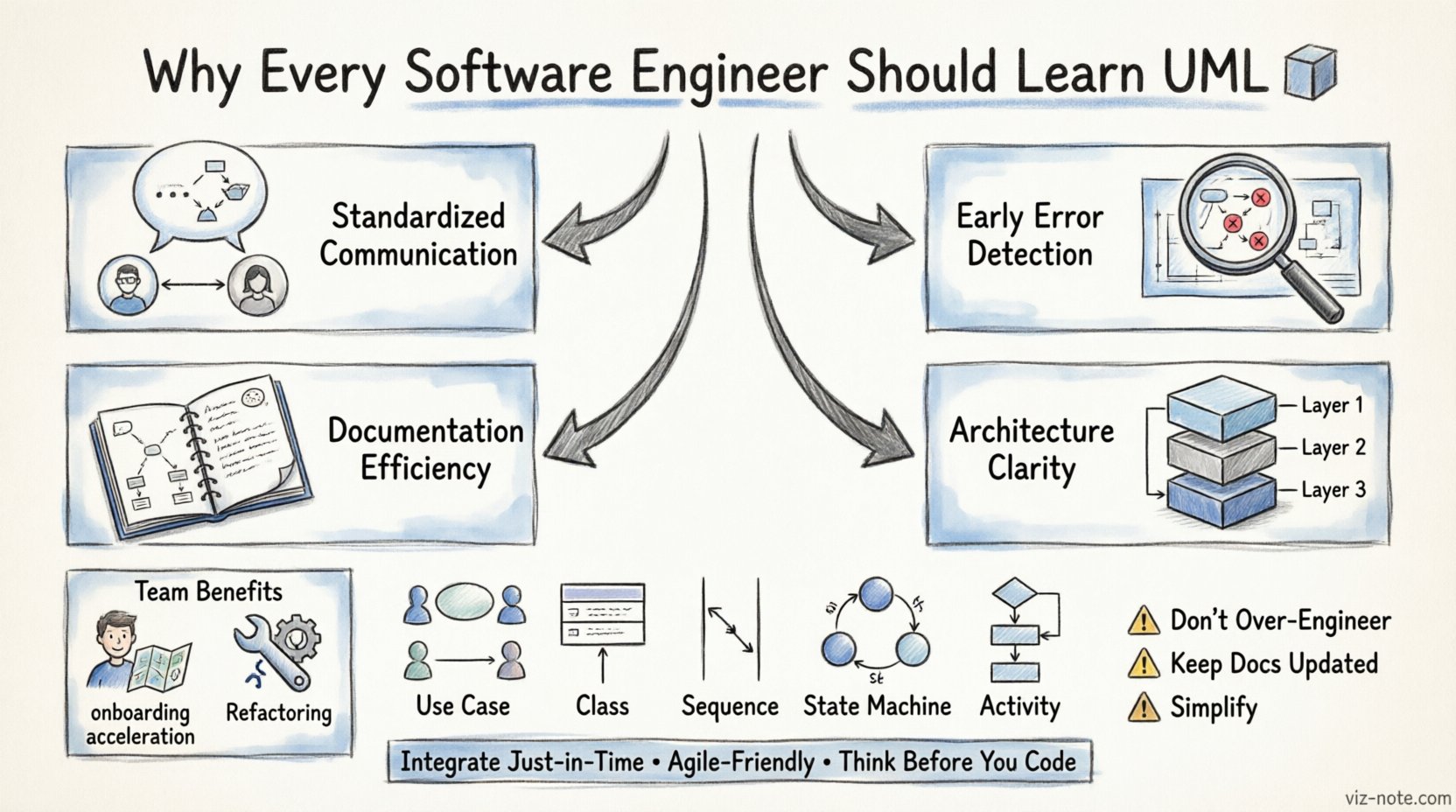
- Standardized Communication: UML provides a universal language for describing system designs, reducing ambiguity between developers.
- Early Error Detection: Visualizing logic before coding helps identify architectural flaws during the planning phase.
- Documentation Efficiency: Diagrams serve as living documentation that is easier to maintain than text-heavy specs.
- Architecture Clarity: Understanding structural and behavioral models ensures scalable and robust system design.
Software engineering is fundamentally about managing complexity. As systems grow in scale and interconnectivity, the mental models required to navigate them become increasingly intricate. While programming languages allow us to implement logic, they often fail to capture the high-level intent and structural relationships of a system until the code is written. This is where the Unified Modeling Language, or UML, becomes an indispensable tool for the modern engineer.
UML is not merely a diagramming convention; it is a standardized method for visualizing the design of software systems. By learning UML, engineers gain the ability to think about architecture before committing to implementation. This shift from code-first to design-first thinking reduces technical debt and streamlines collaboration across teams.
The Language of Architecture 🗣️
One of the primary challenges in software development is communication. Developers, product managers, and stakeholders often speak different dialects. A requirement document might be vague, while a codebase might be too specific. UML bridges this gap by offering a visual representation that is precise yet abstract enough for non-technical stakeholders to understand.
When an engineer sketches a diagram, they are creating a contract for the system. This contract outlines how components interact, what data flows between them, and how the system responds to external events. Because UML is a standard maintained by the Object Management Group, the symbols and notation are consistent across the industry. This consistency means that a diagram created by one team can be understood by another, even if they use different tools or technologies.
Visualizing Logic Before Implementation 🧠
Writing code is an iterative process of trial and error. However, debugging architectural flaws is significantly more expensive than debugging logic errors. UML allows engineers to simulate the behavior of a system on paper or in a tool before writing a single line of code.
Consider a complex transaction flow in a financial application. Without a sequence diagram, the engineer might assume a linear path from request to response. A diagram reveals the branching paths, error handling, and state changes that occur in the background. Identifying a race condition or a missing state transition in a diagram takes minutes. Implementing that flaw in code and then finding it during testing takes days.
This visualization capability extends to the structure of the application as well. Class diagrams help define the relationships between entities, inheritance hierarchies, and interfaces. By planning the data model visually, engineers ensure that the database schema aligns with the application logic, preventing normalization issues later on.
Types of Diagrams Explained 📊
UML is composed of several types of diagrams, each serving a specific purpose. Understanding when to use which diagram is a key skill for a proficient engineer.
| Diagram Type | Primary Focus | Best Used For |
|---|---|---|
| Use Case Diagram | User Interaction | Defining functional requirements and actor relationships. |
| Class Diagram | Static Structure | Mapping database schemas and object relationships. |
| Sequence Diagram | Dynamic Behavior | Visualizing message flow over time between objects. |
| State Machine Diagram | State Transitions | Modeling object lifecycles and state-dependent logic. |
| Activity Diagram | Workflow | Describing algorithms and business process flows. |
Collaboration and Onboarding 🤝
Team velocity often depends on how quickly new members can understand the codebase. In large projects, no single engineer owns the entire system. When a new developer joins, they must learn the architecture. Reading through thousands of lines of code to understand the high-level design is inefficient.
UML diagrams act as a map for the system. A new team member can look at a component diagram to see how services are partitioned and a sequence diagram to see how an API call is processed. This accelerates the onboarding process and reduces the reliance on tribal knowledge.
Furthermore, during code reviews, diagrams provide a reference point. If a proposed change alters the flow of data, the engineer can update the diagram to reflect the change. This ensures that the documentation remains in sync with the code, preventing the common issue where documentation becomes outdated shortly after release.
Maintenance and Refactoring 🔧
Software is rarely finished; it evolves. Refactoring is the process of restructuring existing code without changing its external behavior. As codebases grow, they often accumulate “code smells” or design inconsistencies. Visualizing the current state of the system through UML helps identify these issues.
For instance, a class diagram might reveal a high degree of coupling between two modules that should be independent. This insight guides the refactoring effort, allowing the engineer to introduce interfaces or dependency injection patterns to decouple the system. Without the visual model, these structural issues might remain hidden within the implementation details.
Common Pitfalls to Avoid ⚠️
While UML is powerful, it is not a silver bullet. Engineers must avoid common mistakes that render the diagrams useless.
- Over-Engineering: Not every project requires a full suite of diagrams. Small scripts or internal tools may not need the overhead of detailed modeling. Use UML where the complexity justifies it.
- Outdated Documentation: A diagram that does not match the code is worse than no diagram. It creates a false sense of security. Ensure that diagrams are updated alongside code changes.
- Complexity: Diagrams should clarify, not confuse. Avoid drawing every single method or variable. Focus on the relationships that matter for the system’s architecture.
Integrating into Modern Workflows 🔄
Incorporating UML into agile environments requires a flexible approach. Instead of creating massive documents upfront, engineers can create diagrams just-in-time. For example, a sequence diagram can be sketched during a sprint planning session to clarify a user story.
Tools that support reverse engineering can also generate diagrams from existing code. This is useful for understanding legacy systems where documentation is missing. By analyzing the code structure, these tools produce a baseline model that engineers can then refine and annotate.
The goal is not to produce paperwork for approval, but to facilitate thinking. The act of drawing the diagram forces the engineer to resolve ambiguities in their own understanding. If you cannot draw the relationship between two components, you likely do not fully understand how they interact.
Conclusion on Engineering Excellence
Learning UML is an investment in professional maturity. It shifts the focus from syntax to semantics, from writing code to designing systems. In an industry where complexity is the primary enemy, the ability to model that complexity visually is a distinct advantage. It leads to cleaner code, better collaboration, and systems that are easier to maintain over time.
Engineers who master this notation do not just write software; they architect solutions. They understand that the blueprint is as critical as the building itself. By adopting UML, engineers ensure that their work stands the test of time and scale.