
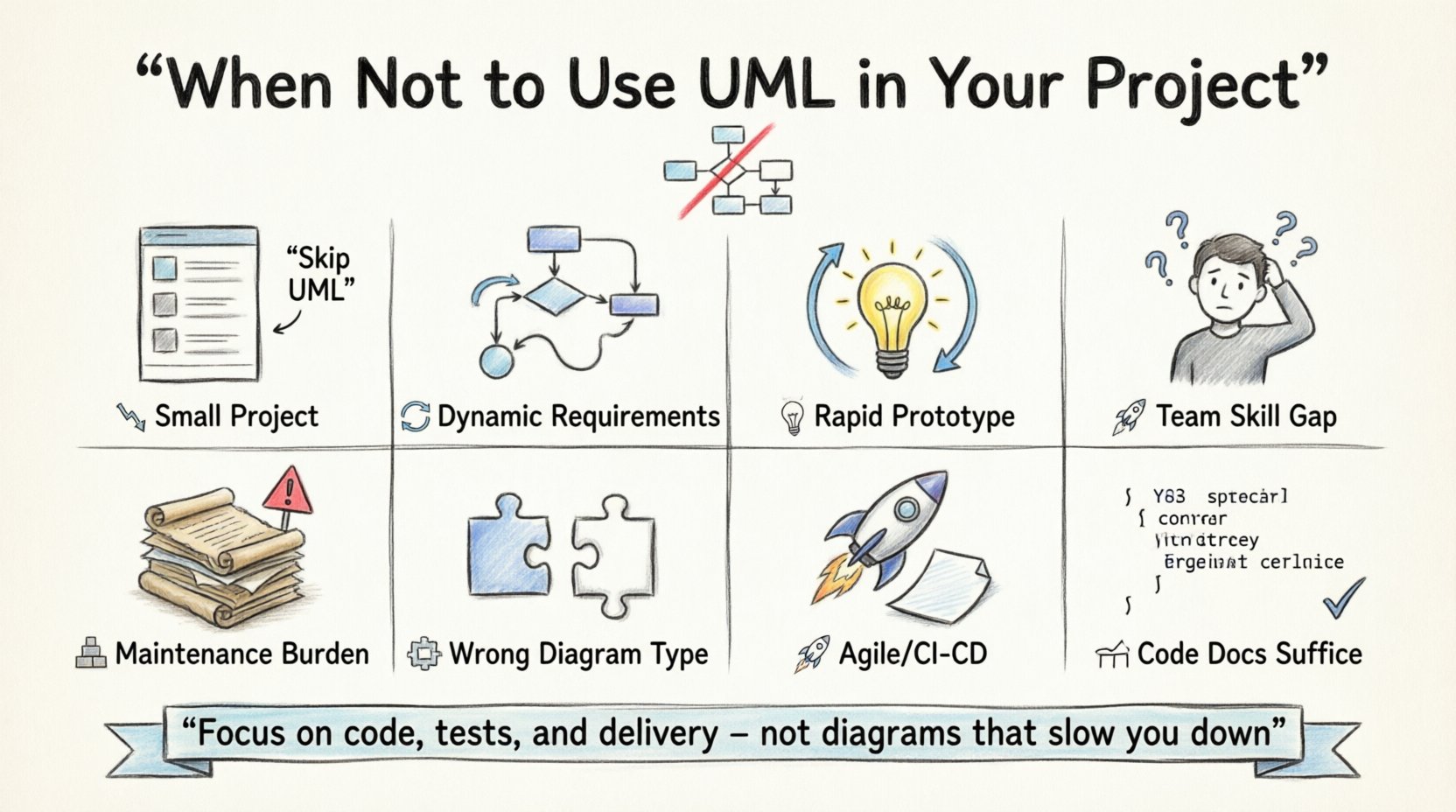
💡 Key Takeaways
- UML Adds Overhead: For small or simple projects, the time spent modeling often outweighs the benefits of the diagrams.
- Agile Compatibility: In highly iterative environments, static diagrams can become outdated faster than they are created.
- Team Skill Gaps: If the team lacks UML training, forcing its use can hinder communication rather than help it.
- Prototyping Needs: Rapid experimentation requires code-first approaches rather than formal design documentation.
- Maintenance Burden: Keeping diagrams in sync with evolving code is a significant maintenance challenge.
Unified Modeling Language (UML) has long been a cornerstone of software architecture documentation. It offers a standardized way to visualize system design, define relationships, and communicate complex structures across teams. However, in the modern landscape of software development, where speed and adaptability are paramount, UML is not always the right tool for the job. Applying a heavy modeling framework to every project can introduce unnecessary friction, delay delivery, and create artifacts that are rarely read or maintained.
Understanding the limitations of UML is just as important as knowing its capabilities. This guide explores specific scenarios where skipping the modeling phase leads to better outcomes. By recognizing when to avoid these diagrams, teams can focus their energy on code quality, testing, and actual feature delivery.
1. Small-Scale Projects with Low Complexity 📉
One of the most common mistakes is applying enterprise-grade modeling techniques to small-scale applications. Consider a script that automates a single task, a simple internal dashboard, or a prototype with a limited user base. In these contexts, the architecture is straightforward. The number of classes, relationships, and state transitions is minimal.
When the system is simple, the overhead of creating detailed class diagrams, sequence diagrams, or component diagrams often exceeds the value provided. A developer can understand the logic by reading the source code directly. Creating a model introduces a layer of abstraction that does not add clarity. Instead, it creates a separation between the documentation and the implementation.
Consider this approach instead:
- Use simple text-based documentation like README files.
- Rely on inline code comments to explain non-obvious logic.
- Keep architecture decisions lightweight and recorded in a single document.
For projects lasting only a few weeks, the cost of time spent drawing boxes and arrows is time taken away from writing tests or fixing bugs.
2. Rapid Prototyping and Proof of Concept 🧪
In the early stages of product development, the goal is often to validate an idea quickly. This is the realm of proof of concept (PoC) and rapid prototyping. The objective is to see if a technical approach works or if a user interface feels right. Requirements are fluid, and the direction may change based on feedback from the first build.
UML diagrams are inherently static representations. They assume a degree of stability in the requirements that does not exist during the prototyping phase. If you spend three days drawing a sequence diagram for a feature that will be scrapped after the first user test, that effort is wasted. The model becomes obsolete before the code is even merged.
Why code-first wins here:
- Code is executable and provides immediate feedback.
- Changes in code reflect reality instantly.
- Prototyping requires iteration speed, not design precision.
Teams should prioritize getting a working version on screen rather than perfecting the design on paper. The diagrams can come later if the project moves to a production phase with stabilized requirements.
3. Highly Dynamic Requirements 🔄
Software projects that operate in volatile environments often face shifting requirements. This is common in startups or research-driven initiatives where the market dictates the feature set week by week. In these situations, the system design is in constant flux.
UML diagrams require maintenance. If the code changes, the diagrams should ideally change too. However, in a dynamic environment, the code changes so frequently that the diagrams cannot keep up. This leads to a state where the documentation is inaccurate. Inaccurate documentation is worse than no documentation because it misleads stakeholders and developers who assume the system works differently than it actually does.
The synchronization problem:
Keeping models synchronized with code requires a disciplined process. Many teams lack the resources to maintain this discipline. When the model drifts from reality, it loses its value as a source of truth. In high-velocity environments, the source of truth should be the code itself, supported by automated tests.
4. Team Skill Gaps and Training Costs 🎓
UML is a language with its own syntax and notation. While it is standardized, understanding it deeply requires training and practice. If a team consists of developers who are proficient in coding but have no experience with modeling, forcing them to use UML can create a bottleneck.
Developers may spend more time learning the notation than solving the technical problem. This can lead to frustration and resistance. Furthermore, if the team members interpret the diagrams differently, communication breakdowns can occur. The goal of modeling is to improve communication; if it causes confusion, it fails its primary purpose.
Alternative communication methods:
- Sketching on a whiteboard during meetings.
- Using code examples to demonstrate flow.
- Pair programming to explain logic in real-time.
These methods are often more accessible and immediate than formal diagramming tools. They foster collaboration without the barrier of learning a new formal language.
5. Maintenance and Technical Debt 🧱
One of the hidden costs of UML is the maintenance burden. Over the life of a project, the system evolves. Features are added, bugs are fixed, and architecture is refactored. Every time the code changes, the model should ideally be updated.
Many projects start with detailed diagrams but fail to update them. This creates technical debt in the documentation. Future developers inherit the burden of understanding the old diagrams, which do not match the current code. This confusion slows down onboarding and increases the risk of introducing new bugs.
When to avoid the burden:
- When the team size is small and cannot spare time for documentation.
- When the project lifecycle is short-term.
- When the architecture is expected to change significantly.
In these cases, it is better to invest that time in automated documentation generation or simply rely on well-structured code.
6. When Code Documentation Suffices 📝
Modern programming languages and integrated development environments offer powerful ways to document code directly. Tools like Javadoc, Sphinx, or Doxygen can generate documentation automatically from code comments. For many systems, this is sufficient.
If the primary goal is to explain how a function works, inline documentation is often more precise than a sequence diagram. Diagrams abstract away implementation details, which can sometimes hide important logic. Code documentation stays with the logic. When a developer needs to understand a specific module, reading the code with its comments is often faster and more accurate than cross-referencing a separate diagram file.
Benefits of code-centric docs:
- Always up to date with the source.
- Accessible without external tools.
- Integrated into the development workflow.
7. Specific Diagram Types and Their Relevance 🗺️
Not all UML diagrams serve the same purpose. Some are more relevant than others depending on the context. For example, a class diagram might be essential for a complex object-oriented system but useless for a serverless function that has no state. A sequence diagram might be helpful for API interactions but redundant for a simple CRUD operation.
Diagrams to reconsider:
| Diagram Type | When to Avoid |
|---|---|
| Class Diagram | Function-heavy codebases without complex state management. |
| State Machine Diagram | Systems with simple linear flows or no distinct states. |
| Deployment Diagram | Cloud-native projects where infrastructure is defined as code. |
| Activity Diagram | Workflows that are better described in business process management tools. |
Choosing the right tool for the right job is key. If a diagram does not solve a specific problem, it is better not to create it.
8. Agile and Continuous Delivery Environments 🚀
In Agile and Continuous Delivery environments, the focus is on delivering value in small increments. The workflow relies on feedback loops and rapid iteration. Formal design phases often conflict with this rhythm. Teams are expected to code, test, and deploy continuously.
Introducing a modeling phase can slow down the pipeline. It creates a gate between design and development. While design is important, it should be lightweight. Many teams prefer “just-in-time” design where they model only the complex parts as they are being built. This is often called “agile modeling.” It avoids the upfront cost of detailed diagrams while still capturing necessary architecture.
Agile Modeling Principles:
- Model only what is needed now.
- Use the simplest tool possible.
- Keep models alive and updated.
If a team cannot commit to keeping models alive, they should not start with them.
Final Thoughts on UML Adoption 🤔
UML is a powerful language for visualization and standardization. It excels in large systems, regulated industries, and complex integrations where documentation is a legal or compliance requirement. However, it is not a universal solution. Blindly applying it to every project can lead to inefficiency and frustration.
The decision to use UML should be strategic. It depends on the project size, the stability of requirements, the skills of the team, and the maintenance capacity. By recognizing when to step back and rely on code, sketches, or simpler documentation, teams can maintain agility and focus on what truly matters: building functional software.
Always evaluate the return on investment. If the diagrams do not save time or reduce errors, they are likely adding unnecessary weight. In the end, the best design is often the one that gets implemented correctly and maintained effectively, regardless of whether it was drawn first.