
Enterprise architecture relies on a clear understanding of how business, application, and technology layers interact. Within this framework, the ArchiMate Technology Layer serves as the foundation for infrastructure modeling. Accurately representing physical devices is critical for maintaining an up-to-date view of the organization’s hardware landscape. This guide explores the principles, patterns, and best practices for modeling physical devices within the ArchiMate framework without relying on specific vendor tools or software.
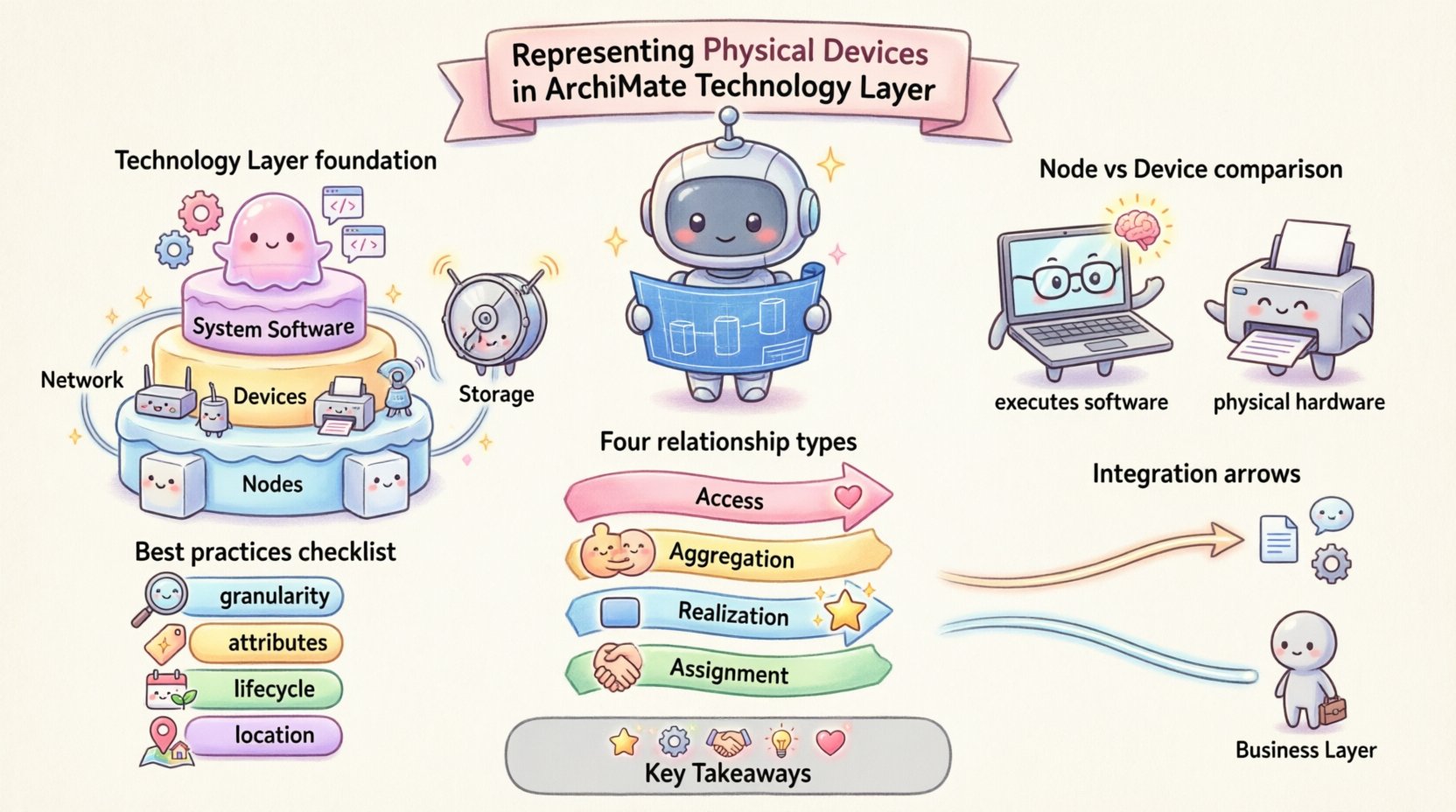
🔍 Understanding the Technology Layer in ArchiMate
The Technology Layer in ArchiMate defines the hardware and software that supports the implementation of applications. It is not merely a list of servers and routers; it is a structured representation of the infrastructure that enables business services. When architects model this layer, they focus on the physical and logical elements that process data, store information, and provide communication paths.
Key components of the Technology Layer include:
- Nodes: Hardware or software that can execute software.
- Devices: Physical hardware components like routers, switches, or workstations.
- System Software: Operating systems and middleware that run on nodes.
- Network: Communication infrastructure connecting nodes and devices.
- Storage: Physical storage units for data retention.
Accurate representation requires distinguishing between logical constructs and physical reality. A Node might be a virtual machine in a cloud environment, whereas a Device is typically a tangible piece of hardware. Understanding this distinction is the first step in effective modeling.
📦 The Role of Physical Devices
Physical devices are the tangible assets that support the digital ecosystem. They include workstations, printers, network switches, servers, and specialized hardware like IoT sensors. In enterprise architecture, these devices are significant because they represent the boundary between the digital and physical worlds.
Why Model Physical Devices?
Modeling physical devices offers several strategic benefits:
- Asset Management: Provides visibility into hardware inventory and lifecycle status.
- Compliance: Helps ensure hardware meets security and regulatory standards.
- Impact Analysis: Allows architects to understand the ripple effect of hardware failures or upgrades.
- Cost Optimization: Identifies redundant or underutilized hardware assets.
- Security Planning: Pinpoints endpoints that require specific security controls.
Without a clear model of physical devices, infrastructure planning becomes reactive rather than proactive. Architects may miss dependencies that lead to service outages or security vulnerabilities.
🛠️ Modeling Physical Devices: Node vs. Device
One of the most common challenges in ArchiMate modeling is differentiating between a Node and a Device. Both reside in the Technology Layer, but they serve different conceptual roles.
A Node is an abstract container that can execute software. It represents a processing unit. In physical terms, a Node is often a server or a computer system. However, a Node can also be a virtual instance.
A Device is a physical component that does not necessarily execute software in the same way a Node does. It might be a peripheral, a network component, or a sensor. Devices are typically hardware-only objects.
Comparison of Technology Objects
| Object Type | Primary Function | Example |
|---|---|---|
| Node | Executes software; processes data | Server, Virtual Machine, Mainframe |
| Device | Physical hardware; peripheral function | Router, Switch, Printer, Sensor |
| System Software | Manages hardware resources | Operating System, Database Engine |
| Communication Node | Facilitates data transfer | Router, Firewall, Load Balancer |
🔗 Relationships and Associations
Modeling objects in isolation is insufficient. The value of ArchiMate lies in defining how these objects interact. Relationships define the flow of data, control, and physical connections.
1. Access Relationship
The Access relationship indicates that a technology object provides a service to another technology object. For example, a Database Node provides storage access to an Application Node.
- Direction: Source to Target
- Usage: Used when one device accesses resources on another.
2. Aggregation Relationship
Aggregation represents a whole-part relationship. A Server Node might aggregate multiple CPU cores or memory modules. In physical terms, this helps break down complex hardware into manageable components.
- Whole: The larger hardware unit.
- Part: The individual components within the hardware.
3. Realization Relationship
The Realization relationship connects an artifact to the element it realizes. If a physical device implements a specific function, such as a firewall device realizing a security service, this relationship documents that implementation.
4. Assignment Relationship
While often used in the Business Layer, assignment can apply to Technology if a person or role is assigned to manage a specific device. This links operational responsibilities to hardware assets.
🏢 Common Patterns and Use Cases
Effective modeling requires understanding common scenarios. Here are typical patterns for representing physical devices in the Technology Layer.
Scenario 1: Data Center Infrastructure
In a traditional data center, physical devices are densely packed. A typical model might include:
- Core Switches connecting multiple racks.
- Server Nodes hosting application workloads.
- Storage Arrays aggregating physical disks.
- Firewall Devices securing the perimeter.
Modeling this requires a hierarchical approach. Racks can be modeled as Nodes, containing Device objects for servers and storage. This allows for precise mapping of physical location and logical function.
Scenario 2: Edge Computing and IoT
Edge environments introduce distributed physical devices. Unlike data centers, these devices are geographically dispersed. Key considerations include:
- Connectivity: How do edge devices communicate with central nodes?
- Power: Is the device always on, or battery-powered?
- Security: Physical security of the device location.
In this context, Device objects often represent sensors or gateways. They may aggregate data and send it to a central Node for processing.
Scenario 3: Cloud Hybrid Environments
Hybrid environments mix physical hardware with cloud resources. The challenge is representing cloud infrastructure using physical device concepts.
- Cloud instances can be modeled as Nodes.
- Physical gateways connecting on-prem to cloud can be modeled as Devices.
- APIs acting as interfaces can be modeled as Communication Nodes.
Consistency is key. If a cloud instance is a Node, its underlying physical hardware should ideally be represented at a higher level of abstraction to avoid unnecessary detail.
📐 Best Practices for Accuracy
To maintain a reliable model, architects should adhere to specific best practices. These guidelines ensure the model remains useful over time.
1. Maintain Granularity Consistency
Do not mix high-level abstractions with low-level details in the same view. If the model focuses on infrastructure capacity, avoid modeling individual cables or ports unless necessary.
- Define a standard level of detail for your organization.
- Ensure all nodes are treated similarly (e.g., all servers are Nodes).
2. Use Attributes for Specifics
Instead of creating unique object types for every hardware variation, use attributes. A generic Server Node can have attributes for CPU type, RAM size, and OS version.
- Pros: Reduces model complexity.
- Cons: Requires a supporting database or external registry for detailed specs.
3. Document Lifecycle Status
Hardware changes over time. Devices are purchased, installed, maintained, and retired. The model should reflect the current state.
- Include status attributes (e.g., Active, Deprecated, Retired).
- Track acquisition dates and warranty periods.
4. Link to Physical Locations
A device is useless to know if you do not know where it is. Link Technology Layer objects to the Physical Layer or Building Layer.
- Assign a Location to each Device or Node.
- Specify room, rack, and floor details.
🧩 Challenges in Hardware Modeling
Even with best practices, challenges arise. Architects should be aware of common pitfalls.
Pitfall 1: Over-Modeling
Creating a separate object for every switch port or cable leads to a cluttered diagram that is hard to read. Focus on the functional role of the device rather than every physical port.
Pitfall 2: Ignoring Virtualization
Modern infrastructure relies heavily on virtualization. Focusing only on physical devices misses the logical layer. Ensure the model accounts for virtual nodes running on physical hosts.
Pitfall 3: Static Snapshots
A model that is not updated becomes false information. Regular reviews and synchronization with asset management systems are necessary.
Pitfall 4: Missing Dependencies
Devices often rely on power or cooling. These dependencies are physical but critical for business continuity. Include power and cooling infrastructure where relevant.
🚀 Integration with Other Layers
The Technology Layer does not exist in a vacuum. It interacts closely with the Application and Business Layers.
Connection to Application Layer
Application nodes run on Technology Nodes. This Realization or Access relationship defines the deployment topology. If a server fails, the application running on it is affected. Modeling this link enables impact analysis.
Connection to Business Layer
Business processes require technology support. A physical device might support a specific business function, such as a point-of-sale terminal supporting retail transactions. Linking these layers helps justify investment in hardware.
Connection to Strategy Layer
Hardware refreshes align with strategic goals. If the strategy involves digital transformation, the Technology Layer model must reflect the need for modern devices and cloud integration.
🔮 Future Considerations
As technology evolves, so does the modeling of physical devices. Emerging trends include:
- Serverless Architectures: Reduces the need to model individual servers.
- Containerization: Shifts focus from hardware to orchestration nodes.
- AI Infrastructure: Specialized hardware like GPUs requires specific modeling attributes.
- Green IT: Energy consumption becomes a key attribute for physical devices.
Architects must remain adaptable. The principles of ArchiMate remain stable, but the objects within the Technology Layer will change to reflect new realities.
📝 Summary of Key Takeaways
Representing physical devices in the ArchiMate Technology Layer is a foundational skill for enterprise architects. It requires a clear understanding of the distinctions between Nodes, Devices, and System Software. By utilizing relationships like Access and Aggregation, architects can map complex infrastructure landscapes.
Key points to remember include:
- Define Clear Boundaries: Distinguish between logical nodes and physical devices.
- Use Relationships Effectively: Map how devices connect and interact.
- Maintain Accuracy: Keep the model synchronized with actual assets.
- Consider the Business Context: Ensure hardware models support business goals.
- Plan for Change: Anticipate virtualization and cloud shifts.
By following these guidelines, organizations can build a robust technology model that supports decision-making, risk management, and strategic planning. The Technology Layer is the bedrock of enterprise architecture; treating it with precision ensures the entire structure remains stable.