
Enterprise architecture serves as the blueprint for organizational transformation. However, a model alone does not communicate effectively with all stakeholders. The challenge lies in translating complex diagrams into actionable documentation. This guide explores the methodology for converting ArchiMate models into clear, comprehensive documentation without relying on specific tool features.
Documentation must bridge the gap between technical precision and business understanding. It requires a structured approach that prioritizes clarity over complexity. By following established principles, architects can ensure that their work remains accessible and valuable.
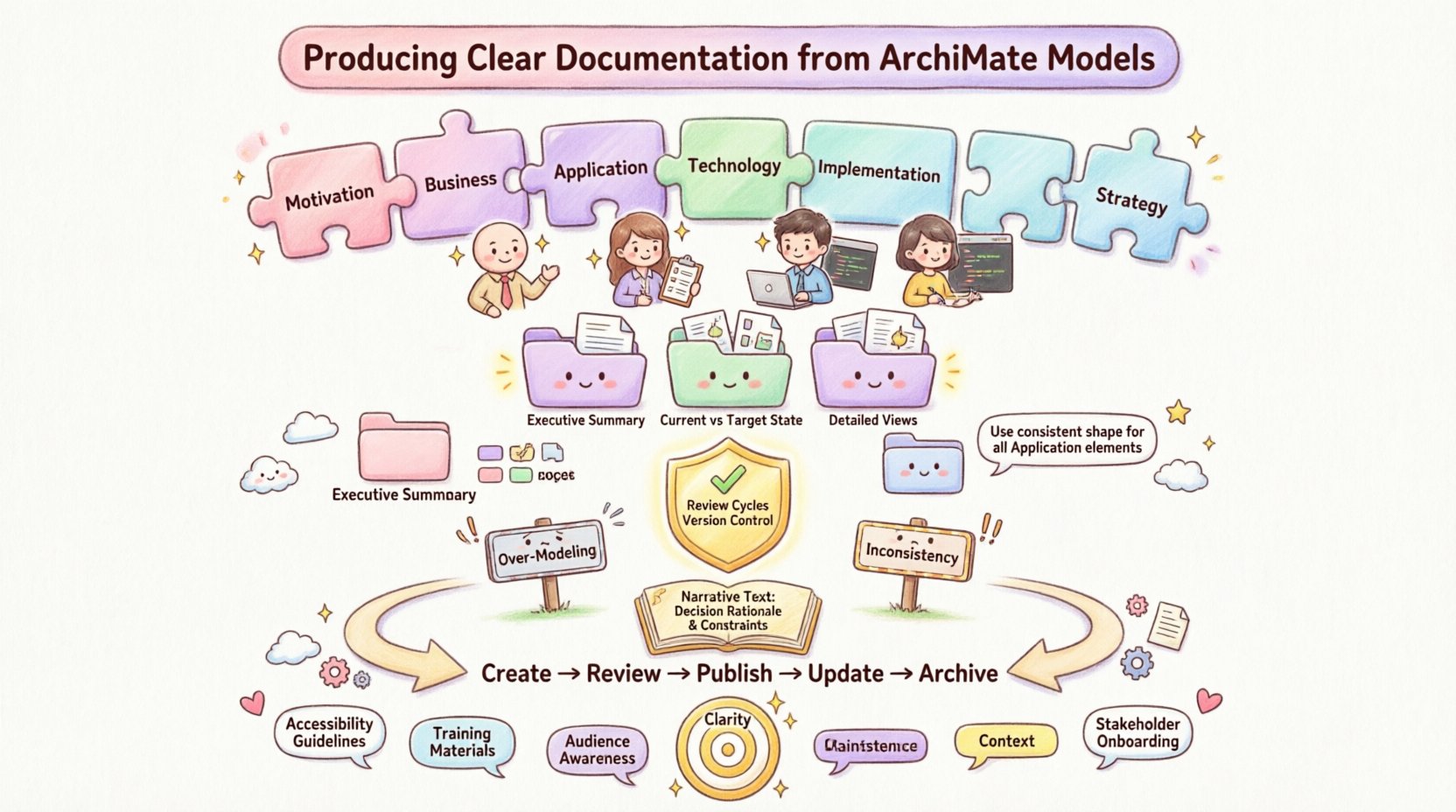
1. Understanding the ArchiMate Language Layers 🧩
The ArchiMate specification organizes architectural elements into distinct layers. Each layer serves a specific purpose and requires different documentation treatment. Recognizing these distinctions is the first step toward effective communication.
- Motivation Layer: Captures the drivers behind changes. Documents here should explain the “why” before the “how”.
- Business Layer: Describes business processes, roles, and organizational structures. This is often the most critical layer for non-technical stakeholders.
- Application Layer: Focuses on software applications and their interactions. Documentation here targets IT operations and development teams.
- Technology Layer: Details infrastructure, hardware, and networks. This is essential for infrastructure planning and security reviews.
- Implementation & Migration Layer: Addresses projects and transitions. This layer documents the path from current to target states.
- Strategy Layer: Aligns architecture with strategic goals. This ensures long-term alignment.
When creating documentation, do not attempt to present every layer in every view. Select the layers relevant to the audience. A strategy document needs the Motivation and Strategy layers. An implementation plan requires the Implementation & Migration layer.
2. Defining Stakeholder Perspectives 👥
A single document rarely satisfies all readers. Different stakeholders require different levels of detail. Identifying the audience early prevents confusion and information overload.
- Executive Leadership: Needs high-level summaries and strategic alignment. They require fewer diagrams and more narrative context.
- Business Managers: Focus on processes, capabilities, and value streams. They need to understand how changes affect operations.
- IT Architects: Require technical depth, interface definitions, and technology stacks. They need precise data on interactions.
- Developers: Need specific application interfaces and data flows. They require granular details on implementation.
Table 1: Documentation Types by Audience
| Stakeholder Group | Primary Focus | Recommended View Type | Detail Level |
|---|---|---|---|
| Executive Leadership | Strategy & Value | Business Value Map | High Level |
| Business Managers | Processes & Roles | Business Process View | Medium |
| IT Architects | Applications & Tech | Application Composition View | Detailed |
| Developers | Interfaces & Data | System Functionality View | Granular |
Matching the view type to the audience ensures relevance. A detailed technology view confuses a business manager. A high-level strategy map frustrates a developer. Tailor the content to the reader’s needs.
3. Structuring the Documentation 📑
Organization is key to readability. A well-structured document guides the reader through the architecture logically. It should not feel like a collection of disjointed diagrams.
3.1. Executive Summary
Begin with a summary that captures the essence of the architecture. This section should answer the primary questions without requiring a deep dive into diagrams.
- What is the scope of this architecture?
- What are the key drivers for change?
- What are the high-level goals?
- What is the timeline for implementation?
3.2. Current State vs. Target State
Clear documentation distinguishes between the existing environment and the proposed future state. This comparison highlights the gap and the necessary changes.
- Current State: Describe the existing processes, applications, and technologies. Identify pain points and limitations.
- Target State: Define the desired processes, applications, and technologies. Explain the benefits of the new state.
- Transition: Outline the steps to move from current to target. This includes migration strategies and project sequencing.
3.3. Detailed Views
Follow the summary with detailed views that support the narrative. Each view should have a clear purpose and title.
- Business View: Show value streams, processes, and organizational units.
- Application View: Display application components, services, and interfaces.
- Technology View: Map infrastructure nodes and devices.
- Data View: Illustrate data entities and relationships.
4. Visual Standards and Layout 🎨
Visual consistency aids comprehension. When diagrams look uniform, readers can navigate them more easily. Standardization reduces cognitive load.
- Consistent Notation: Use the standard ArchiMate shapes and line styles. Do not invent custom icons unless absolutely necessary and clearly defined.
- Color Coding: Use colors sparingly to indicate status or category. Avoid rainbow palettes that distract from the content.
- Annotation Usage: Add text boxes to explain complex relationships. Do not rely solely on lines to convey meaning.
- White Space: Leave space between elements to prevent clutter. Crowded diagrams are difficult to read.
Best Practices for Diagrams
- Keep diagrams on a single page if possible. If not, ensure continuity across pages.
- Number diagrams sequentially for easy reference.
- Include a legend if non-standard colors or shapes are used.
- Ensure all elements in a diagram are labeled clearly.
- Avoid crossing lines where possible to reduce visual noise.
5. Validation and Governance 🛡️
Documentation must be accurate and up-to-date. A model that is not maintained becomes a liability. Governance processes ensure quality and consistency.
- Review Cycles: Schedule regular reviews to update documentation. Architecture changes frequently; the documentation must reflect these changes.
- Approval Workflows: Establish a process for approving changes. Stakeholders should sign off on significant architectural shifts.
- Version Control: Maintain version history for all documents. This allows tracking of changes over time.
- Feedback Loops: Encourage feedback from readers. They may identify ambiguities or errors that the author missed.
6. Common Pitfalls to Avoid ⚠️
Avoiding common mistakes saves time and improves quality. Several recurring issues undermine the effectiveness of architecture documentation.
- Over-Modeling: Creating too many details for the intended audience. Focus on the relevant scope.
- Inconsistency: Using different notations or naming conventions in different views. This confuses readers.
- Lack of Context: Presenting diagrams without narrative explanation. Context is required to understand the “why”.
- Static Documents: Treating documentation as a one-time deliverable. It must be a living artifact.
- Ignoring the Audience: Writing for the model rather than the reader. Always prioritize stakeholder needs.
7. The Role of Narrative Text 📖
Diagrams are powerful, but they are not sufficient on their own. Narrative text provides the context that visuals cannot convey. It explains the reasoning behind decisions.
- Decision Rationale: Explain why a specific technology or process was chosen.
- Constraints: Document any regulatory, budgetary, or technical constraints that influence the design.
- Assumptions: List the assumptions made during the modeling process. These may change over time.
- Risks: Identify potential risks associated with the architecture. This prepares stakeholders for challenges.
Integrating Text and Visuals
Place text near the relevant diagram. Do not separate the explanation from the visual it describes. Use callouts or reference numbers to link text to specific parts of a diagram.
- Use bold text for key terms to make them scannable.
- Use bullet points for lists to improve readability.
- Keep paragraphs short and focused.
- Use active voice to make the text more direct.
8. Maintenance and Lifecycle Management 🔁
Documentation has a lifecycle. It is created, reviewed, updated, and eventually archived. Understanding this lifecycle helps manage the effort required.
- Creation: Draft the initial content based on the model. Ensure alignment with the scope.
- Review: Submit the document for peer review and stakeholder feedback.
- Publish: Distribute the finalized document to the intended audience.
- Update: Modify the document when the underlying model changes.
- Archive: Store old versions for historical reference but mark them as obsolete.
9. Communication Strategies 🗣️
Documentation is a form of communication. How it is shared matters as much as what it contains.
- Accessibility: Ensure the document is available to those who need it. Use a central repository or portal.
- Searchability: Use keywords and tags to make the document easy to find.
- Format: Choose a format that suits the audience. PDFs are good for distribution, while web pages are better for navigation.
- Training: Provide training sessions to explain complex documents. This ensures understanding.
10. Summary of Key Principles 🎯
Producing clear documentation requires discipline and focus. It is not enough to simply export a model. The content must be curated and presented intentionally.
- Clarity over Completeness: It is better to be clear than comprehensive.
- Audience Awareness: Write for the reader, not the modeler.
- Consistency: Maintain standards across all views and documents.
- Context: Always provide the “why” alongside the “what”.
- Maintenance: Treat documentation as a living asset.
By adhering to these principles, architects can create documentation that supports decision-making and drives successful transformation. The goal is to make the architecture understandable and actionable for everyone involved.