
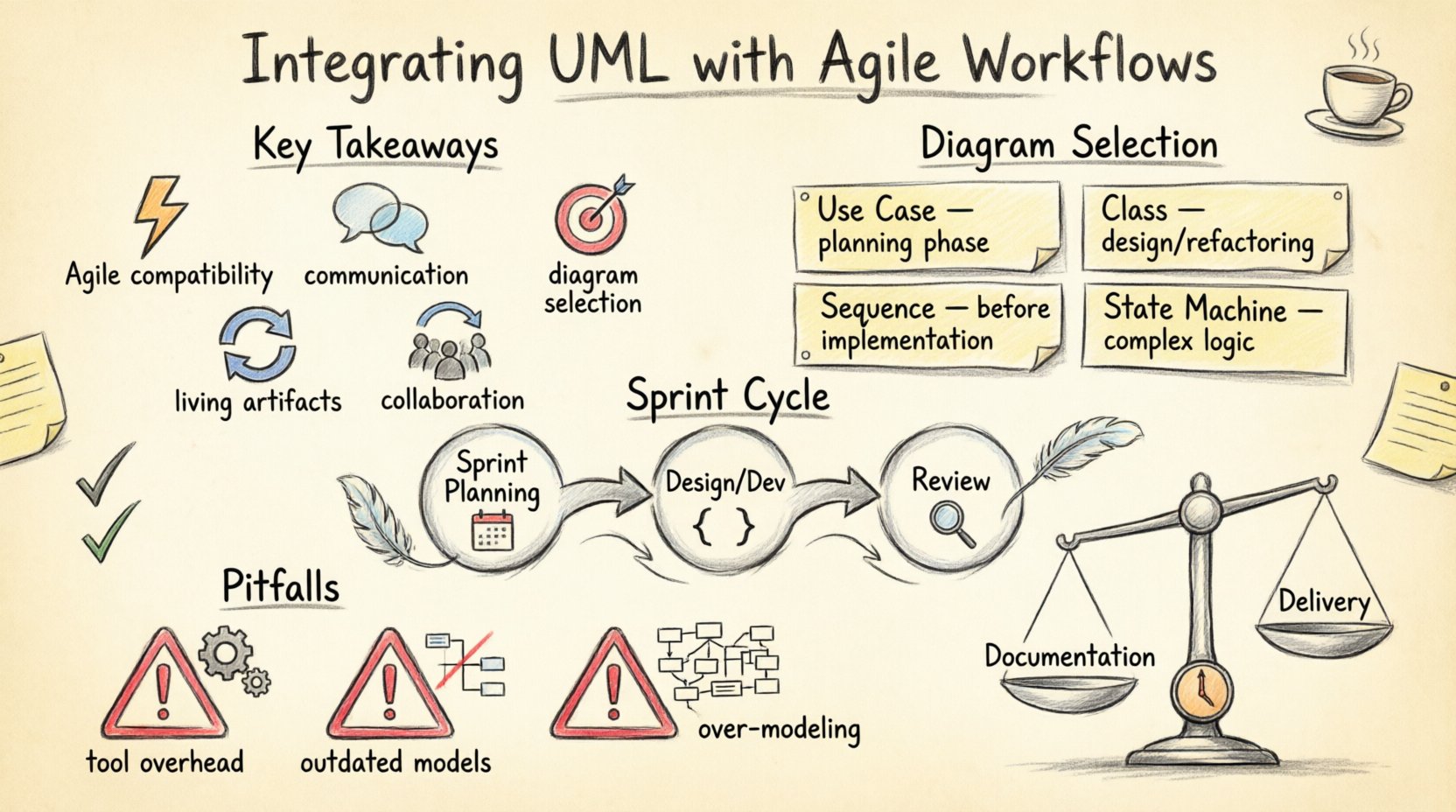
💡 Key Takeaways
- Agile Compatibility: UML supports iterative development when applied as lightweight, just-in-time documentation.
- Communication Tool: Diagrams serve as shared visual language for stakeholders, reducing ambiguity in requirements.
- Diagram Selection: Use Sequence and Class diagrams primarily; avoid over-engineering with unused complex models.
- Living Artifacts: Treat models as code that evolves with the sprint, updating them only when logic changes.
- Team Collaboration: Involve developers and testers in modeling sessions to ensure technical feasibility.
The relationship between formal modeling and iterative development has historically been viewed as a tension. One side prioritizes structure and upfront planning, while the other emphasizes adaptability and customer feedback. However, when Unified Modeling Language (UML) is applied with discipline, it becomes a powerful asset within an Agile framework rather than a hindrance. The goal is not to produce exhaustive documentation before a single line of code is written, but to use visual representations to clarify complex logic, align team understanding, and reduce technical debt.
Agile methodologies thrive on change, yet change requires clear boundaries. Without a shared understanding of system architecture, rapid iteration can lead to a fragile codebase. UML provides the structural vocabulary needed to discuss system behavior without relying solely on natural language, which is often ambiguous. This article explores how to weave these modeling standards into sprint cycles effectively.
The Misconception of Heavy Documentation 📄
Many teams reject UML because they equate it with Waterfall documentation. They imagine weeks spent drawing boxes and arrows before development begins. This is a misunderstanding of the methodology’s potential. In an Agile context, modeling is not a gatekeeping step; it is a discovery tool.
Consider the cost of ambiguity. When a requirement is described in text, two developers might interpret the logic differently. A Sequence Diagram can visualize the flow of messages between objects, making the interaction clear immediately. This clarity prevents rework later. The key is to produce the diagram only when the complexity warrants it. If a feature is simple, a text description or user story card may suffice. If the logic involves multiple systems or complex state transitions, a visual model pays for itself in reduced communication overhead.
Selecting the Right Diagrams for Sprints 🎯
Not all diagram types are necessary for every sprint. Agile workflows benefit from focusing on the diagrams that offer the highest return on investment regarding clarity and design validation. Below is a guide to selecting the appropriate visual tools based on the development phase.
| Diagram Type | Primary Use Case | Agile Timing |
|---|---|---|
| Use Case | Defining functional boundaries and actor interactions. | Sprint Planning / Requirement Analysis |
| Class | Structuring data models and object relationships. | Design Phase / Refactoring |
| Sequence | Detailing object interactions over time. | Before Implementation |
| State Machine | Modeling complex lifecycle states of an entity. | Complex Logic / Integration |
Integrating Modeling into the Sprint Cycle 🗓️
To integrate UML without disrupting velocity, the modeling activity must be embedded into the existing workflow. It should not exist as a separate phase that blocks progress. Instead, treat modeling as a task within the sprint backlog.
1. Sprint Planning 📝
During the planning session, identify stories that involve complex logic. For these items, allocate time to sketch a preliminary model. This does not mean creating perfect, polished diagrams. A whiteboard sketch or a rough digital draft serves the purpose. The objective is to identify potential edge cases or integration points that were not obvious in the text description.
2. Design and Development 🛠️
As development begins, the model serves as a reference. If a developer encounters a logic gap, they should update the diagram rather than guessing. This keeps the documentation synchronized with the code. In an environment where requirements evolve, the model must evolve with it. If a feature is deprecated during the sprint, the corresponding diagram should be archived or marked obsolete.
3. Review and Refinement 🧐
Code reviews should also include a check on the model. If the code has diverged from the design significantly, the diagram needs updating. This ensures that the visual artifact remains a reliable source of truth for future maintenance.
Collaboration and Shared Understanding 🤝
One of the primary benefits of UML in an Agile team is the creation of a shared visual language. When a business analyst, a developer, and a tester discuss a workflow, they can point to a specific box or arrow. This reduces the friction of interpretation.
- Workshops: Hold short modeling sessions where the team collaborates on the diagram. This ensures that the design is collectively owned rather than imposed by a single architect.
- Living Documents: Store diagrams alongside the code repository. When a pull request is opened, the relevant diagram can be reviewed in context.
- Accessibility: Ensure that the modeling tool allows for easy access by all team members. If only one person can edit the model, the team cannot effectively collaborate on it.
Pitfalls to Avoid ⚠️
Even with the best intentions, teams can fall into traps that negate the benefits of UML. Awareness of these common issues helps maintain a healthy balance between documentation and delivery.
1. Over-Modeling
Creating detailed diagrams for every minor feature slows down the team. If a diagram takes longer to create than the feature itself, it is likely unnecessary. Focus on high-level structures and complex interactions. Simple logic can be understood through code and unit tests.
2. Outdated Models
A model that does not match the current code is worse than no model at all. It creates false confidence and misleads new team members. Implement a rule that diagram updates are part of the definition of done for complex stories.
3. Tool Overhead
Do not let the tooling become a barrier. If the software required to edit diagrams is slow or difficult to use, developers will avoid it. Choose tools that integrate well with the development environment or allow for quick, lightweight editing.
Maintaining the Balance 🏋️
The integration of UML with Agile workflows is not a one-time setup; it is a continuous practice of evaluation. Teams should regularly assess the value of their diagrams. Are they being used? Do they prevent bugs? Do they help onboard new members?
If the answer to these questions is no, the team should reduce the scope of modeling. If the answer is yes, the team can invest more in standardizing the notation. The value lies in the clarity it brings to the system design, not in the creation of the artifact itself.
Future-Proofing with Standards 📐
Adopting UML standards ensures that the documentation remains readable and useful even as team members change. A diagram drawn by one developer should be understandable by another without explanation. This portability is crucial for long-term project health.
Standard notation also facilitates automation. Some tools can generate code skeletons from class diagrams or validate logic against state machines. While automation is not the primary goal in Agile, it is a valuable byproduct of structured modeling. By keeping the models clean and standard-compliant, teams open the door to these efficiencies without forcing them.
Conclusion on Integration 🚀
Successful integration requires a shift in mindset. UML should not be seen as a deliverable to be checked off, but as a thinking tool to aid problem-solving. When used correctly, it bridges the gap between abstract requirements and concrete implementation.
Teams that embrace this balance find that their velocity remains high because they spend less time untangling misunderstandings and more time building features. The diagram is a map, not the territory. Keep it updated, keep it simple, and let it guide the journey through complex system landscapes.