
Mastering UML Profiles with VPasCode: Extending Standard Diagramming
In the world of enterprise software architecture, standard Unified Modeling Language (UML) is a powerful tool, but it often falls short when dealing with specific domain requirements. This is where UML Profiles come into play. A profile is a mechanism to extend UML without changing the metamodel itself. Using tools like VPasCode by Visual Paradigm, developers can define these extensions using code, generating professional diagrams that communicate complex domain-specific rules clearly.
This tutorial explores how to use PlantUML syntax within VPasCode to define a custom UML Profile. We will walk through the structure of the code, the relationships between profile elements, and how to visualize these concepts to ensure your team shares a consistent modeling vocabulary.
Understanding the UML Profile Concept
Before diving into the syntax, it is crucial to understand what a UML Profile is. Think of a profile as a “plugin” for UML. It allows you to:
- Add Stereotypes: Specialized classes (e.g., «Service», «Repository») that categorize elements within your domain.
- Add Tagged Values: Additional properties attached to elements (e.g., an
ownerstring for a service). - Add Constraints: Rules that must be adhered to by the elements.
When you define a profile, you are essentially creating a new “dialect” of UML tailored for your project’s specific needs, such as a specific e-commerce domain or a microservices architecture.
Step-by-Step: Defining the Profile in VPasCode
VPasCode allows you to write diagram definitions as plain text, which are then rendered into visual diagrams. The following PlantUML snippet demonstrates the definition of a StoreProfile. This profile establishes the hierarchy for a store’s software architecture.
@startuml
class "<<profile>> StoreProfile" as Profile
class "<<stereotype> <<Service>>" as Service
class "<<stereotype> <<Repository>>" as Repository
class "<<metaclass> Component" as Component

Profile ..> Service : defines
Profile ..> Repository : defines
Service ..> Component : extends
Repository ..> Component : extends

note right of Service
  tagged value:
  owner: String
end note
@enduml
Breaking Down the Syntax
Let’s analyze the key components of the code block above:
- Profile Definition:
class "<<profile>> StoreProfile" as ProfileWe begin by defining a class with the stereotype
«profile». This tells the renderer that this element is the container for our custom definitions. It is namedStoreProfile. - Defining Stereotypes:
class "<<stereotype> <<Service>>" as ServiceHere, we define a new stereotype called
«Service». This is a type of class that we can now apply to our actual system components later. Similarly, we define«Repository». - Defining Metaclasses:
class "<<metaclass> Component" as ComponentA metaclass represents the class that the stereotypes extend. In this case,
«Service»and«Repository»both extend the baseComponentclass. This establishes the inheritance hierarchy. - Relationships:
Profile ..> Service : definesThe dashed line (
..>) with the labeldefinesindicates that theStoreProfiledefines the rules for theServicestereotype. - Adding Tagged Values:
note right of Service
  tagged value:
  owner: String
end note
This block attaches a note to the
Servicestereotype, specifying that it includes a tagged value namedownerof typeString. This is how you extend the properties of a standard UML class.
Visualizing the Architecture
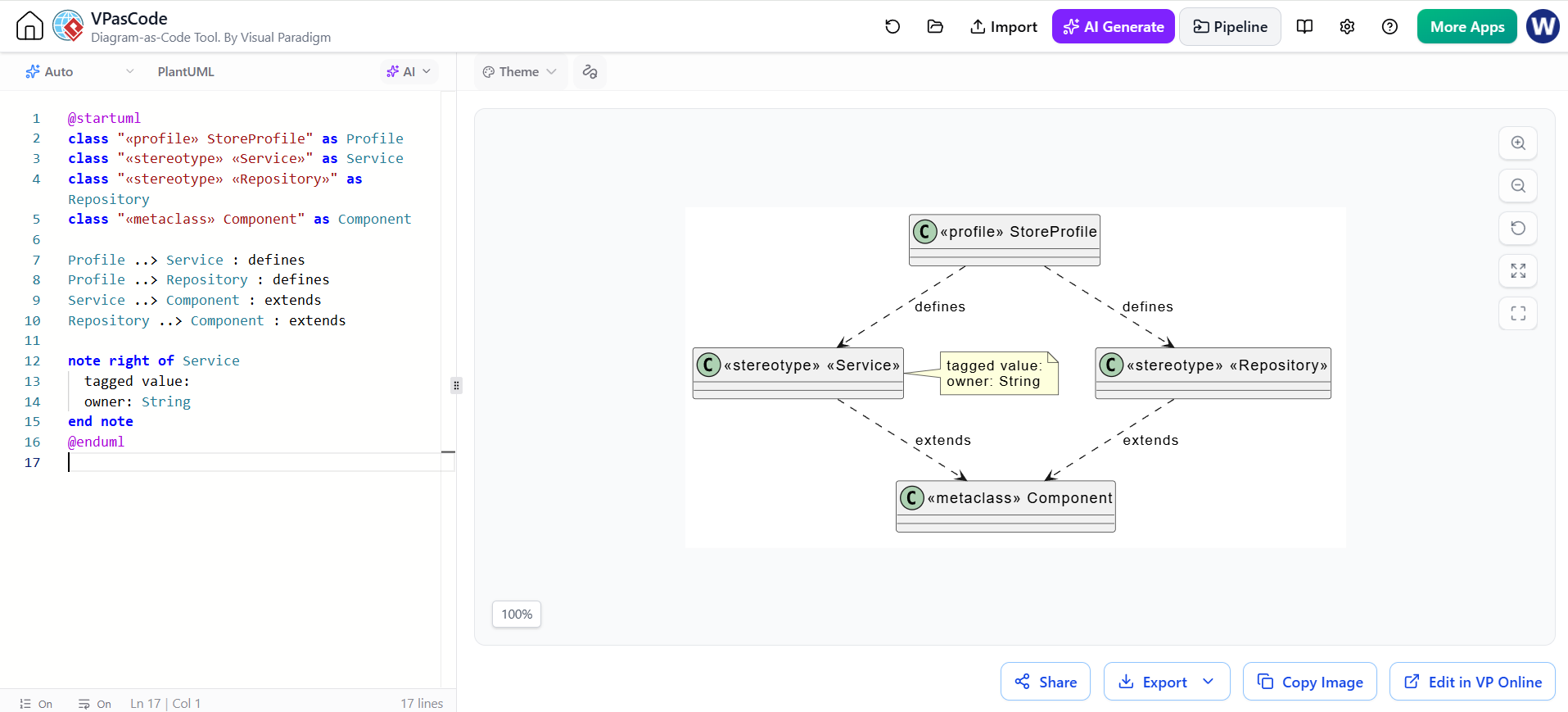
When rendered by VPasCode, the code transforms into a clear diagram showing the relationships:
- The StoreProfile sits at the top, acting as the root.
- It defines two primary stereotypes: Service and Repository.
- Both stereotypes point downwards to the Component metaclass, indicating that they are specialized types of components.
- The Service stereotype is highlighted with a yellow note, explicitly showing the
owner: Stringproperty.
This visual hierarchy is vital for architects. It proves that any Service in your diagram is fundamentally a Component, but with specific behaviors and properties defined by the profile.
Best Practices for Profile Modeling
When creating profiles in VPasCode or standard UML tools, keep the following in mind:
- Consistency is Key: A profile is most effective when used by the entire team. Ensure everyone understands the stereotypes (Service, Repository) and when to use them.
- Keep it Simple: Don’t over-complicate the profile with too many constraints. Start with the core stereotypes and tagged values that solve your immediate modeling problems.
- Visual Clarity: Use VPasCode to quickly iterate on the visual layout. If the relationships are hard to read in the diagram, adjust the code layout or add more descriptive labels.
Conclusion
By leveraging VPasCode to define UML Profiles, you bridge the gap between abstract code and concrete architectural diagrams. You create a “domain language” that your diagrams speak fluently, making complex systems easier to understand and maintain. Whether you are defining a Service or a Repository, the power lies in the ability to standardize your modeling vocabulary through code.