Now Reading: Comprehensive Guide to AI Cloud Architecture Studio by Visual Paradigm
-
01
Comprehensive Guide to AI Cloud Architecture Studio by Visual Paradigm


Comprehensive Guide to AI Cloud Architecture Studio by Visual Paradigm
Overview
AI Cloud Architecture Studio, launched in February 2026, is a revolutionary, web-based, artificial intelligence-powered application developed by Visual Paradigm. Designed for cloud architects, software developers, product managers, and DevOps engineers, this tool enables the instant creation of cloud infrastructure diagrams from natural language descriptions—eliminating the need for manual drag-and-drop design.
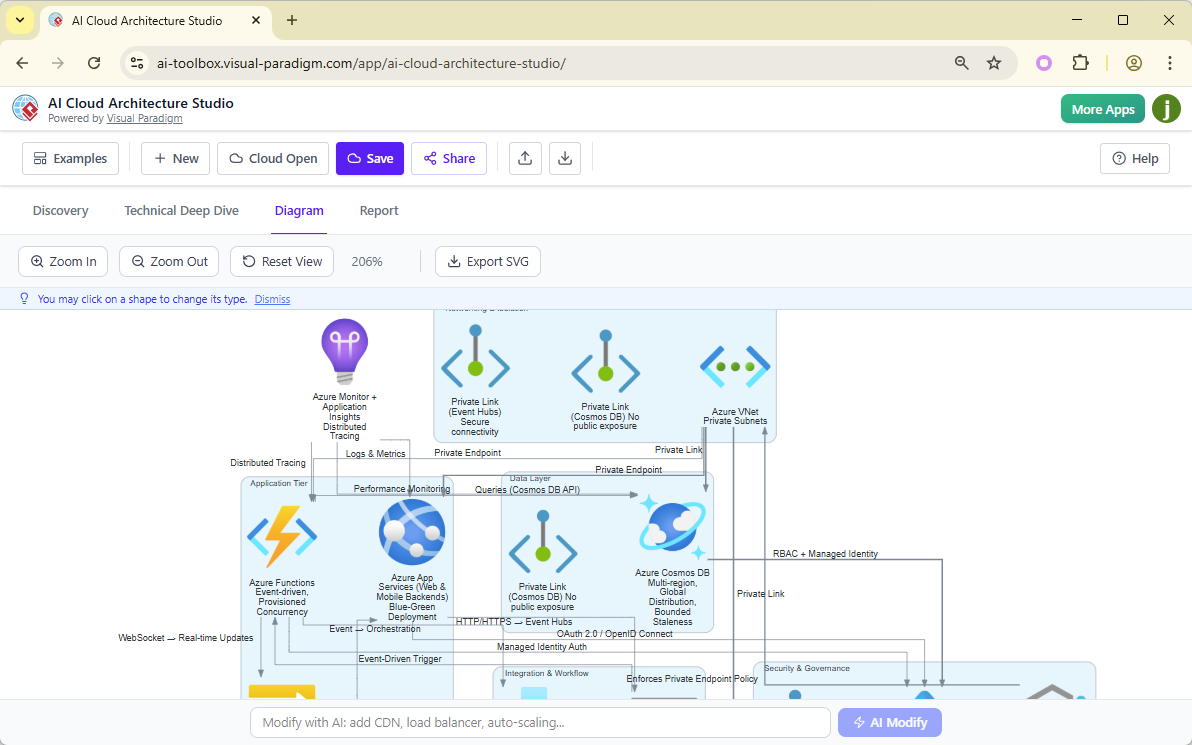
By combining natural language processing (NLP), cloud best practices, and multi-cloud vendor support, the AI Cloud Architecture Studio transforms complex architectural planning into a seamless, conversational experience. It serves as an intelligent assistant that not only visualizes but also advises on design strategy, compliance, scalability, and cost efficiency.
✅ Key Value Proposition: Turn ideas into high-fidelity, professional cloud architecture diagrams in seconds—without requiring deep expertise in cloud service specifics.
Core Functionality and Features
1. Natural Language-to-Diagram Generator
Users can describe their desired system in plain English, and the AI instantly generates a fully structured, visually accurate cloud architecture diagram.
Example Prompt:
“A secure, scalable web application with a React frontend, AWS Lambda for backend functions, and a PostgreSQL database hosted on Amazon RDS with automatic backups and read replicas.”
The AI interprets the intent, applies appropriate cloud components, and connects them logically with correct relationships (e.g., API gateways, VPCs, security groups).
🔍 Supported Input: Full system descriptions, functional requirements, scalability needs, and security constraints.
2. AI-Driven Design Strategy Selection
The studio offers predefined design strategy templates to guide the AI in generating architecture that aligns with business goals:
| Strategy | Use Case |
|---|---|
| Low Cost / MVP | Rapid prototyping with minimal resources; ideal for startups or proof-of-concept projects. |
| High Availability | Multi-AZ deployment, load balancing, failover mechanisms, and redundancy across regions. |
| Enterprise Grade | Advanced security, compliance (e.g., HIPAA, SOC 2), audit trails, IAM policies, and disaster recovery. |
| Edge Optimized | Content delivery networks (CDNs), edge computing, low-latency routing, and regional caching. |
Users select a strategy during the discovery phase, and the AI tailors the diagram accordingly.
3. Multi-Cloud & Hybrid Cloud Support
The tool is vendor-agnostic and supports all major public cloud platforms, as well as container orchestration and infrastructure-as-code environments:
-
Public Clouds: AWS, Microsoft Azure, Google Cloud Platform (GCP), Alibaba Cloud, Oracle Cloud, IBM Cloud
-
Container & Orchestration: Kubernetes (K8s), Docker
-
Other Platforms: DigitalOcean
All services are represented using official, standardized icons from each provider, ensuring consistency and accuracy.
🌐 Benefit: Architects can compare and evaluate multi-cloud designs side-by-side without switching tools.
4. Interactive Editing & Refinement via Natural Language
Generated diagrams are fully editable. Users can refine designs using natural language prompts directly within the interface:
-
✅ “Add a WAF (Web Application Firewall) in front of the API Gateway.”
-
✅ “Replace the RDS database with DynamoDB for serverless scalability.”
-
✅ “Move the Lambda functions into a private subnet with VPC endpoints.”
The AI interprets these changes and updates the diagram in real time, preserving architectural integrity and service relationships.
5. AI-Guided Discovery & Intelligent Reporting
The AI acts as a consultant during the design process, proactively asking clarifying questions to ensure optimal outcomes:
-
“How many expected concurrent users do you anticipate?”
-
“Is compliance with GDPR required for this application?”
-
“Do you need cross-region replication for disaster recovery?”
Based on responses, the AI adjusts the architecture and generates comprehensive reports:
-
✅ Security Assessment Report (e.g., open ports, IAM policies)
-
✅ Compliance Checklist (aligned with industry standards)
-
✅ Cost Estimation Report (based on estimated usage and pricing models)
-
✅ Scalability & Performance Recommendations
These reports are exportable and suitable for stakeholder presentations and technical documentation.
6. Professional Output & Export Options
The studio produces high-quality, vector-based diagrams that maintain clarity at any scale:
-
✅ SVG – Editable, scalable, ideal for documentation and web use
-
✅ PDF – Print-ready, suitable for formal architecture reviews
-
✅ PNG – High-resolution raster format for presentations and sharing
All outputs include metadata and are compatible with documentation systems like Confluence, Notion, or internal wikis.
How It Works: Step-by-Step Workflow
The AI Cloud Architecture Studio follows a simple, intuitive workflow:
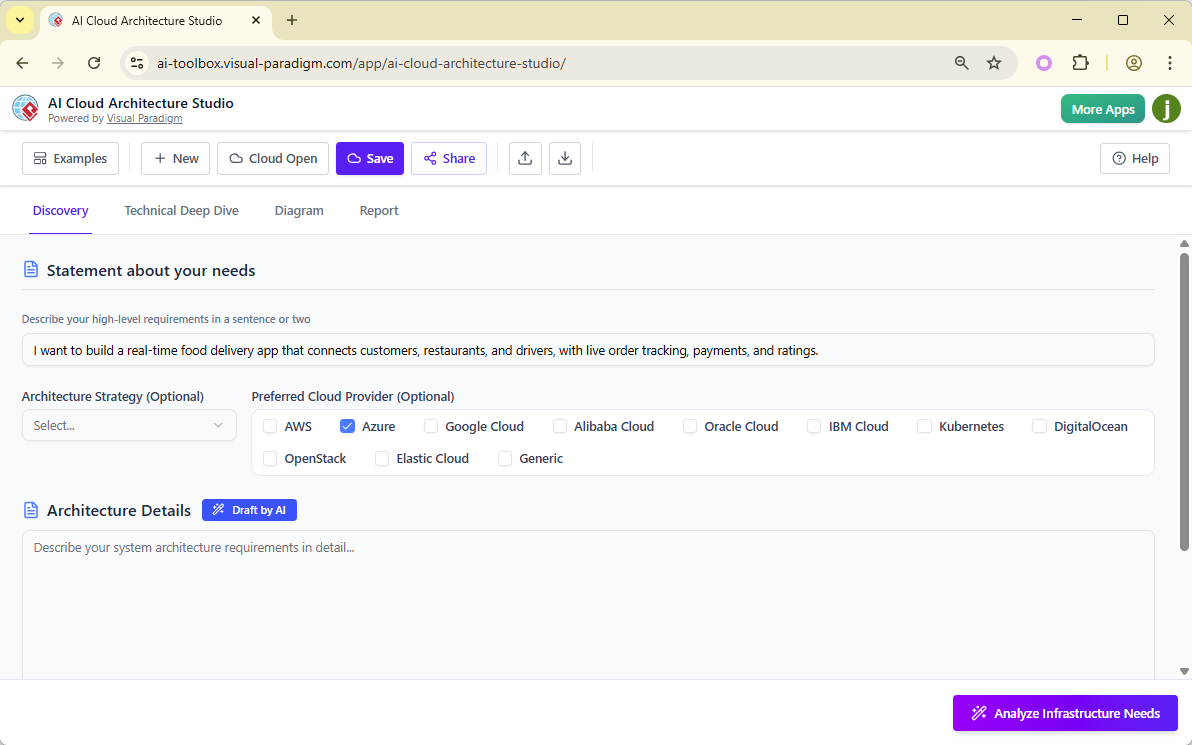
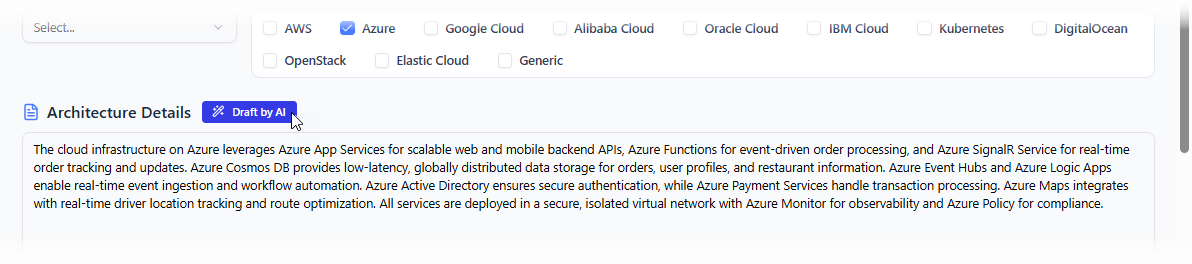
Step 1: Describe (Discovery Tab)
-
Navigate to the “Discovery” tab.
-
Enter a natural language description of your system.
-
Example:
“I need a serverless e-commerce platform with a React frontend, hosted on AWS S3 and CloudFront, backend APIs via AWS Lambda, and product data stored in DynamoDB with global secondary indexes.”
Step 2: Generate (AI Processing)
-
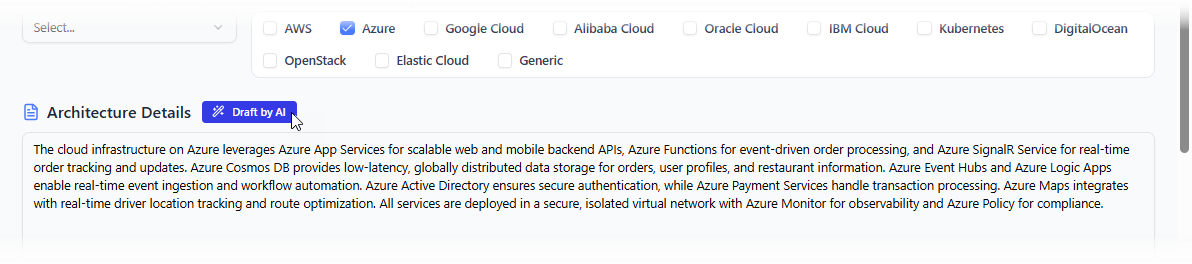
The AI processes the input within seconds.
-
It selects appropriate services, applies best practices, and constructs a fully connected, visually accurate diagram using official cloud icons.
-
The diagram includes network zones (public/private subnets), IAM roles, security groups, and data flow paths.
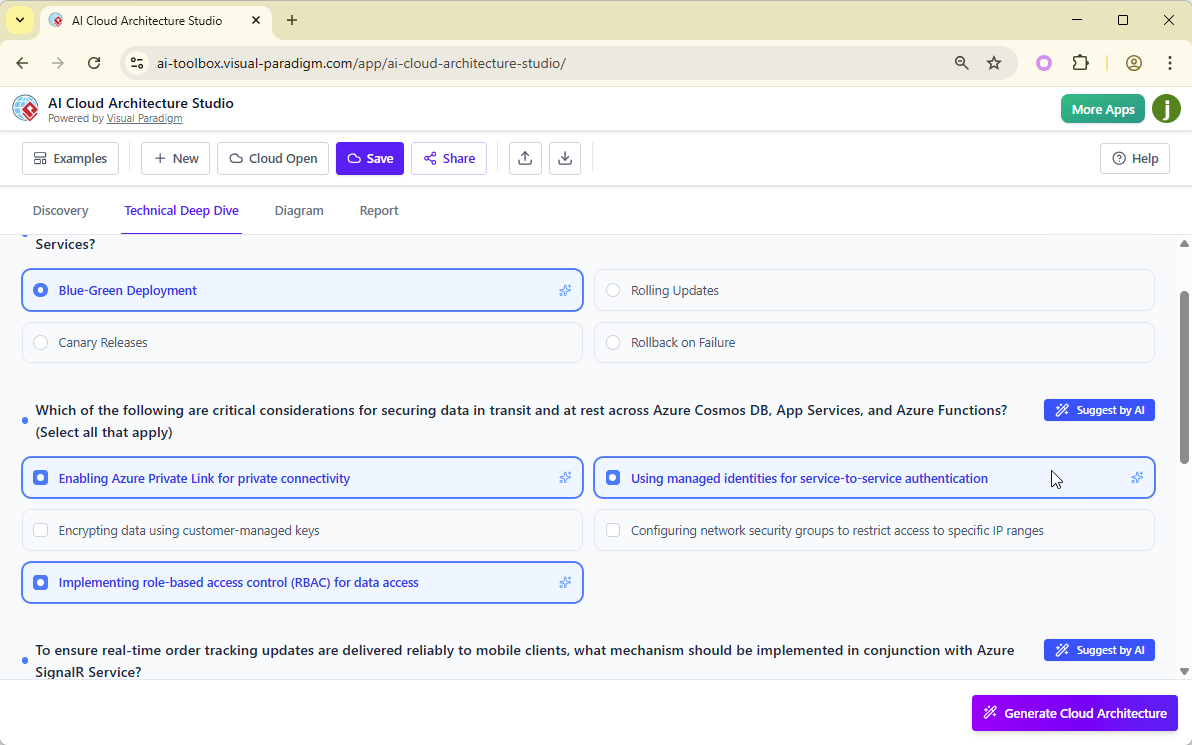
Step 3: Refine (Interactive Editing)
-
Use the natural language prompt bar to modify the design:
-
“Add a Redis cache layer to reduce database load.”
-
“Enable encryption at rest for DynamoDB.”
-
“Add a CI/CD pipeline using AWS CodePipeline.”
-
-
The AI updates the diagram dynamically and highlights changes.
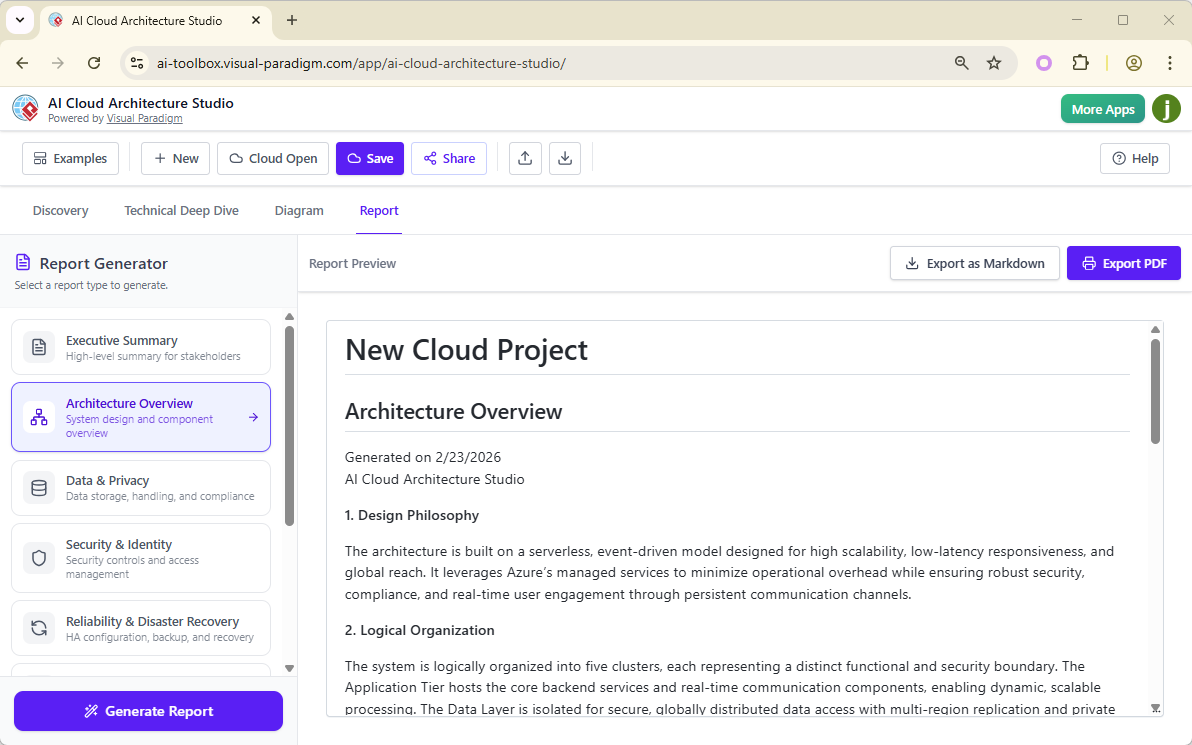
Step 4: Document & Export
-
Click “Generate Report” to produce:
-
Security, compliance, and cost analysis
-
Infrastructure summary
-
Architecture decision records (ADRs)
-
-
Export the final diagram in SVG, PDF, or PNG format.
-
Share the design via secure link or embed it in documentation.
💡 Tip: Use the “Share & Collaborate” feature to invite team members to view, comment, or co-edit the architecture in real time.
Key Benefits
| Benefit | Description |
|---|---|
| ⚡ Speed | Reduces design time from hours to minutes. Ideal for agile teams and rapid iteration. |
| 🧩 Reduced Complexity | Eliminates the need to memorize hundreds of cloud service icons and their interdependencies. |
| ✅ Accuracy | Minimizes human error by enforcing cloud best practices (e.g., VPC design, IAM least privilege). |
| 👥 Collaboration | Built-in sharing, commenting, and version history enable cross-functional alignment. |
| 📊 Strategic Guidance | AI-driven recommendations help teams choose the right architecture for their goals. |
Licensing and Access Requirements
AI Cloud Architecture Studio is not available as a free tool. It is part of the Visual Paradigm AI Suite, requiring a paid subscription.
✅ Eligible Plans:
-
VP Online Combo (or higher)
-
VP Desktop Professional (or higher) with valid maintenance subscription
❗ Note: Only users with eligible licenses can access AI-powered generation, strategy templates, reporting features, and real-time collaboration.
For more details on licensing, visit:
Important Disclaimer
⚠️ AI can make mistakes. Always verify outputs.
While the AI is trained on industry best practices and official cloud documentation, it may:
-
Misinterpret ambiguous language
-
Recommend suboptimal configurations
-
Overlook edge cases or specific compliance requirements
✅ Best Practice: Always review the generated architecture for:
-
Security posture
-
Cost implications
-
Scalability assumptions
-
Compliance alignment
Use the AI as a co-pilot, not a replacement for expert judgment.
Conclusion
AI Cloud Architecture Studio by Visual Paradigm marks a significant leap forward in cloud design automation. By turning natural language into actionable, professional-grade cloud diagrams, it empowers teams to focus on innovation rather than tooling complexity.
Whether you’re building an MVP, designing a mission-critical enterprise system, or documenting a multi-cloud strategy, this tool streamlines the entire architectural lifecycle—from idea to documentation.
Reference List (Markdown Format)
AI Cloud Architecture Studio – Visual Paradigm: An official feature overview of Visual Paradigm’s AI Cloud Architecture Studio, detailing its capabilities, multi-cloud support, and integration with AI-driven workflows.
Revolutionizing Cloud Design: A Deep Dive into Visual Paradigm’s AI Cloud Architecture Studio: A comprehensive analysis of the tool’s AI capabilities, workflow, and real-world applications in enterprise cloud architecture.
AI Cloud Architecture Studio Launch Announcement: The official release notes from Visual Paradigm, announcing the launch of the tool in February 2026, including key features and initial availability.
AI Cloud Architecture Studio – Visual Paradigm AI Portal: The dedicated web portal for accessing the AI Cloud Architecture Studio, featuring live demos, tutorials, and user guides.
AI Cloud Architecture Studio – AI Toolbox by Visual Paradigm: A centralized hub for AI-powered modeling tools, including access to the Cloud Architecture Studio and related AI features.
📌 Final Tip: Bookmark the Visual Paradigm AI Cloud Architecture Studio page for access to live demos, video tutorials, and community resources.