
💡 Key Takeaways
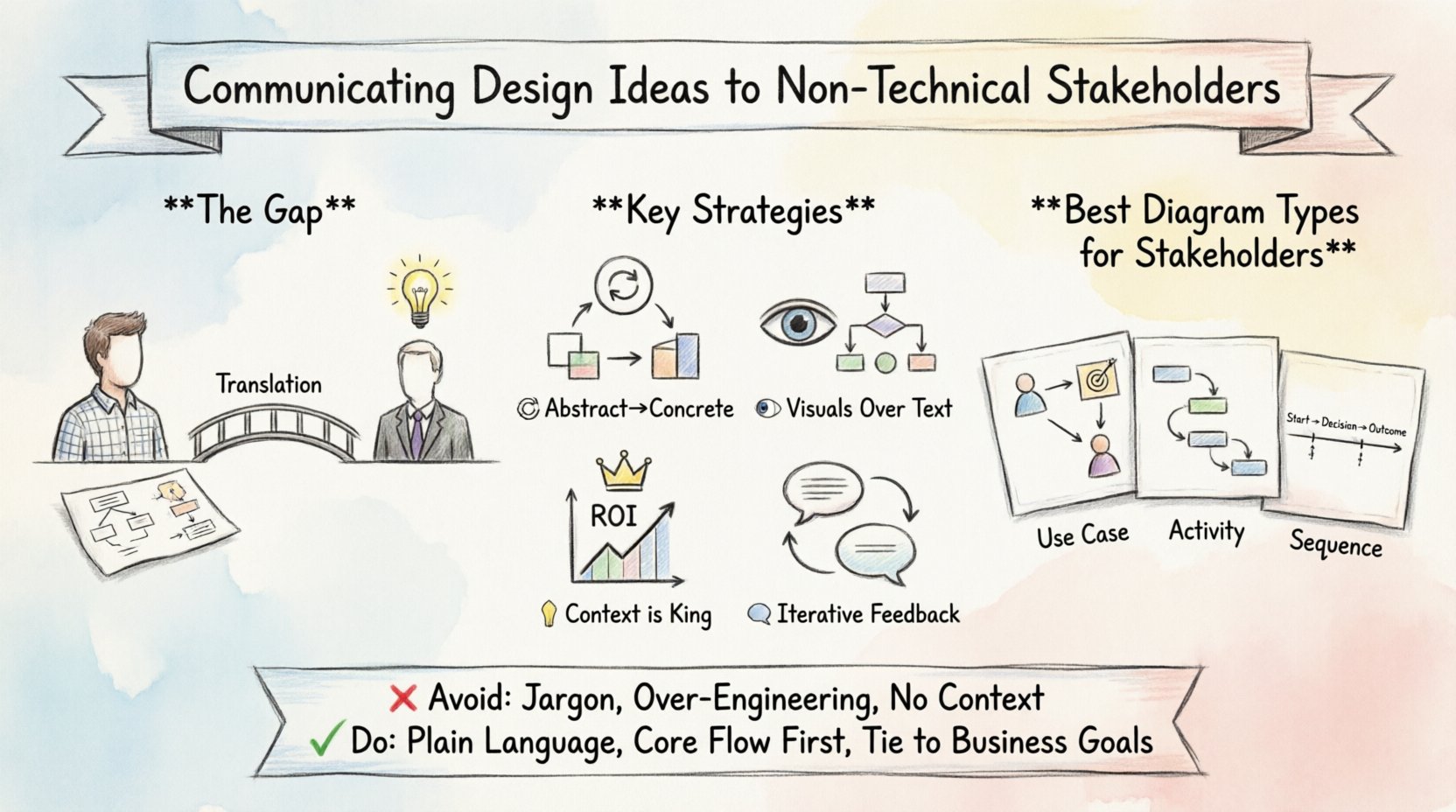
- Translate Abstract to Concrete: Move away from pure diagram syntax and focus on business processes and user journeys.
- Visuals Over Text: Stakeholders prefer flowcharts and sequence diagrams over class structures when understanding system behavior.
- Context is King: Always explain the “Why” behind a design choice, linking it back to ROI or risk reduction.
- Iterative Feedback: Treat design reviews as collaborative sessions, not final presentations.
Understanding the Communication Gap 🧩
Technical design documentation, particularly when using Unified Modeling Language (UML), serves a critical purpose for developers. However, when these artifacts are presented to business stakeholders, product owners, or executives, the value often gets lost in translation. The challenge lies not in the complexity of the diagrams themselves, but in the expectations of the audience. Non-technical stakeholders do not need to know how a database table is indexed; they need to know how a feature solves a customer problem.
When you present a standard Class Diagram filled with private attributes and inheritance hierarchies to a stakeholder, you risk confusion. They see symbols they do not recognize, leading to disengagement. The goal of effective communication is to bridge this gap without sacrificing technical accuracy. It requires a shift in perspective from “how it works” to “what it enables.”
Consider the role of the architect or lead developer in this scenario. You are the translator. You hold the technical specifications, but the stakeholder holds the business strategy. Your job is to align these two worlds. This alignment ensures that the final product meets market needs while remaining technically sound.
Decoding UML for Business Value 🎨
UML is a powerful standard, but it contains many diagram types, not all of which are suitable for every audience. Selecting the right visualization is the first step in successful communication. For non-technical stakeholders, behavioral diagrams often resonate more than structural ones.
Use Case Diagrams are excellent for high-level discussions. They map actors to goals. A stakeholder can easily understand that a “Customer” interacts with a “Checkout Process.” It avoids implementation details and focuses on interactions.
Sequence Diagrams tell a story of time and interaction. They show the flow of messages between components. While they contain technical terms like “Object” or “Interface,” you can simplify the labels. Instead of “PaymentService.validateCard()”, label the interaction as “Validating Payment Details.” This keeps the logic intact while removing the syntax noise.
Conversely, Class Diagrams and Component Diagrams are often too granular for general reviews. These are best reserved for technical architecture reviews or specific hand-off meetings with the engineering team. If you must present them, provide a legend and explain that this view represents the internal structure, not the user experience.
Choosing the Right Diagram Type
| Diagram Type | Best For | Audience |
|---|---|---|
| Use Case | Feature scope and user goals | Product Managers, Stakeholders |
| Activity | Workflow and business processes | Operations, Business Analysts |
| Sequence | Interaction flow and timing | Developers, QA, Tech Leads |
| Class | System structure and data relationships | Developers, Architects |
| State Machine | Object lifecycle and transitions | Developers, QA |
Visual Storytelling Techniques 📖
Text and diagrams are static. To engage stakeholders, you need to animate the design. Storytelling is a technique borrowed from literature but highly effective in technical communication. Instead of showing a static screen or diagram, walk them through a scenario.
Start with a persona. “Imagine Sarah, a new customer, logging into the app.” Describe her actions. As she clicks buttons, map those actions to the UML elements. If Sarah adds an item to a cart, point to the corresponding association in the diagram. This grounds abstract symbols in real-world actions.
Use color strategically. In a sequence diagram, highlight the critical path in a distinct color. This draws the eye to the most important information. Do not overdo it; clarity is better than decoration. Highlighting the “Happy Path” helps stakeholders understand the ideal user flow without getting bogged down in error handling logic immediately.
Metaphors are also powerful tools. Comparing a microservice architecture to a restaurant kitchen (where different chefs handle different stations) can make complex distribution logic easier to grasp. However, ensure the metaphor does not break down when you hit edge cases. Use it as an entry point, not a definitive explanation.
Managing Expectations and Feedback 🔄
Presenting a design is not the end of the conversation; it is the beginning of a collaboration. Stakeholders often have concerns about cost, time, or feasibility that are not immediately apparent in the diagrams. They may not ask the right questions because they do not understand the technical implications.
Proactively address potential risks. If a design choice introduces latency, explain it in terms of user experience. “This design choice means the page will load slightly slower, but it ensures data accuracy.” This frames technical constraints as trade-offs for business quality.
When receiving feedback, listen for the underlying need. A stakeholder might say, “This step is too complicated.” They might not understand the security requirement driving that step. Explain the “Why” behind the complexity. “We need this extra step to protect your data from unauthorized access.” This shifts the conversation from simplification to security.
Documentation should be living. Avoid presenting a final, frozen document. Instead, present a prototype or a draft. Encourage questions. Create an environment where it is safe to say “I don’t understand.” This reduces the risk of building the wrong product because of miscommunication.
Common Pitfalls to Avoid 🚫
Even experienced communicators can stumble when bridging the technical-business divide. Being aware of these common traps helps maintain authority and clarity.
- Using Jargon: Avoid terms like “recursion,” “polymorphism,” or “async.” Use plain language equivalents like “repeating steps,” “different ways to do the same thing,” or “waiting for a response.”
- Over-Engineering the Presentation: Do not show every possible edge case. Stakeholders need to understand the core functionality first. Edge cases can be discussed later during refinement.
- Ignoring the Business Context: Do not present a diagram without context. Always tie the design back to the business goal. Is this design improving speed? Reducing cost? Increasing security?
- Assuming Knowledge: Never assume a stakeholder knows what a database is. Explain concepts at a level they understand, even if you are technically speaking to a senior executive.
Building a Shared Vocabulary 🤝
One of the most effective long-term strategies is building a shared vocabulary between technical and non-technical teams. Over time, stakeholders may learn what a “API” or “Middleware” means in context. This reduces the cognitive load during future meetings.
Create a glossary for your project. Define terms simply. When you use a term in a meeting, refer to the glossary. This consistency builds trust. When stakeholders understand the language, they can provide more precise feedback.
This shared understanding also empowers stakeholders to make better decisions. If they understand the cost of a technical change, they can weigh it against the business benefit more accurately. This leads to better product outcomes and more efficient development cycles.
Refining the Presentation Flow 📊
Structure your presentation logically. Start with the “What” and “Why,” then move to the “How.” This is the classic pyramid principle. Top-down communication ensures the audience understands the purpose before diving into the mechanics.
- Business Goal: State the problem you are solving.
- High-Level Flow: Show the user journey or business process.
- System Interaction: Introduce the UML diagrams that support the flow.
- Technical Constraints: Mention any limitations or risks.
- Next Steps: Define what happens after approval.
This flow respects the stakeholder’s time and priorities. It acknowledges that their primary interest is the outcome, not the code. By following this structure, you demonstrate respect for their role while maintaining the integrity of your technical design.
Conclusion on Effective Translation 🔑
Communicating design ideas effectively is a skill that blends technical knowledge with empathy. It requires understanding the limitations of the audience and adapting the message accordingly. UML is a tool for clarity, not confusion. When used correctly, it serves as a universal language that connects business intent with technical execution.
By focusing on value, simplifying visuals, and managing expectations, you can turn technical presentations into productive discussions. The result is a stronger alignment between what the business wants and what the engineering team builds. This alignment is the foundation of successful software delivery.