
Mastering PlantUML Class Diagrams: Common Pitfalls & Good Practices with VPasCode
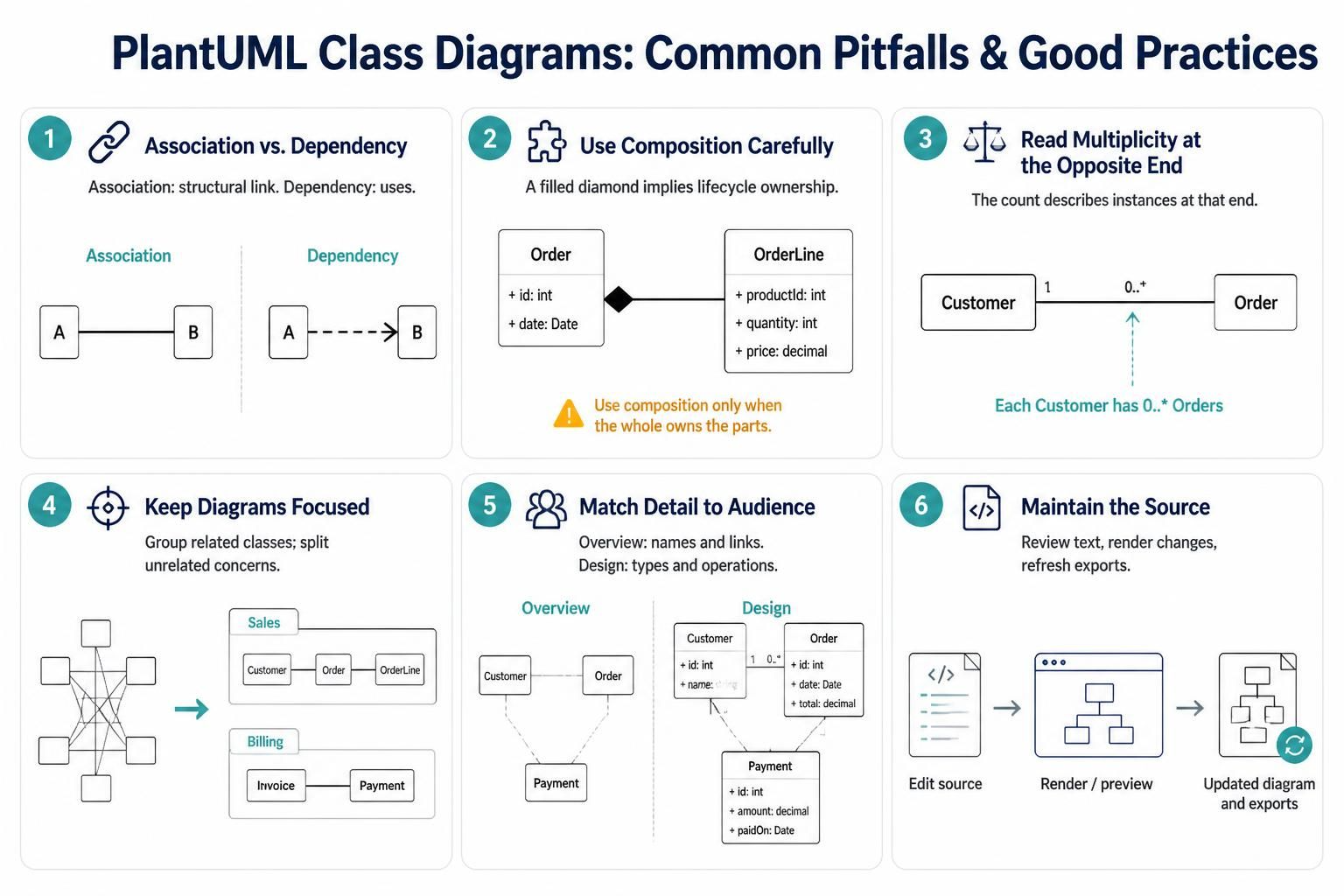
Creating robust software architecture requires clear communication. PlantUML, when used with the Visual Paradigm VPasCode tool, provides a powerful way to document system structures using “Diagram as Code.” However, even experienced developers can fall into traps that lead to confusing or misleading models. This tutorial explores the six critical best practices for creating professional, accurate PlantUML class diagrams.
1. Distinguishing Association from Dependency
The first step in modeling relationships is understanding the semantic difference between “using” a class and “holding” a reference to it.
- Association: Represents a structural link where one class holds a reference to another. This is a strong connection often implying a “has-a” relationship.
- Dependency: Represents a “uses-a” relationship. It is typically temporary, such as a class using another class only within the scope of a method.
In PlantUML, the visual syntax reflects this difference clearly. An association is a solid line, while a dependency is a dashed line with an arrowhead.
@startuml
class A
class B

' Strong structural link
A -- B

' Temporary usage relationship
A ..> B
@enduml
2. Using Composition Carefully
Composition is the strongest form of association. It implies a lifecycle dependency: if the “whole” is destroyed, the “parts” are destroyed with it. Do not overuse this relationship.
Consider the relationship between an Order and an OrderLine. An order is composed of lines; if you cancel an order, the lines cease to exist. This justifies the filled diamond symbol.
@startuml
class Order {
  + id: int
  + date: Date
}

class OrderLine {
  + productId: int
  + quantity: int
  + price: decimal
}

' Composition: Lifecycle ownership
Order "1" *-- "0..*" OrderLine
@enduml
Pro Tip
Only use the filled diamond (composition) when the child class cannot logically exist without the parent. For relationships where the child can exist independently (like a Customer owning an Order), use a simple Association (solid line) instead.
3. Reading Multiplicity at the Opposite End
A common source of confusion for beginners is the direction of the multiplicity (cardinality). The rule is simple: the number next to a class describes the number of instances of that specific class involved in the relationship.
If you have a relationship between Customer and Order, and the number 0..* is placed next to the Order class, it means “One Customer has 0 to many Orders.”
@startuml
class Customer
class Order

' 0..* is next to Order, so it describes the number of Orders
Customer -- "0..*" Order
@enduml
4. Keeping Diagrams Focused
Visual clutter is the enemy of clarity. If your diagram contains too many classes and connections, it becomes unreadable. The solution is to split your model into logical packages or separate diagrams.
For example, separate your “Sales” logic (Customer, Order) from your “Billing” logic (Invoice, Payment). This keeps the mental load low for the viewer.
@startuml
package "Sales" {
  Customer -- Order
}

package "Billing" {
  Invoice -- Payment
}
@enduml
5. Matching Detail to Audience
Not all diagrams need the same level of granularity. You should tailor the “View” of your diagram to the audience:
- Conceptual Overview: Stakeholders usually just need class names and relationships. Hide attributes and methods to keep it clean.
- Design-Level Diagram: Developers need types, visibility (+, -, #), and operations to understand the implementation details.
@startuml
class Customer {
  + id: int
  + name: String
}

class Order {
  + id: int
  + date: Date
  + total: decimal
}

' Detailed design view
Customer -- Order
@enduml
6. Maintaining the Source Artifact
Finally, remember that in the “Diagram as Code” workflow (especially with VPasCode), the text source is the single source of truth. The diagram is just a rendered view of that text. Always ensure that your source code is updated before rendering. If you change the text, you must re-render to update the exports.
- Edit the source code.
- Render or Preview the diagram.
- Verify the visual output matches the source changes.
By adhering to these practices, you ensure that your PlantUML diagrams are not just pictures, but precise, maintainable documentation of your system architecture.