
Mastering Enterprise AI: Architecting VPasCode Connections with UML
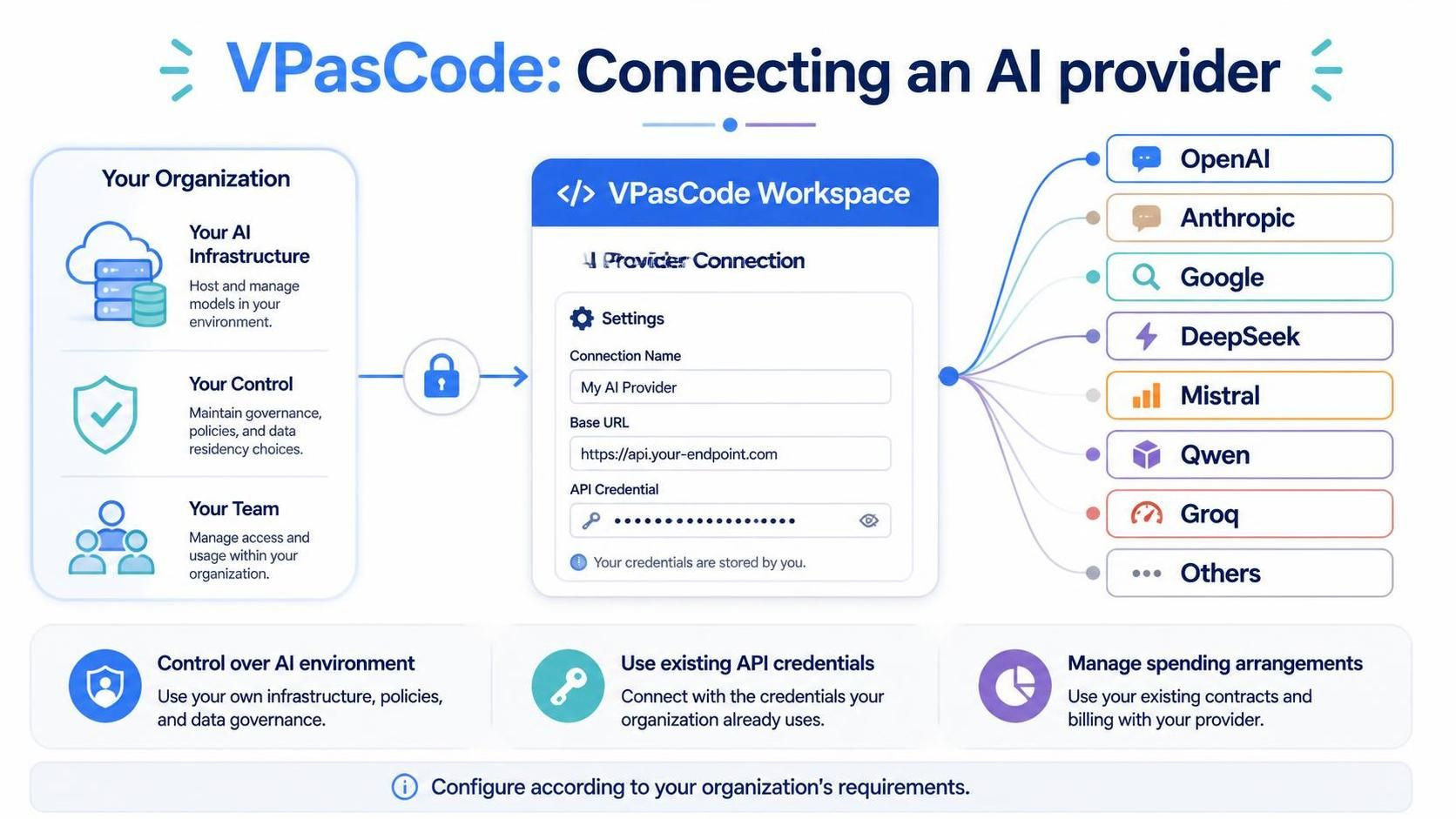
In the rapidly evolving landscape of enterprise artificial intelligence, the ability to bridge organizational infrastructure with external intelligence is paramount. The diagram titled VPasCode: Connecting an AI provider illustrates a sophisticated architecture designed for organizations seeking autonomy, security, and control. This tutorial dissects the system’s workflow, explaining how VPasCode acts as a central hub for integrating diverse AI models while maintaining strict data governance.
The Architecture of Control: From Organization to Workspace
The diagram visualizes a secure flow of information, starting from the organization’s internal assets and moving through a secure gateway into the VPasCode workspace. This architecture is built on three foundational pillars that ensure the organization remains the master of its AI destiny.
1. The Organizational Foundation
On the left side of the diagram, we see the “Your Organization” block, which represents the source of truth and the environment where the AI models are either hosted or governed. This block is composed of three critical components:
- Your AI Infrastructure: This represents the physical or virtual hosting environment. Organizations may choose to host models on-premise or within a private cloud, ensuring data never leaves their control unless explicitly permitted.
- Your Control: This component emphasizes governance. It highlights the ability to maintain policies regarding data residency, compliance, and security protocols.
- Your Team: This represents the human element, managing access controls and usage quotas. It ensures that the right personnel have the right level of access to the AI tools.
2. The Secure Gateway
Connecting the organizational infrastructure to the VPasCode Workspace is a secure tunnel, visually represented by a lock icon. This signifies that the data transmission is encrypted and authenticated. It ensures that the connection between the internal environment and the VPasCode platform is tamper-proof.
Configuring the Connection: The VPasCode Workspace
The central component of this architecture is the VPasCode Workspace, specifically the “Provider Connection” module. This is where the technical configuration takes place. The diagram reveals that this is not a “black box” solution; it is a transparent configuration interface.
The configuration interface requires three specific inputs to establish a functional link:
- Connection Name: A descriptive identifier (e.g., “My AI Provider”) to help administrators distinguish between different connections within the workspace.
- Base URL: The endpoint address where the AI provider hosts their API services (e.g.,
https://api.your-endpoint.com). This allows the system to route requests to the correct destination. - API Credential: A secure field for entering authentication tokens or keys. The diagram explicitly notes: “Your credentials are stored by you.” This is a crucial distinction from standard SaaS models where third parties might manage keys.
Technical Implementation Example
In a typical implementation, these configuration parameters would be mapped to environment variables or a secure secrets manager. Below is a conceptual representation of how this configuration might be structured in a configuration file:
{
  "provider_connection": {
    "name": "My AI Provider",
    "base_url": "https://api.your-endpoint.com/v1",
    "auth": {
      "type": "api_key",
      "stored_securely": true,
      "key_reference": "org_ai_provider_key"
    }
  }
}
Expanding Capabilities: The Ecosystem of Providers
The most striking feature of this diagram is the branching lines connecting the VPasCode Workspace to a diverse array of AI providers. This demonstrates the platform’s multi-provider interoperability. Rather than being locked into a single vendor, organizations can leverage a wide ecosystem of intelligence.
The diagram explicitly lists the following supported providers:
- OpenAI: Leading the market with GPT-series models.
- Anthropic: Known for safety-focused AI models like Claude.
- Google: Offering Gemini and other advanced language models.
- DeepSeek: Providing high-performance coding and reasoning models.
- Mistral: Offering efficient, open-weight models.
- Qwen: Alibaba’s advanced large language model series.
- Groq: Known for extremely fast inference speeds.
- Others: A catch-all category for niche or custom providers.
Strategic Benefits of This Architecture
The bottom section of the diagram summarizes the strategic advantages of this setup. It is not merely a technical connection; it is a business strategy.
Control Over AI Environment
By connecting your own infrastructure, you retain ownership of the data flow. You can implement custom policies, such as data masking or filtering, before data ever reaches the external provider.
Use Existing API Credentials
This feature is vital for cost management. Organizations often have pre-negotiated contracts with AI providers. By using existing credentials, you ensure that your usage is billed directly under your existing contract, rather than incurring new, potentially higher, per-seat costs through a third-party aggregator.
Manage Spending Arrangements
This ties back to the billing aspect. It allows finance and IT teams to track spending against specific organizational budgets and contracts, ensuring transparency and financial governance.
Conclusion
The VPasCode architecture for connecting an AI provider represents a mature approach to enterprise AI adoption. It moves away from the “convenience over security” model and embraces a “security and control first” philosophy. By allowing organizations to host their infrastructure, manage their own credentials, and select from a wide array of providers, VPasCode empowers businesses to build AI solutions that are robust, compliant, and cost-effective.