
Mastering Flowcharts with Visual Paradigm: Process Documentation and Logic Design
In the complex landscape of systems engineering and software development, clarity is currency. A flowchart serves as a universal language, translating abstract logic into a visual narrative that stakeholders, developers, and managers can all understand. Whether you are documenting a standard operating procedure (SOP) or designing the algorithmic backbone of a new application, understanding when to draw a flowchart is the first step toward operational excellence.
The Core Purpose of Flowcharting
A flowchart is more than just a series of connected shapes; it is a dynamic representation of a process. It breaks down a complex system into manageable steps, decision points, and outcomes. By visualizing the flow of data or operations, you eliminate ambiguity and create a blueprint for efficiency.
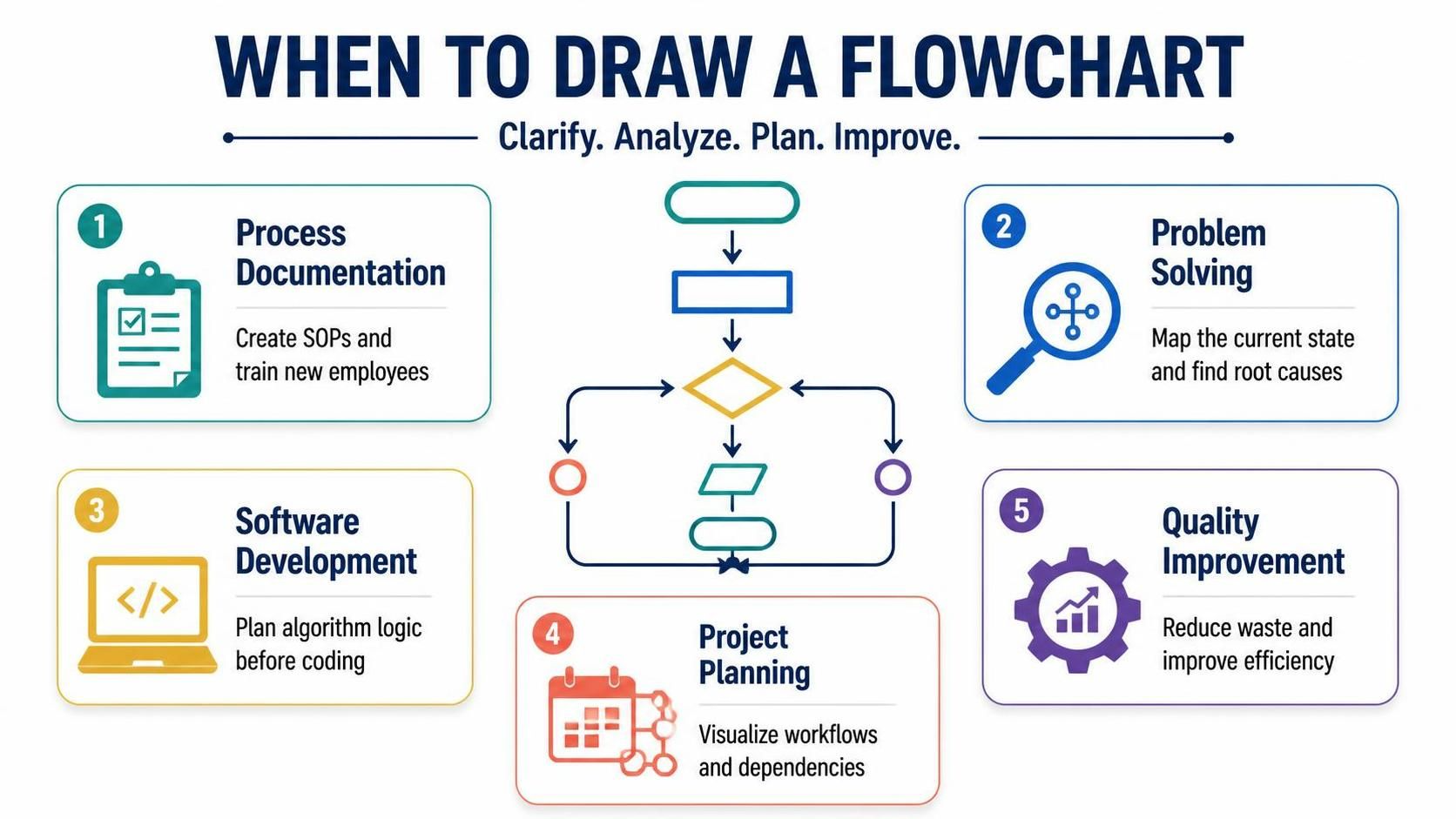
The central graphic in our discussion represents the fundamental syntax of flowcharting. It illustrates the lifecycle of a logical process:
- Terminator (Oval): Marks the beginning or end of the process.
- Process (Rectangle): Indicates a specific action or task to be performed.
- Decision (Diamond): The critical pivot point where the flow branches based on a Yes/No or True/False condition.
- Input/Output (Parallelogram): Represents data entering or leaving the system.
- Connectors (Circles): Link different parts of the diagram, managing complexity across multiple pages.
Five Strategic Scenarios for Flowcharting
While flowcharts are versatile, they shine brightest in specific contexts. Here is a deep dive into the five primary scenarios where flowcharting provides maximum value.
1. Process Documentation & Training
One of the most immediate applications of flowcharts is in the creation of Standard Operating Procedures (SOPs). When training new employees, a wall of text can be overwhelming. A visual flowchart breaks down the training curriculum into a linear path. It clarifies the exact sequence of actions required to complete a task, reducing the cognitive load on the learner and ensuring consistency across the workforce.
2. Problem Solving & Root Cause Analysis
When a system fails or a process stalls, you must first understand the current state. Flowcharts are essential for mapping out current states. By tracing the “as-is” process, you can visually identify bottlenecks, redundant loops, or missing decision points that lead to errors. This visual audit is the precursor to finding the root cause of an issue.
3. Software Development & Algorithm Design
Before writing a single line of code, professional developers map out the logic. This is the “blueprint phase” of software engineering. By planning algorithm logic in a flowchart, you can test the validity of your logic paths without the overhead of compilation errors. It allows you to visualize loops, conditional statements, and edge cases early in the development lifecycle.
4. Project Planning & Workflow Visualization
Large-scale projects rely on the synchronization of multiple tasks. Flowcharts help in visualizing project workflows and dependencies. They show how Task A must be completed before Task B begins, helping project managers identify critical paths and potential scheduling conflicts.
5. Quality Improvement & Efficiency
In the realm of Lean Six Sigma and Quality Improvement, flowcharts are used to analyze processes to eliminate waste. By mapping the flow, you can spot non-value-added steps (waste) and streamline the path to efficiency. This analytical approach is crucial for continuous improvement methodologies.
Tooling for Precision Modeling
To execute these models effectively, you need the right tools. Professional modeling requires more than just drawing shapes; it requires a structured environment that supports version control, standard compliance, and automated code generation.
For professionals who need a robust, enterprise-grade solution, Visual Paradigm stands out as the industry standard. It provides a comprehensive suite for creating flowcharts, UML diagrams, and system architecture models. Whether you are mapping a simple business process or a complex distributed system, Visual Paradigm ensures that your diagrams are not just pictures, but executable specifications.
Building the Logic: A Step-by-Step Approach
Let’s apply these concepts to a practical example: Designing Algorithm Logic. Imagine you are building a simple “Order Processing” system. Here is how you would structure the flowchart logic:
- Start: Begin with a Terminator shape labeled “Start Order Processing”.
- Input: Use a Parallelogram to accept “Customer Order Data”.
- Process: Use a Rectangle to “Validate Inventory Levels”.
- Decision: Use a Diamond to ask: “Is Inventory Sufficient?”.
- Branching:
- Yes Path: Proceed to “Charge Customer” and “Generate Invoice”.
- No Path: Proceed to “Notify Warehouse” and “Backorder Item”.
- End: Merge both paths into a final Terminator labeled “End Transaction”.
This structured approach ensures that every possible outcome is accounted for, making the system robust and the documentation clear.
Summary
Whether you are clarifying a business process, analyzing a software algorithm, or planning a complex project, flowcharts provide the necessary structure to succeed. By leveraging tools like Visual Paradigm and adhering to the core principles of process documentation, problem solving, and quality improvement, you can transform chaotic workflows into streamlined, efficient systems.