Enterprise architecture relies on precise communication. When modeling complex systems, the ArchiMate language provides a standardized framework. However, creating a model that is both accurate and useful requires strict adherence to the language specifications. Errors in modeling can lead to misinterpretations, flawed decision-making, and technical debt within the architecture documentation. This guide addresses the most frequent pitfalls encountered during the modeling process and offers practical strategies to resolve them. By understanding the underlying constraints of the language, architects can maintain high-quality models that stand the test of time.
Modeling is not merely about drawing shapes. It is about defining relationships, boundaries, and responsibilities clearly. A model filled with inconsistencies acts as noise rather than signal. This document outlines the structural, semantic, and procedural errors that commonly occur and provides a roadmap for correction. We will explore relationship constraints, layering violations, naming conventions, and process flow issues. The goal is to build robust architecture representations that support strategic alignment without confusion.
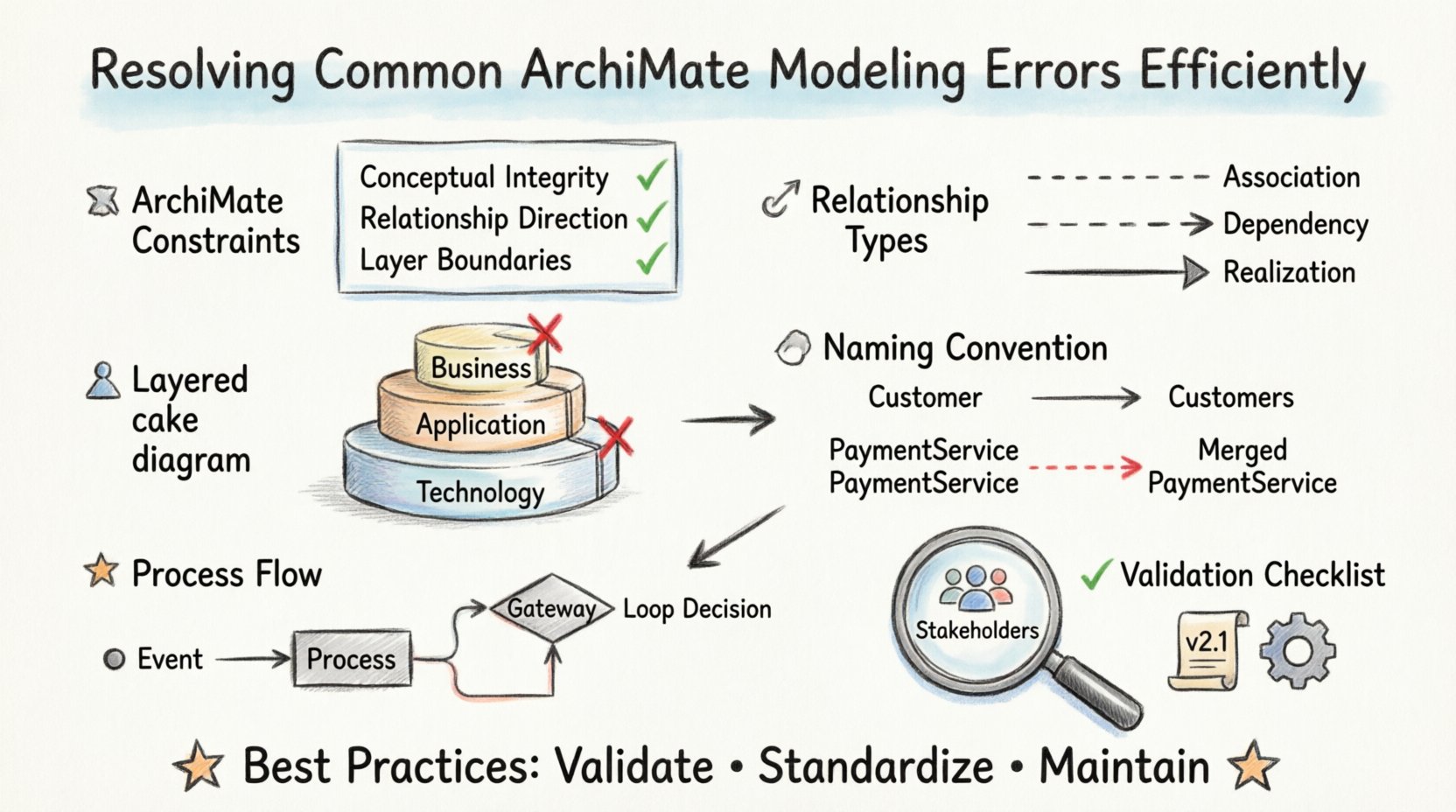
Understanding ArchiMate Constraints 🧩
Before resolving errors, one must understand the rules governing the language. ArchiMate is not a free-form diagramming tool. It enforces specific semantic rules to ensure logical consistency across the business, application, and technology layers. Violating these rules often results in models that are syntactically correct but semantically meaningless.
- Conceptual Integrity: Every element must belong to a specific domain within the architecture.
- Relationship Direction: Arrows indicate the direction of influence, dependency, or realization.
- Layer Boundaries: Elements generally reside within specific layers, and connections must follow defined pathways.
When these constraints are ignored, the model becomes fragile. Changes made to one part of the architecture may break the logic of another. Adhering to the specification ensures that the model remains a reliable reference for stakeholders. It is essential to treat the language as a formal grammar where syntax errors prevent the message from being understood.
Structural Relationship Errors 🔄
Relationships define how elements interact. Misusing relationships is the most common source of modeling errors. There are specific relationship types for specific scenarios. Using a generic connection where a specific one is required obscures the nature of the interaction.
1. Association vs. Dependency vs. Realization
These three relationship types are often confused. Distinguishing between them is critical for accurate modeling.
- Association: Indicates a structural link between two elements without implying a usage or dependency. For example, a person is associated with a group. The relationship implies coexistence, not necessarily usage.
- Dependency: Implies that the existence or behavior of one element relies on another. If the supplier element changes, the dependent element may be affected. This is common in business processes where one step relies on the output of another.
- Realization: Indicates that one element provides the implementation for another. For instance, a service realizes a business function. This is a strong, specific link often used to map abstract functions to concrete implementations.
Common Error: Connecting a Business Actor to an Application Function with a “Realization” arrow.
Resolution: Change the relationship to “Access” or “Association” depending on the intent. Actors do not realize functions; they perform them or access them.
2. Flow and Assignment Relationships
Flow relationships are typically used within the Behavior layer to show the movement of information or material. Assignment relationships connect Behavior to Structure. Confusing these leads to broken logic in process models.
- Flow: Used between Behavior elements (e.g., Process to Process) or between Behavior and Structure (e.g., Process to Object).
- Assignment: Used to indicate that a Structure element is used or performed by a Behavior element. For example, a Business Process is assigned to a Business Actor.
When these are reversed, the model suggests that a process is performing an assignment, or a data object is flowing directly to a function without a process context. Correcting this requires tracing the logical flow of value creation.
Layering and Scope Violations 📊
ArchiMate defines a layered structure to separate concerns. The Business Layer deals with organizational capabilities. The Application Layer handles software services. The Technology Layer covers infrastructure. While connections between layers are allowed, they follow strict rules. Randomly connecting elements across distant layers without proper intermediaries creates a “spaghetti” model that is hard to maintain.
1. The Principle of Layering
Elements should primarily reside within the layer that best describes their nature. A “Database” belongs in Technology. A “Service” belongs in Application. A “Role” belongs in Business. Placing a Database in the Business Layer implies that the database itself is a business concept, which is technically incorrect.
- Check: Verify the classification of every element.
- Check: Ensure that cross-layer connections use valid relationship types.
2. Crossing Boundaries Illegally
Some relationships are restricted to specific layers. For example, a “Realization” relationship typically connects an Application Service to a Business Function. Connecting a Technology Server directly to a Business Function without an Application Service in between skips a necessary abstraction layer.
| Error Type | Scenario | Recommended Fix |
|---|---|---|
| Layering Violation | Connecting Technology directly to Business | Insert an Application Service layer to bridge the gap. |
| Missing Role | Process connected to no Actor | Assign a Business Actor or Role to the process. |
| Invalid Flow | Data Object flowing into a Process | Ensure the object is a “Product” or “Artifact” and use the correct flow type. |
Resolving these issues often involves adding intermediate elements. It is better to have a slightly more complex model that is accurate than a simple model that is misleading. The architecture must reflect the actual deployment and logical structure.
Naming Conventions and Consistency 🏷️
Even if the relationships are correct, a model can fail if the elements are ambiguous. Naming conventions are not just about aesthetics; they are about clarity. Inconsistent naming makes searching, filtering, and understanding the model difficult for stakeholders.
1. Singular vs. Plural
ArchiMate generally recommends using the singular form for elements. A “Product” is an instance of a type. A “Products” list is a collection. Mixing singular and plural forms in the same model creates confusion. If you define a “Service”, do not later create a “Services” element for the same concept.
2. Duplicates and Synonyms
One of the most persistent errors is having multiple elements representing the same concept. For example, “Customer Management” might appear as a Process in one view and a Function in another. This fragmentation dilutes the value of the architecture.
- Audit: Regularly scan the model for similar names.
- Consolidate: Merge duplicate elements and update all references.
- Standardize: Adopt a naming dictionary for the organization.
3. Descriptive Labels
Labels should be concise but descriptive. Avoid abbreviations unless they are universally understood. Instead of “CRM”, use “Customer Relationship Management System”. This ensures that new stakeholders can understand the model without requiring a legend.
Process and Flow Modeling Specifics 🚦
Behavior modeling is where complexity often spikes. Processes, Functions, and Events must be sequenced logically. Errors here often result in loops that do not terminate or paths that lead nowhere.
1. Event and Trigger Confusion
Events trigger processes. If a process is not triggered by an event, it should not exist in a static model. Conversely, if a process is triggered, there must be a source event. Ensure that every entry point into a process is accounted for.
2. Feedback Loops
While loops exist in real life, in modeling, they can indicate a missing decision point. If a process flows back to itself immediately, it suggests an infinite loop. Introduce a decision node (Gateway) to control the flow. This clarifies that the repetition is conditional, not automatic.
3. Data Flow vs. Control Flow
ArchiMate distinguishes between the movement of data and the control of processes. A “Flow” relationship moves data or material. A “Trigger” relationship moves control. Mixing these up implies that data controls the process, or the process moves data without a container. Ensure that data objects flow through processes, not that the process flows into the data object.
Validation Strategies for Quality Assurance ✅
Once errors are identified, they must be systematically addressed. Relying on manual inspection is prone to human error. Automated validation tools within the modeling environment can significantly reduce the workload.
1. Constraint Checking
Most modeling environments include a built-in validator. This tool checks for syntactic errors, such as missing labels, invalid relationships, or orphaned elements. Run this check before sharing the model with stakeholders.
2. Cross-Reference Verification
Ensure that references between views are consistent. If a View A shows a relationship that View B hides, there may be a scope issue. Use the model’s navigation features to trace connections from element to element.
3. Stakeholder Review
Technical correctness is only half the battle. The model must make sense to the business users. Conduct reviews where stakeholders validate the logic of the processes and the structure of the organization. Their feedback often reveals semantic errors that automated tools miss.
Maintaining Long-term Quality 📈
Modeling is an ongoing activity. The architecture evolves as the organization changes. To prevent errors from accumulating over time, establish a governance process.
- Version Control: Track changes to the model. This allows you to revert if a change introduces errors.
- Change Management: Require approval for structural changes. This ensures that the impact of a change is understood before it is applied.
- Documentation: Keep the rationale for decisions recorded. This helps future architects understand why a specific relationship was chosen.
By treating the model as a living artifact, you ensure that it remains a valuable asset. Errors are inevitable in complex systems, but they become manageable when addressed with a structured approach. Regular maintenance prevents the model from becoming obsolete or misleading.
Summary of Best Practices 🌟
To summarize, resolving ArchiMate modeling errors requires a disciplined approach. Focus on the integrity of relationships, the correctness of layering, and the consistency of naming. Use validation tools to catch syntax issues early. Engage stakeholders to verify semantic accuracy. Finally, maintain the model through regular reviews and version control.
Adhering to these practices ensures that the architecture documentation serves its primary purpose: guiding strategic decisions with clarity and precision. A clean model is a reliable model. It reduces risk and enhances communication across the enterprise. By following the guidelines outlined in this guide, architects can build robust frameworks that support the organization’s goals effectively.
Remember that the language is a tool for thought. It is not a substitute for thinking. Use the constraints to force clarity, and the relationships to define value. With consistent application, the modeling process becomes a source of insight rather than a burden of documentation.